August 30, 2026
•
12
min read

What Is Replit? How It Works and What You Can Build in 2026
Replit is a browser-based platform for building, running, and shipping apps with AI. Learn what it does, what you can build, pricing, and its limits.

What Is Replit?
Replit is a cloud platform for creating software in your browser. You can describe what you want or write code yourself, while Replit provides the editor, development environment, data services, and hosting.
It began as a browser-based IDE (integrated development environment) under the name Repl.it, founded in 2016 by Amjad Masad. The original idea was to make coding easy to start without downloads, local setup, or manual environment configuration.
That editor still exists inside the product. What changed is the layer built around it.
Replit now centers on Replit Agent, an AI system that can interpret a prompt, plan and execute development work, edit files, run code, test results, and help turn an idea into a deployed application.
So, what is Replit in 2026? It is an AI-powered software development platform with a complete cloud development environment underneath.
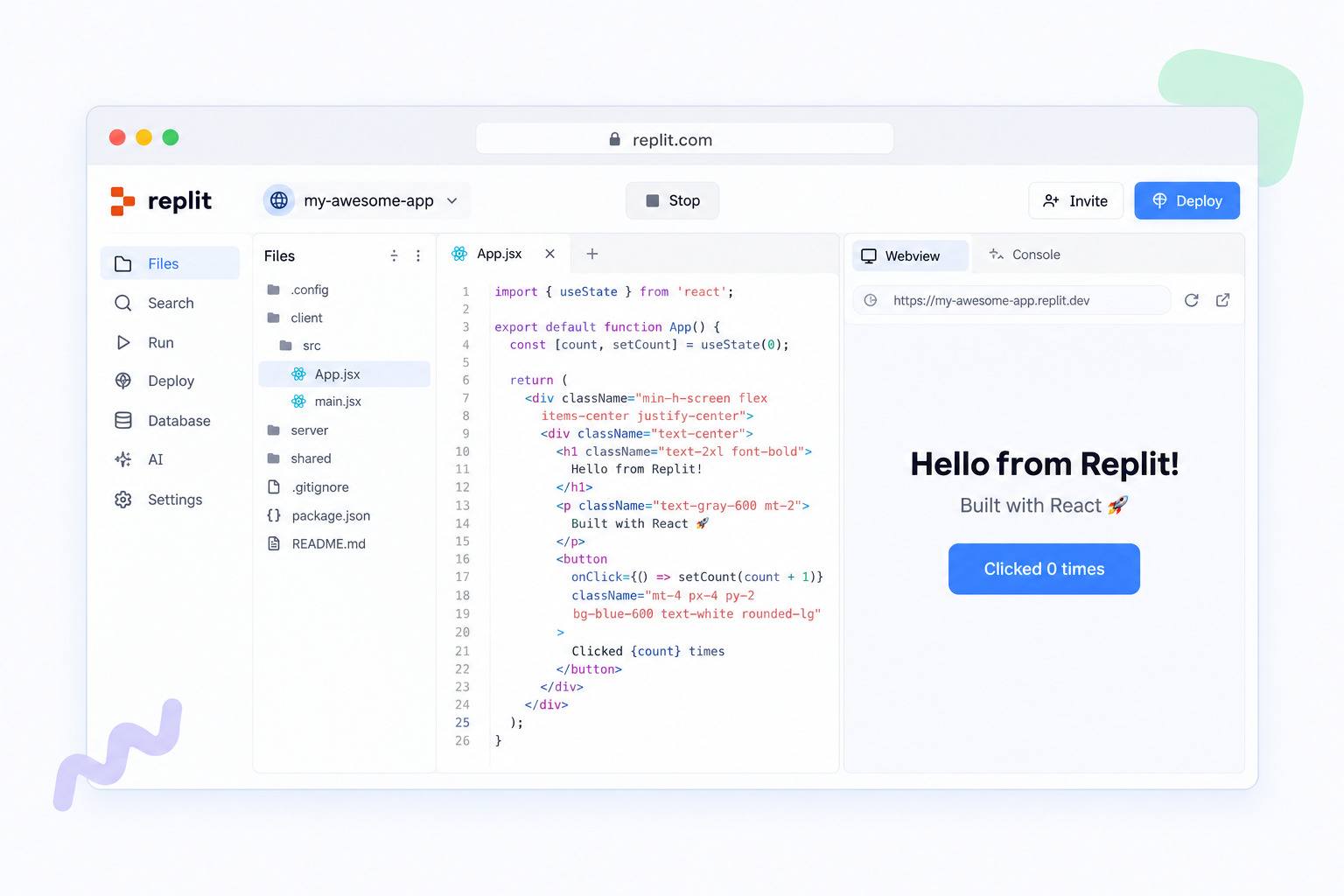
You can use Replit through the web, desktop apps for macOS, Windows, and Linux, and mobile apps for iOS and Android.
What Is Replit Used For?
People use Replit to build and ship software quickly, often without writing all of the code themselves. It supports both traditional programming and AI-assisted development.
- Coding and software development: Writing and running code across many programming languages.
- Websites and landing pages: Building portfolios, marketing pages, and other websites.
- Web apps: Creating full-stack applications with a frontend, backend, and database.
- Mobile apps: Building mobile experiences for iOS and Android.
- Prototypes and MVPs: Testing a product idea before committing to a larger engineering project.
- Internal tools and dashboards: Creating admin panels, trackers, reporting tools, and operational apps.
- Automations: Connecting services and building tools that handle repetitive workflows.
- Learning and experimentation: Trying a programming language or software concept without installing a local development environment.
Agent 4 projects can also contain multiple related artifacts, such as a web app, mobile app, dashboard, or presentation.
When those artifacts belong to the same Replit project, they can share project infrastructure such as the database, backend or API, file storage, and deployment lifecycle. They also share project context, which helps Agent keep related work consistent.
How Does Replit Agent Work?
Replit Agent is the AI system that works directly inside your project. You describe a goal in plain language, and Agent can plan and execute the development work needed to produce it.
That can include:
- creating and editing files;
- installing packages;
- running commands;
- building interfaces;
- configuring data;
- starting the application;
- testing features;
- diagnosing errors;
- making follow-up changes.
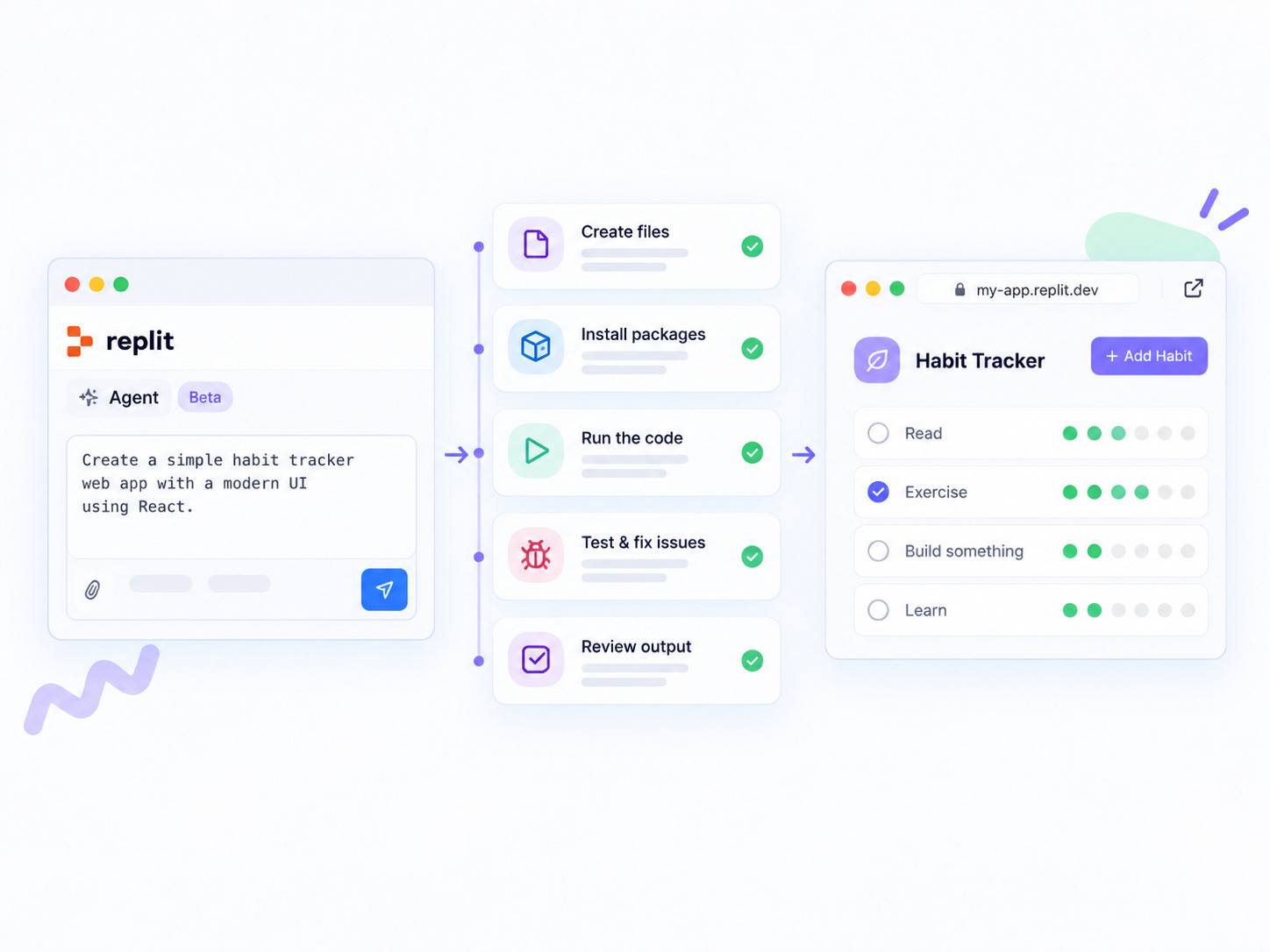
Unlike a chatbot that only suggests code snippets, Replit Agent operates inside the development environment itself.
It can inspect the running application, identify some problems, and attempt fixes. Replit also creates checkpoints during development, giving you a way to return to an earlier state when a change does not work as expected.
Replit Agent 4
Agent 4 is the current major generation of Replit Agent, released in March 2026.
It expands Replit beyond a prompt-to-code workflow. Agent 4 is designed around building and designing in the same environment, completing multiple pieces of work in parallel, creating different artifact types within one project, and coordinating work across teams.
You also do not always need to choose a programming stack manually. You can describe what you need, and Agent can select an appropriate technical setup for the project.
Agent 4 also changed how planning works.
Instead of requiring a strict plan → approve → build sequence, planning and implementation can happen together. Agent can organize the work while development is already in progress.
Design Canvas and parallel work
Agent 4 includes a visual Design Canvas where you can generate interface options, compare them, refine a design, and move the chosen version into the application.
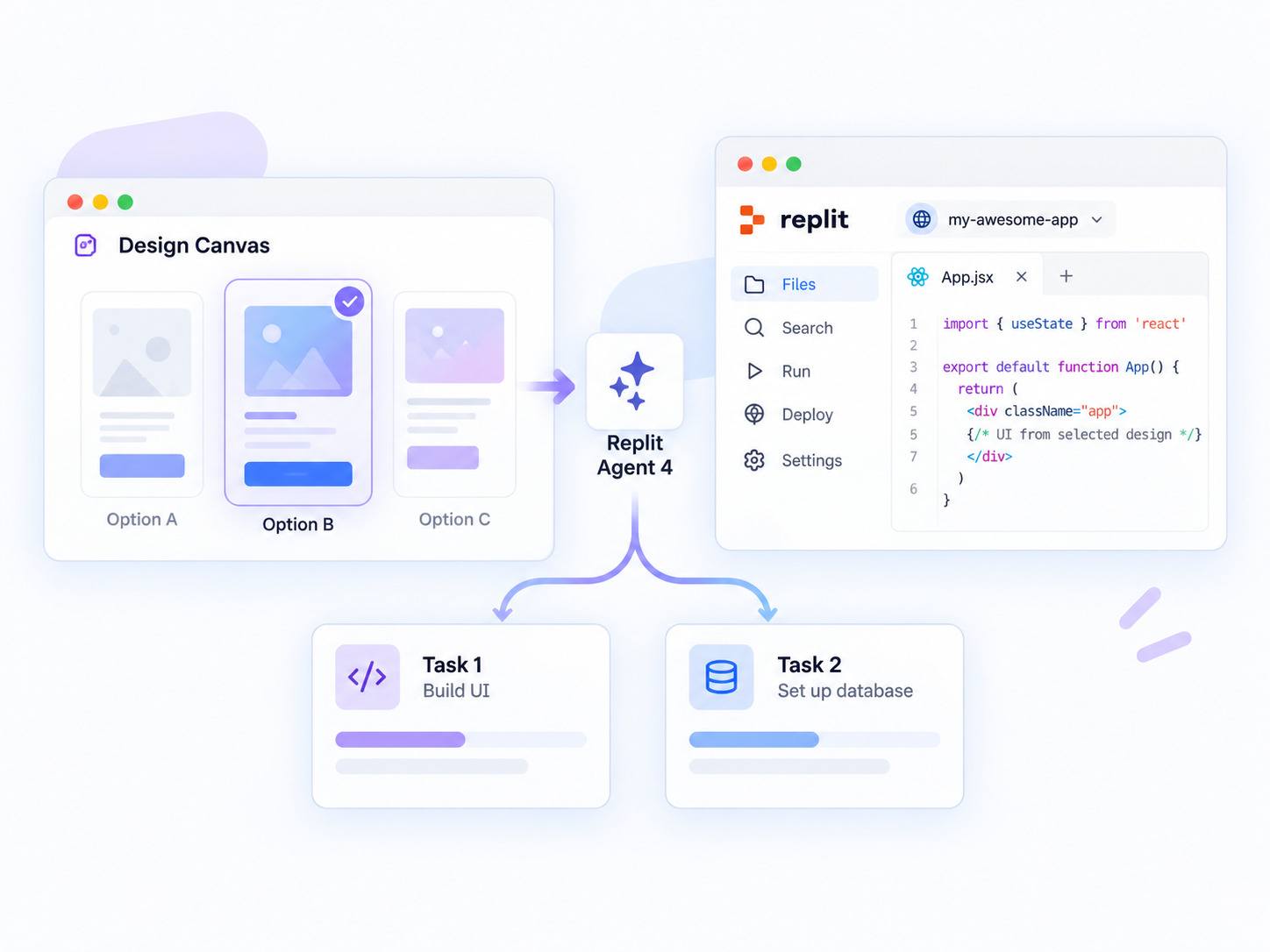
Replit can also complete work in parallel.
Separate tasks can progress in isolated copies of the project before you review and apply the result. This makes it possible to work on different features or requests without forcing every task into one strictly sequential queue.
Available concurrency depends on the Replit plan and the type of Agent work being performed. Because Replit changes these limits over time, check the current pricing and Agent documentation if parallel capacity is important to your workflow.
What Can You Build With Replit?
You can use Replit to build many common types of software as well as supporting assets around a project.
- web applications;
- mobile applications;
- websites and landing pages;
- dashboards;
- internal tools;
- chatbots and AI-powered tools;
- prototypes and MVPs;
- data applications;
- automations;
- presentations and other project artifacts.
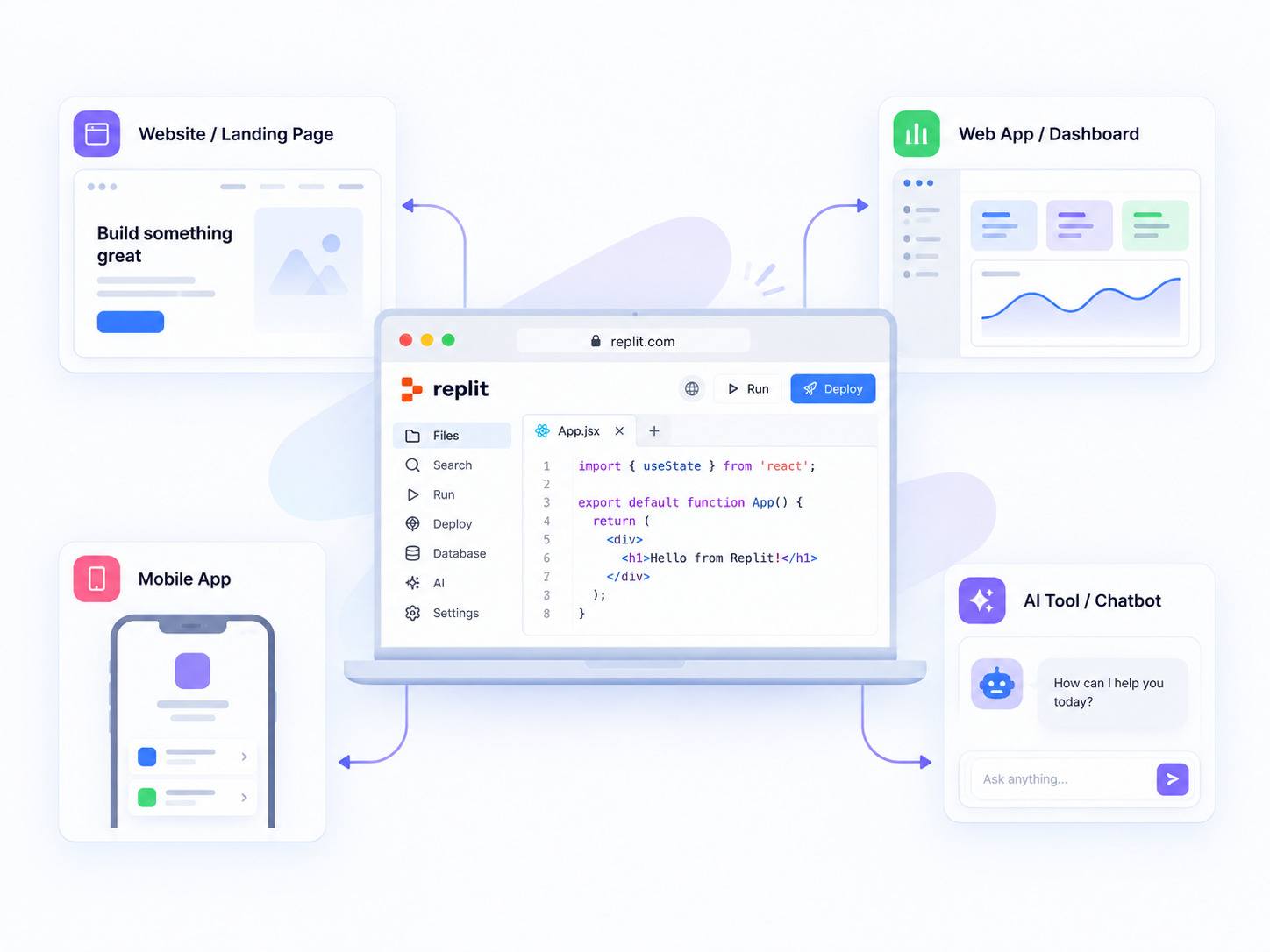
Agent 4 can create several artifact types inside the same project, allowing related outputs to share context and project infrastructure.
Replit can also connect applications to outside services. Depending on the integration, that may include tools for project management, documentation, databases, APIs, or other business systems.
This means a Replit project can contain more than just source code. It can combine the application, its data, supporting services, and related assets inside one development workspace.
How Do You Use Replit?
At a high level, you describe what you want to build, let Agent begin planning and implementation, review the result, make changes, and publish when the application is ready.
You can also use the traditional code editor at any point.
Here's how to use Replit as a beginner:
- Sign in at replit.com on the web, or open the desktop or mobile app.
- Describe what you want to build in plain language.
- Let Agent plan and implement the project. Planning and development can happen together rather than as two completely separate stages.
- Review the application as it develops. You can refine the design, request changes, or edit the code yourself.
- Review completed work before applying important changes. Parallel tasks can run in isolated environments before being merged into the main project.
- Test the result and fix any problems that remain.
- Publish the application using the appropriate Replit deployment option.
Replit changes its interface frequently, so exact button and menu names may change. The more durable workflow is:
describe → build → review → refine → publish.
What Programming Languages Does Replit Support?
Replit is not tied to one programming language. Its development environment supports a wide range of languages and frameworks.
Common examples include:
- Python;
- JavaScript;
- TypeScript;
- Java;
- Go;
- C++;
- Ruby;
- Rust.
Web projects can also use HTML, CSS, and JavaScript in the usual way.
If your goal is specifically to create a website with Replit, see RapidDevelopers' guide to building a website with Replit.
When you use Replit Agent, you may not need to choose the language yourself. Agent can select a technical setup based on the application you describe.
Can You Use Replit Without Coding?
Yes. Replit Agent allows people without traditional programming experience to build functional applications by describing what they need in plain language.
That is one of the biggest differences between current Replit and its earlier browser-IDE model.
A founder, product manager, operator, or other non-developer can use Agent to create a prototype, test an idea, and request changes through conversation.
The Agent can handle parts of the interface, server logic, database setup, and deployment process.
That does not mean technical understanding has no value.
Knowing basic software concepts can help you:
- describe requirements more clearly;
- recognize incorrect output;
- evaluate architecture decisions;
- test edge cases;
- understand whether the application is ready for real users.
You do not necessarily need to write the code yourself, but you still need to review what the AI produces.
How Does Replit Handle Collaboration?
Replit supports real-time collaborative editing, allowing several people to work inside the same project.
Agent 4 extends this with a task-oriented workflow.
Team members can submit development or design requests, track progress, review completed work, and decide whether changes should be applied to the main project.
Collaboration and Agent concurrency limits vary by plan, so teams should verify current limits on Replit's pricing page before choosing a subscription based on team size.
How Do Replit Hosting and Deployment Work?
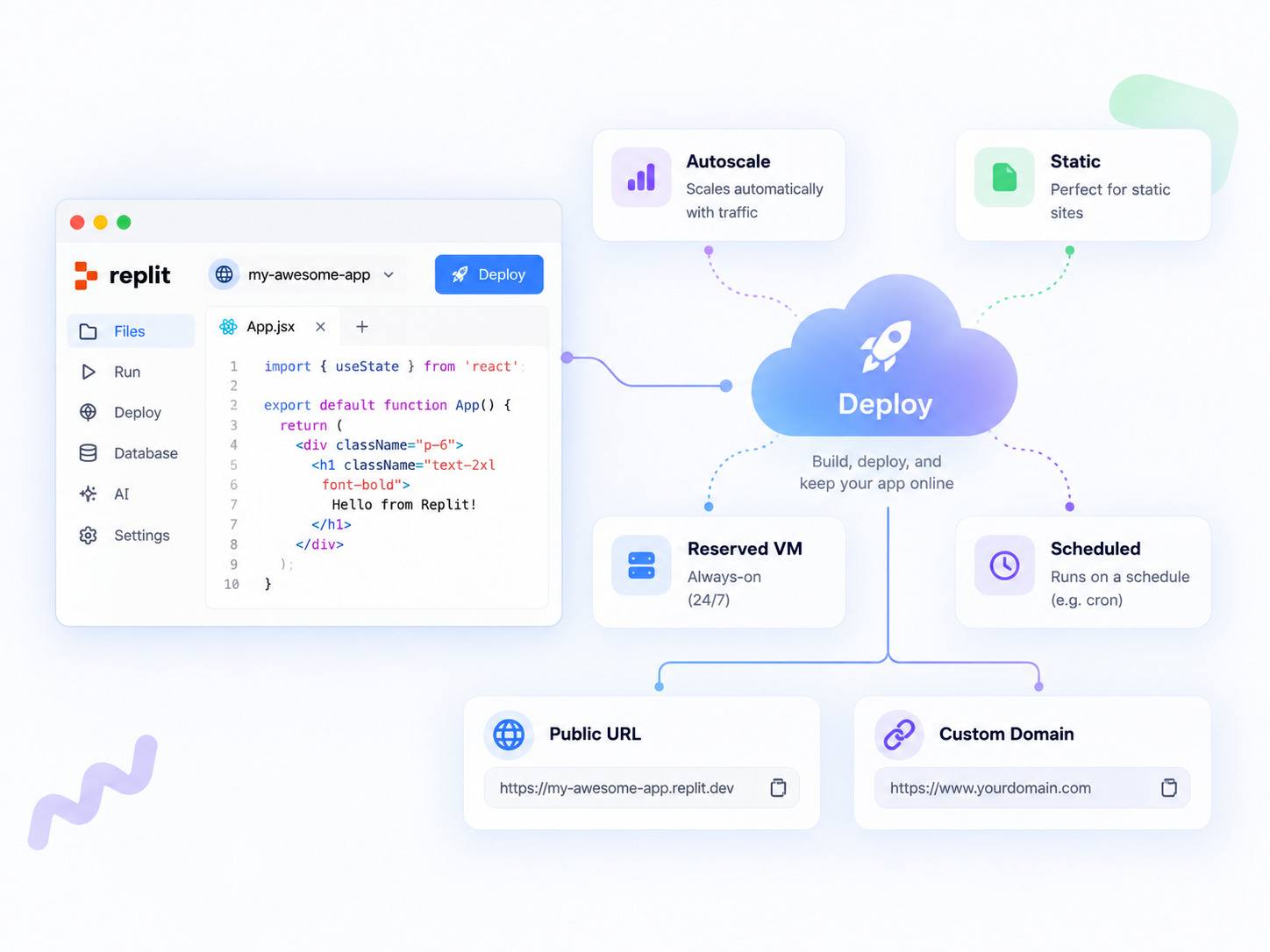
Replit can host the applications you build on its own cloud infrastructure. This allows you to move from development to a public URL without configuring a separate hosting provider.
You can publish to a Replit-hosted address and, where supported, connect a custom domain.
Replit currently provides several deployment types.
Autoscale
Autoscale deployments adjust compute resources according to application traffic. Resources can scale up when traffic increases and scale down when demand falls. This model is suitable for many web apps and APIs where traffic changes over time.
Static
Static deployments are intended for frontend-only sites built from files such as HTML, CSS, and JavaScript. Applications that require server-side logic need a deployment type that supports a backend runtime.
Reserved VM
Reserved VM deployments provide dedicated, always-on compute. They are useful for workloads that need to remain continuously available, such as persistent API servers or long-running services.
Scheduled
Scheduled deployments are designed for programs that need to run at specific times rather than respond continuously to web traffic. They can be useful for recurring jobs, reports, synchronization tasks, or maintenance scripts.
Databases and Integrations
Replit includes managed data services for applications that need persistent data or file storage.
Its current built-in options include:
- Replit Database: managed PostgreSQL for relational data and SQL queries;
- Replit App Storage: file storage for assets such as images, videos, and documents.
You can also connect external databases, APIs, and third-party services where the built-in options are not appropriate.
Replit provides a secrets system for credentials such as API keys, helping keep sensitive values out of application source code.
How Much Does Replit Cost?
Replit offers a free Starter plan, paid individual and team-oriented plans, and an Enterprise tier. AI and cloud usage can also create additional usage-based costs.
Pricing changes, so confirm current rates on Replit's official pricing page before making a purchasing decision.
The important detail is that Replit is not purely a flat-price subscription.
AI work and cloud resources can be usage-based. A small change may use little capacity, while a complex multi-step build can consume considerably more.
Deployment, databases, storage, and other cloud resources can also contribute to usage.
How do Replit Agent modes affect usage?
Replit introduced Free Mode in 2026 and later expanded its model-selection system with Intelligent Model Routing.
Intelligent Model Routing can choose a model based on the task, balancing quality, speed, and cost.
Users can begin with Free Mode for lower-cost work, while more demanding tasks may require or benefit from more capable modes. Core and Pro users can also access additional model-selection options.
Free Mode is an Agent mode. It is not the same thing as Replit's free Starter subscription.
For a deeper look at the models behind Replit Agent, see What LLM Does Replit Use?.
What Are Replit's Limitations?
Replit makes software development faster and more accessible, but it still comes with trade-offs.
AI output needs review
Replit Agent can generate code that looks correct but contains bugs, incorrect assumptions, or incomplete logic.
Anything handling real users, business operations, payments, sensitive data, or important workflows should be tested carefully before release.
Costs can become harder to predict
Usage-based AI and cloud pricing means the final cost depends partly on how you use the platform.
Large builds, frequent Agent usage, resource-heavy deployments, and higher traffic can increase spending beyond the base subscription.
Infrastructure control may not fit every team
Replit includes publishing, monitoring, analytics, databases, collaboration tools, and additional Enterprise controls.
However, some engineering teams need highly customized:
- CI/CD pipelines;
- infrastructure architecture;
- networking;
- observability;
- security controls;
- compliance processes;
- deployment environments.
Those teams should compare Replit's controls with their technical and organizational requirements before committing.
Replit is cloud-based
The platform is built around a cloud development environment and generally requires an internet connection.
That makes setup easier, but it also means Replit is not equivalent to a fully local development toolchain.
Complex systems may require a different approach
Large, long-lived systems with unusual architecture, strict infrastructure requirements, or complex compliance obligations may benefit from a conventional development environment or custom infrastructure.
The right choice depends on the application, team, and operating requirements.
Who Is Replit Best For?
Replit is a strong fit when the priority is getting software built and tested quickly without managing much development infrastructure.
Good fit:
- founders building prototypes or MVPs;
- product managers testing ideas;
- operators building internal tools;
- non-coders and semi-technical builders using AI-assisted development;
- developers working on experiments or side projects;
- teams that want a shared cloud workspace.
You may need a different approach if:
- your organization requires highly customized infrastructure;
- strict compliance or networking requirements control the architecture;
- your engineering workflow depends on a custom CI/CD stack;
- predictable fixed infrastructure costs are more important than convenience;
- the project is a large, long-lived codebase that requires full control of the development environment.
Frequently Asked Questions
Is Replit free to use?
Yes. Replit offers a free Starter plan for trying the platform. Paid plans provide greater Agent usage, resources, collaboration capabilities, and other features. Usage-based costs can also apply depending on the AI and cloud resources you consume.
Can you export or download your code from Replit?
Yes. Replit supports Git-based workflows and GitHub integration, allowing you to keep application code in an external repository and use version control outside the platform.
Is Replit suitable for production applications?
Replit can deploy and host live applications, including always-on workloads through Reserved VM deployments. For applications with strict compliance, infrastructure, networking, monitoring, or governance requirements, evaluate Replit's available controls against the project's production requirements before choosing it as the long-term platform.
How long does Replit take to make an app?
There is no fixed build time. Replit Agent can produce a simple first version quickly, but a production-ready app may take much longer because testing, integrations, data setup, edge cases, and revisions still need human review.
Is Replit safe?
Replit includes platform security features such as secrets management and additional controls on higher-tier plans, but the safety of an app still depends on how it is built and configured. Review authentication, permissions, data handling, dependencies, and AI-generated code before using a Replit app with sensitive or production data.
Does Replit work offline?
Replit is primarily a cloud-based development environment and normally requires an internet connection. Desktop and mobile applications are available, but the core development workflow still relies on Replit's cloud services.
How is Replit different from a traditional code editor?
A traditional editor runs on your machine and leaves setup, environment, and hosting to you. Replit bundles the editor, environment, database, hosting, and an AI agent in the browser, so you can go from an idea to a live app in one place. If you want to know which models power the Agent, see our guide to the LLMs Replit uses.
Related Articles: