

September 1, 2026
•
15
min read

Can You Use Replit to Build a Website? Complete Guide for 2026
Can you use Replit to build a website? See how the Replit AI website builder designs, builds, and hosts real sites in 2026, plus pricing, domains, and SEO.

Yes, you can use Replit to build a website. The Replit AI website builder turns a plain-language description into a working site you can refine, publish, and connect to a custom domain, and underneath it you get a full development environment, so the same project can grow from a simple landing page into a database-backed web application.
As a website builder, Replit sits between a drag-and-drop tool and hand-coding: the AI does the heavy lifting, but the output is real, editable code. This guide covers what the Replit AI website builder actually does in 2026, the main ways to build, how publishing and hosting work together, what it costs, and where a traditional website builder might still be the simpler choice.
Quick Answer: Can You Build a Website With Replit?
Yes. Replit is both an AI website builder and a full coding environment. For most people, the fastest route is to describe the site to Replit Agent and let it generate the pages, layout, and any backend logic. You then refine it conversationally, publish it, and point a domain at it.
What makes Replit different from a drag-and-drop builder is what sits underneath the AI. Every project is real code you can open, edit, version with Git, and extend with databases, authentication, and integrations. That flexibility is the main reason to choose it, and also the reason a simpler tool sometimes wins.
What Is the Replit AI Website Builder?
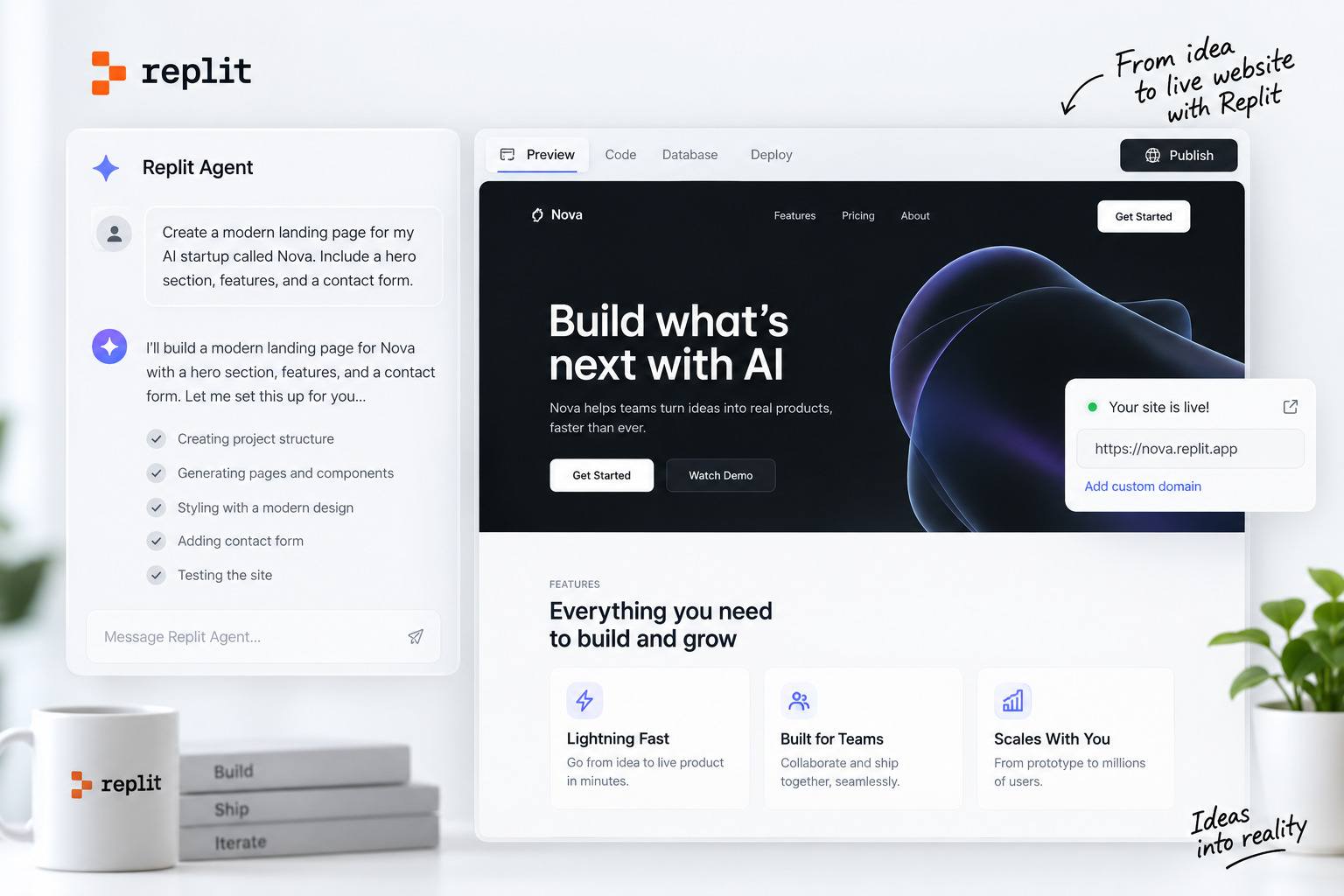
The Replit AI website builder is a tool that turns a plain-language description into a working website, then keeps a full development environment available so you can refine and extend it. You describe the site, Replit Agent builds it, you customize it with more requests, and you publish with a click.
It handles both the visual side and the functional side. A site can include a backend, a database, forms, and third-party integrations, not just front-end pages. You can also feed it visual inputs: describe a look, share a reference image, or paste a Figma link and use the design as a starting point.
Because the output is a real project rather than a locked template, the Replit website builder suits people who want more than a brochure page but do not want to start from an empty editor.
What Are the Main Ways to Build a Website With Replit?
There are three main approaches. They are not rigid, separate modes. A single project can move between them, and Replit lets these workflows overlap.
Build With Replit Agent
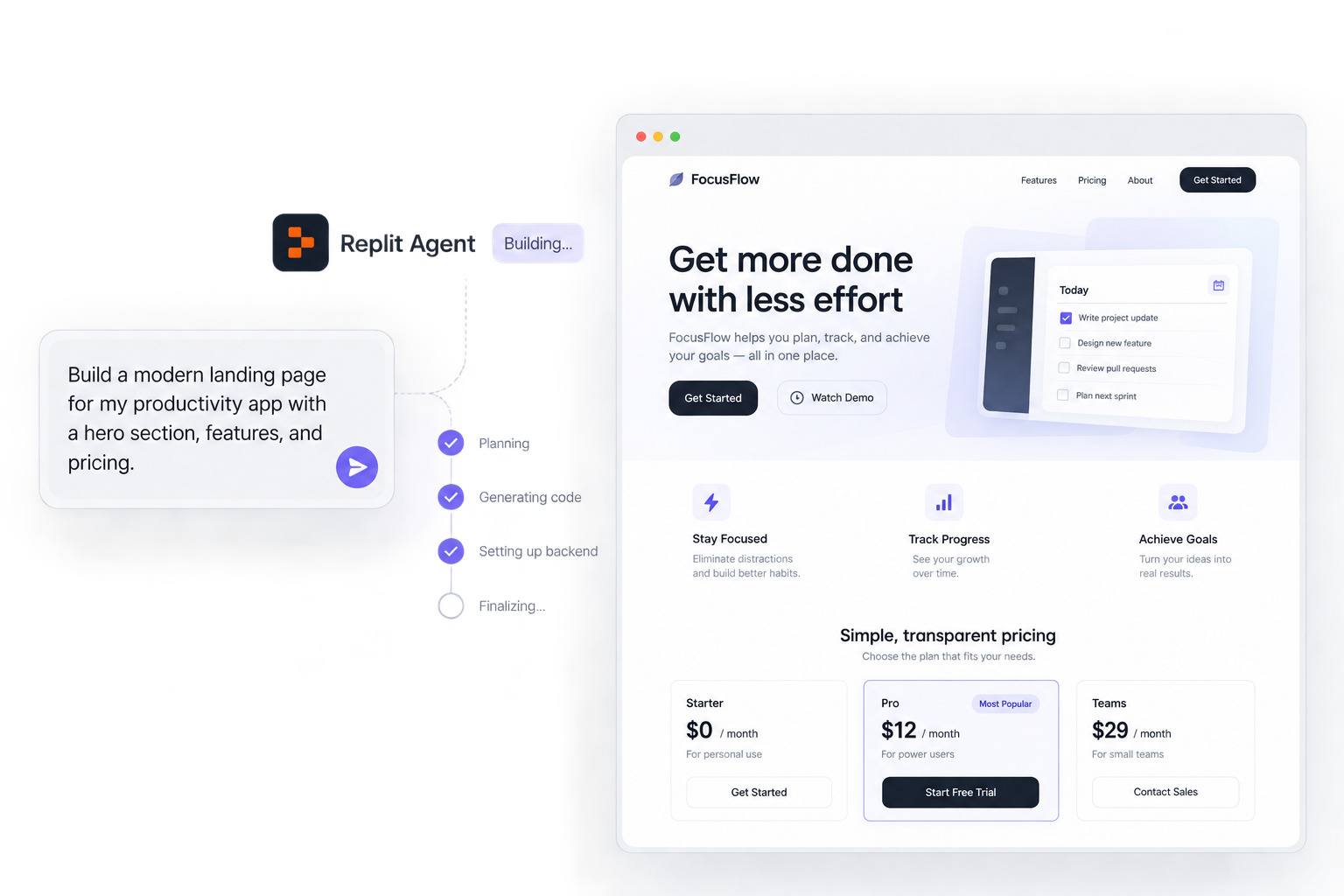
Replit Agent is the default path for a complete, working website or web application. You describe what you want, and the Agent plans and builds it, wiring up pages, styling, and any backend the site needs, such as a database, user accounts, or payments.
Replit Agent 4, released in March 2026, changed how this feels. Instead of approving a full plan before anything happens, you can plan while the Agent builds, and it can work on multiple tasks in parallel, handling things like backend, database, and front-end concurrently. You also no longer pre-select a project type up front. You describe the outcome, and one project can produce a website, a web app, or a mobile app as needed. For a deeper look at the models behind it, see What LLM Does Replit Use?
Best for: a complete working website or web application, including backend functionality.
Design With Replit Design
Replit Design, launched in July 2026, is a visual-first way to explore how a site should look before committing to a build. It replaced the older, single-purpose Design Mode and grew out of Replit's design canvas.
You work on a canvas, generate layout and screen variations, and refine them visually. It includes design systems you can upload or create so every screen snaps to your brand, a template library you can apply at any point in the process rather than only at the start, and a built-in reference library (Mobbin) for inspiration without a separate account. You can also switch between several leading AI models while you design, and even send the same prompt to two different models to compare the results side by side; the available lineup changes as new models ship. When a design is right, you can build it into a working site without a separate export or rebuild step.
Best for: visual exploration, layouts, brand systems, and design-first website work.
Write or Edit the Code Yourself
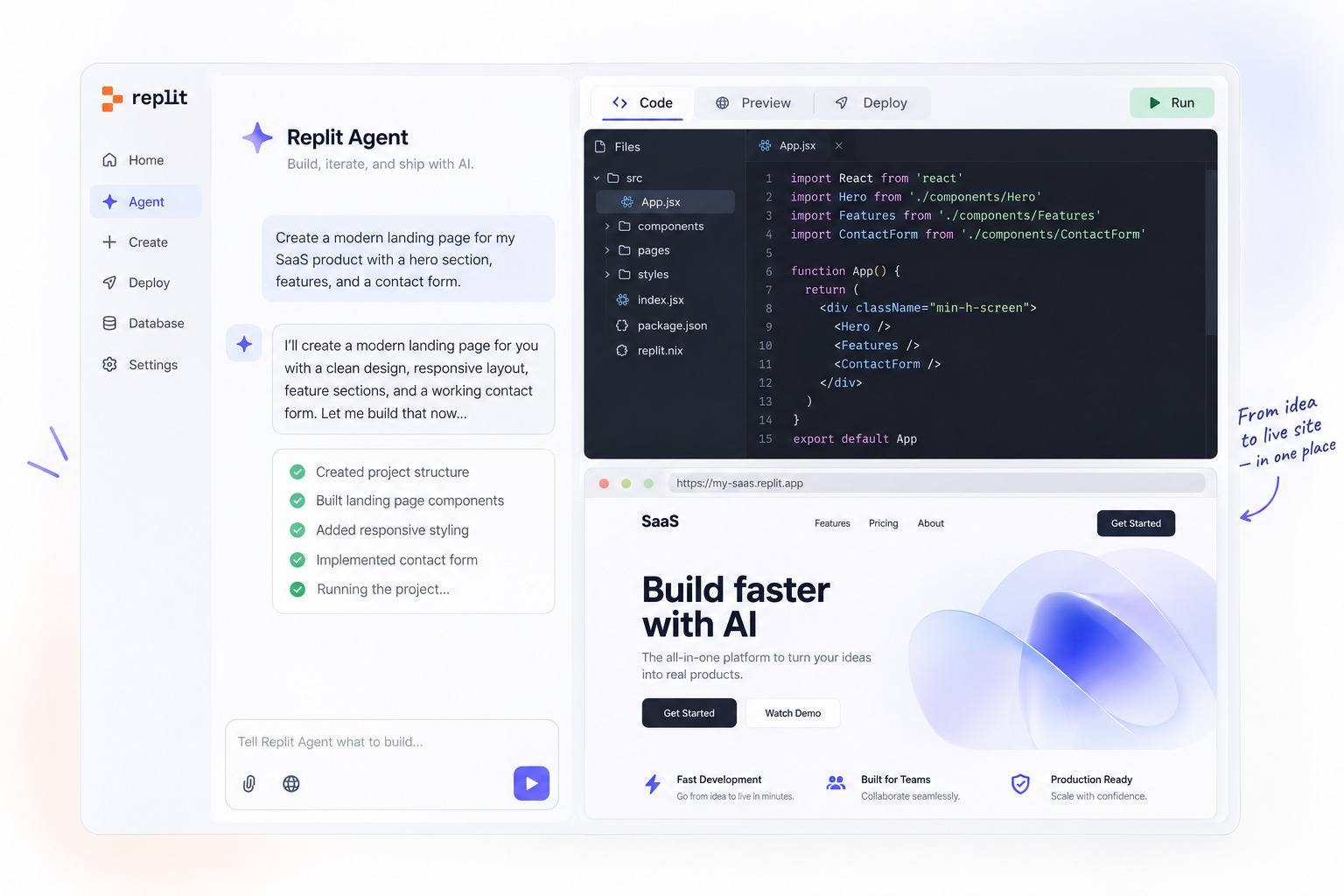
Underneath the AI, Replit is a browser-based IDE. You can open the generated code, edit it directly, or start from scratch with HTML, CSS, and JavaScript, or frameworks like React, Next.js, Vue, Flask, or Django.
This path gives you precise control over structure, logic, and architecture, whether you are building a full site or a narrower component like a WordPress plugin. In practice, most people mix it with the Agent: let AI handle the scaffolding, then hand-edit the parts that need exact control.
Best for: developers who want direct control over HTML, CSS, JavaScript, frameworks, backend code, or architecture.
How Do You Build a Website With Replit?
If you are wondering how to use Replit to build a website, the flow is short and version-resistant, even as the interface evolves:
- Describe the website you want, including its purpose, pages, style, and features.
- Let Replit Agent start building. It generates the site and handles the technical setup.
- Review and refine the design and functionality with follow-up requests. You can also click an element and describe the change you want.
- Test the working site in the development preview.
- Choose the appropriate publishing option for your site type.
- Connect a custom domain, or buy one inside Replit, if you need it.
- Publish, then keep improving. Republish when you want changes to go live.
A concrete example makes the loop clearer. Say you prompt: "Build a portfolio site with a hero introduction, a projects grid, an about section, and a contact form, in a dark blue and white theme." The Agent scaffolds the pages, applies the theme, and wires up the contact form. You look it over in the preview and follow up conversationally: "Add a testimonials section above the footer," then "make the projects grid two columns on mobile." Each request updates the site in place. When it looks and behaves the way you want in preview, you publish, and it goes live at its own URL.
Building and hosting happen in the same place. The project you describe to the Agent is the one you publish, so creating and hosting a website on Replit is a single continuous flow rather than a handoff between separate tools. The hosting and publishing choices are covered in detail further down.
Can You Build a Replit Website From Figma or a Reference Image?
Yes. The Replit AI website builder accepts visual inputs, not just text. You can provide a reference image to guide the look, or paste a Figma link so Replit pulls the design in as a starting point you can then refine and build into a working site.
This is one of the more useful additions for 2026, because it closes part of the gap between designing somewhere else and rebuilding by hand. Treat the imported design as a first draft rather than a pixel-perfect clone, then iterate with follow-up requests until it matches what you had in mind.
What Types of Websites Can You Build With Replit?
Replit supports a broad range of site types. A representative set includes:
- Portfolios and personal sites
- Landing pages
- Business and marketing websites
- Blogs and content sites
- Ecommerce stores, using Stripe and other payment providers wired in by the Agent
- Booking and membership sites
- Dynamic, database-backed sites
- Custom web applications
The practical dividing line is not the label but the requirements. A static content page and a full-stack app with accounts and a database are very different builds, and they publish differently, which the hosting section below covers.
Can Replit Host Your Website?
Yes. Replit publishes and hosts sites on its own cloud infrastructure, and you choose a deployment type that matches the site. There are four:
- Autoscale is the default and the right choice for most dynamic sites. It scales servers up with traffic and down toward zero when idle, so you pay for what you use. Good for web apps, ecommerce, and APIs.
- Static serves plain HTML, CSS, and JavaScript files cheaply. It suits marketing pages, portfolios, and documentation. Note that sites generated by Replit Agent are usually full-stack, so they typically need Autoscale or Reserved VM rather than Static.
- Reserved VM runs on a dedicated machine that never sleeps, at a fixed monthly cost. Good for always-on services and consistent workloads.
- Scheduled runs a task on a schedule rather than serving a site, so it is rarely the choice for a website.
The takeaway: content-heavy static sites and dynamic full-stack sites have different hosting needs, and Replit lets you match the deployment to the site rather than forcing one model.
Can You Edit a Replit Website Without Changing the Live Version?
Yes, and this is worth understanding before you launch. In Replit, the version you build in the editor and the version visitors see are two separate copies.
While you work, your site runs in a development preview meant for testing. Publishing takes a snapshot of your project and runs it as a separate, live deployment on its own URL. Changes you make afterward in the editor do not reach the live site until you publish again. Your live app also uses its own production database, kept separate from the development data you build with.
In plain terms: you can freely test and break things in development without touching what visitors see. When a change is ready, you republish, and only then does the live version update.
Do You Have to Host a Replit Website on Replit?
Not necessarily, and it depends on how the site is built. Replit provides its own Publishing infrastructure, which is the simplest path because building and hosting live in one place.
At the same time, your project is real code. Git is built into every project, so you can push to GitHub, GitLab, or Bitbucket and keep your code portable. Depending on the site's architecture, you may be able to deploy that code elsewhere.
The trade-off is operational. Hosting on Replit means Replit handles the build, deployment, scaling, and certificates. Moving a dynamic, database-backed site to external hosting means you take on that setup and ongoing maintenance yourself. For a static site the move is straightforward; for a full-stack app it is a real project. Neither choice is "better" in the abstract; it is a build-versus-host decision based on how much infrastructure you want to own.
Can You Connect a Custom Domain to a Replit Website?
Yes. Every published site gets a free .replit.app subdomain automatically, with HTTPS. When you are ready for something branded, you can connect your own domain on Autoscale, Static, and Reserved VM deployments. You add the domain, copy the DNS records Replit provides, add them at your registrar, and Replit provisions the SSL certificate automatically. DNS propagation can take anywhere from minutes to a couple of days.
Replit also offers in-platform Domain Purchasing, currently an early/beta feature. Where available, you can search for a domain, buy it inside Replit, and have it connect to your published app automatically, with no manual DNS records for basic setup. It includes WHOIS privacy by default, automatic renewals, and support for custom A, TXT, and MX records if you need email or other services. Availability and plan eligibility for domain purchasing are still expanding, so check the current options in your account.
Is Replit Good for SEO?
Replit gives you real, practical SEO tooling, but it does not guarantee rankings, and it is honest about that.
After each publish, Replit runs an automatic Lighthouse audit and assigns your site an SEO Rating of Healthy, Needs Work, or Weak, based on your lowest-rated page. On paid plans, an SEO Agent in the Growth pane scans the published site and turns technical issues into one-click fixes. It covers the machine-readable fundamentals: crawlability and indexing (robots.txt, sitemap, crawlable links), page metadata such as titles and meta descriptions, structured data (JSON-LD), Open Graph and social tags, and semantic markup like heading order, landmarks, and alt text. Republishing after a fix refreshes the rating.
Here is the important limit, stated plainly in Replit's own documentation: this tooling makes a site technically sound for search. It does not write your content or build topical authority. Rankings still depend on the things no tool automates for you: content quality, information architecture, rendering and crawlability, internal linking, page speed, structured data, and backlinks and authority earned over time. Used well, Replit clears the technical plumbing that AI-generated sites often get wrong, which is a real advantage, but it is a starting point, not a ranking guarantee.
How Much Does It Cost to Build and Host a Website With Replit?
Replit's plans, as of September 2026, are:
The key thing to understand is that subscription cost and usage cost are not the same. Replit uses effort-based, usage-based pricing for AI work: Agent actions consume credits depending on the model and task, and paid plans include a monthly credit allowance toward the most powerful models. Publishing and cloud resources can add cost on top, depending on your deployment type and traffic.
That is why a realistic budget depends on the site. A small static informational site consumes very little beyond the build itself. A dynamic, full-stack site with a database, steady traffic, and ongoing AI edits carries usage costs that scale with how much you build and how much it runs. Replit provides spending controls to keep this predictable, so set them before you ship.
Is Replit Good for Building Websites?
Replit is a strong choice when your site needs more than static pages: custom functionality, AI-assisted development, backend logic, database integration, or full access to the underlying code. In those cases, having the builder and the development environment in one place is a genuine advantage.
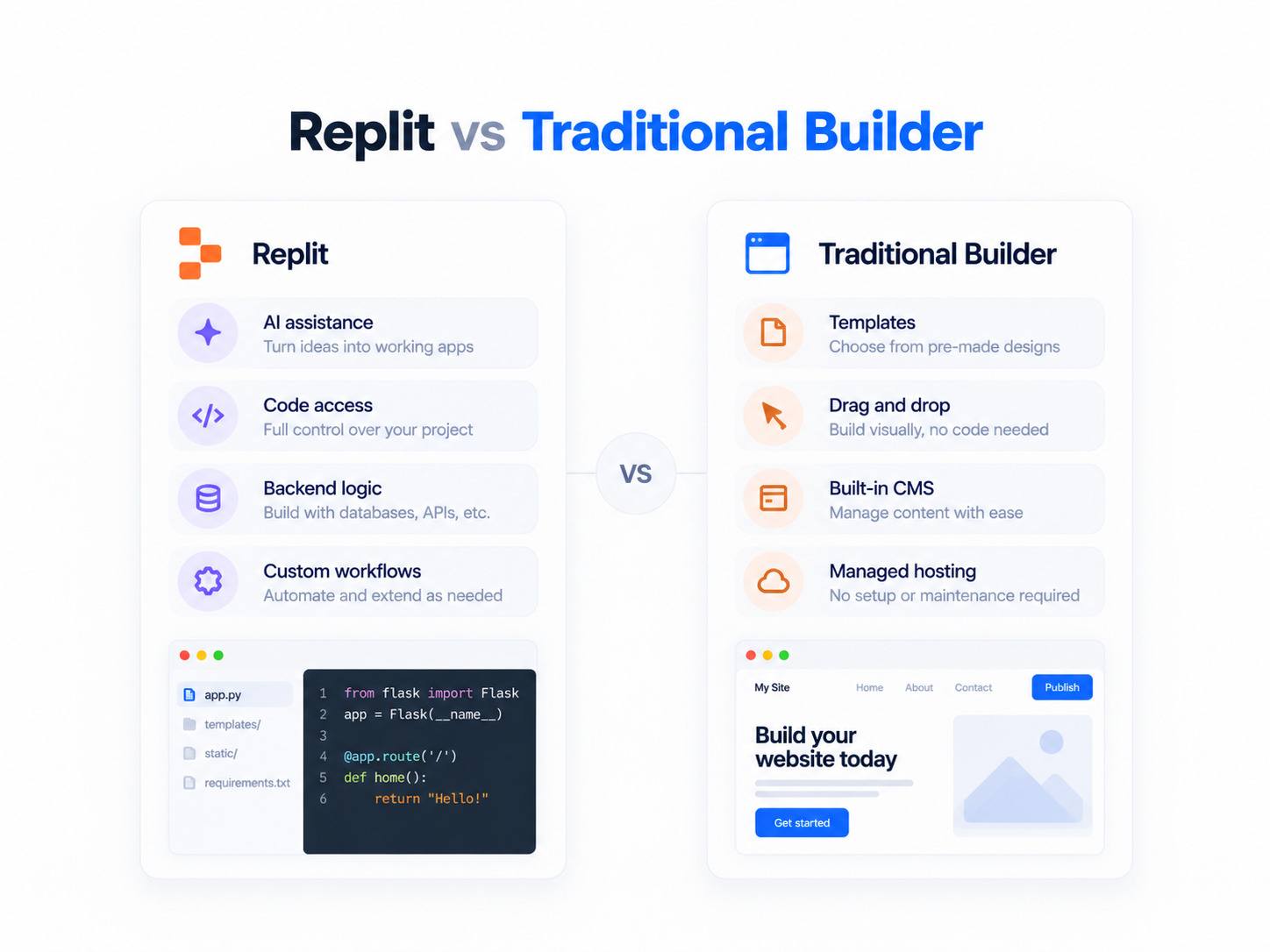
It is less of an obvious fit when the site is mainly static marketing or content and your team's priority is routine editing through templates and a managed dashboard. There, a conventional website builder or CMS is often simpler and lower-maintenance. The honest answer is that Replit is good for building websites when the project leans toward "application," and a managed tool is often easier when it leans toward "content."
How Does Replit Compare With Traditional Website Builders?
The clearest way to compare is by structure rather than by feature checklist, because the tools solve different problems.
Neither is universally better. Traditional builders shine for standard brochure and content sites where guided editing, managed templates, and minimal engineering overhead matter most. Replit shines when you need custom behavior, a real backend, or direct control of the code, and are comfortable owning more of the technical decisions.
What Are the Pros and Cons of Building a Website With Replit?
Strengths
- Builds real, working sites from natural language
- Full access to the underlying code
- Backend, database, and integration support
- Integrated publishing and hosting
- A design-to-development workflow, including Figma and reference-image input
- Collaboration for teams
Limitations
- Usage-based costs require attention and spending limits
- Generated code should be reviewed, not shipped blindly
- More technical responsibility than a managed CMS
- Long-term architecture and maintenance decisions still fall to you
- Content-heavy editorial workflows may fit a dedicated CMS better
Who Should Use Replit for Website Building?
Replit fits founders validating an idea quickly, developers who want AI to handle scaffolding while they keep control of the code, and teams building sites that double as applications. It is also a good learning environment, since the generated code is real and inspectable.
Consider a managed builder or CMS instead if you want the simplest path to a mostly static site, prefer purely visual editing, or need a non-technical team to manage content day to day without touching code or infrastructure. If you are still deciding whether Replit is the right platform overall, start with What Is Replit? A Beginner's Guide.
Frequently Asked Questions
Can you use Replit to build a website for free?
Yes. The free Starter plan includes daily AI credits, a built-in database, and the ability to publish one live project, which is enough to try the builder and ship a small site. For more AI usage, additional live projects, private deployments, or the removal of the "Made with Replit" badge, you upgrade to a paid plan.
How do you use Replit to build a website?
Describe the site to Replit Agent, let it build, refine it with follow-up requests, test it in the development preview, then publish and connect a domain. You can also start visually in Replit Design or edit the code directly.
Is Replit good for building websites?
It is a strong option when the site needs custom functionality, a backend, database integration, or full code access. For a mostly static marketing or content site managed by a non-technical team, a traditional builder or CMS is often simpler.
Does Replit host websites?
Yes. Replit hosts published sites on its own infrastructure, with a choice of deployment types (Autoscale, Static, Reserved VM, and Scheduled). Every published site gets a free subdomain with HTTPS, and you can connect a custom domain.
Can you build an ecommerce website with Replit?
Yes. Replit can build storefronts with product catalogs, carts, and checkout, using Stripe or other payment providers integrated into the generated code. It is not a turnkey ecommerce platform like Shopify, so expect to configure the store rather than toggle it on.
Does Replit have website templates?
Replit Design includes a library of designer-made templates you can apply at any point in a project, and you can start from existing projects or your own past work. Because the output is editable code and design rather than a locked theme, templates act as starting points you customize freely.
Can you connect a custom domain to a Replit website?
Yes, on Autoscale, Static, and Reserved VM deployments. Add your domain, set the DNS records Replit provides at your registrar, and Replit issues the SSL certificate automatically. You can also buy a domain inside Replit through its Domain Purchasing feature, where it connects to your app automatically.
Can you test changes without changing the live website?
Yes. The editor preview and the published site are separate copies. You can edit and test freely in development, and your changes only go live when you republish.
Build Your Next Project with RapidDev
Building something more ambitious than a landing page? RapidDev handles custom web application development end to end, from design to shipping. If you want a production-grade platform rather than a quick site, contact our team for a free consultation.