September 1, 2026
•
17
min read

Lovable vs Claude Code: Which AI Development Workflow Is Better in 2026
Compare Lovable vs Claude Code in 2026: workflows, pricing, code control, testing, deployment, production use, and when to choose one or combine both.
Lovable and Claude Code both use AI to build software, but they sit in different places in the development process. Lovable is a managed application-building environment: you describe a web app in plain language, and it generates a full-stack application you iterate on visually, adding backend and database functionality through Lovable Cloud or Supabase when the project requires it. Claude Code is a codebase-centric coding agent: it works inside a real software project, inspecting and editing files, running commands and tests, and moving changes through a normal engineering workflow.
Which one fits depends on your skills, your project, and how much control and long-term maintenance you need. As of 2026 the choice is also not strictly either/or: Lovable ships an official MCP server that Claude Code can connect to, and a Lovable project can move into a standard Git workflow. This guide compares the two as workflows, not just feature lists.
Lovable vs Claude Code: What's the Short Answer?
Lovable is the faster starting point when you want a working web app built for you with minimal setup. Claude Code is the stronger choice when you have a codebase, a specific architecture, or an engineering workflow you want an AI to work inside.
Treat this as an orientation, not absolute rules. Lovable can carry projects well beyond a first draft, Claude Code can start one from an empty directory, and the two can be combined through MCP or Git.
What Is the Difference Between Lovable and Claude Code?
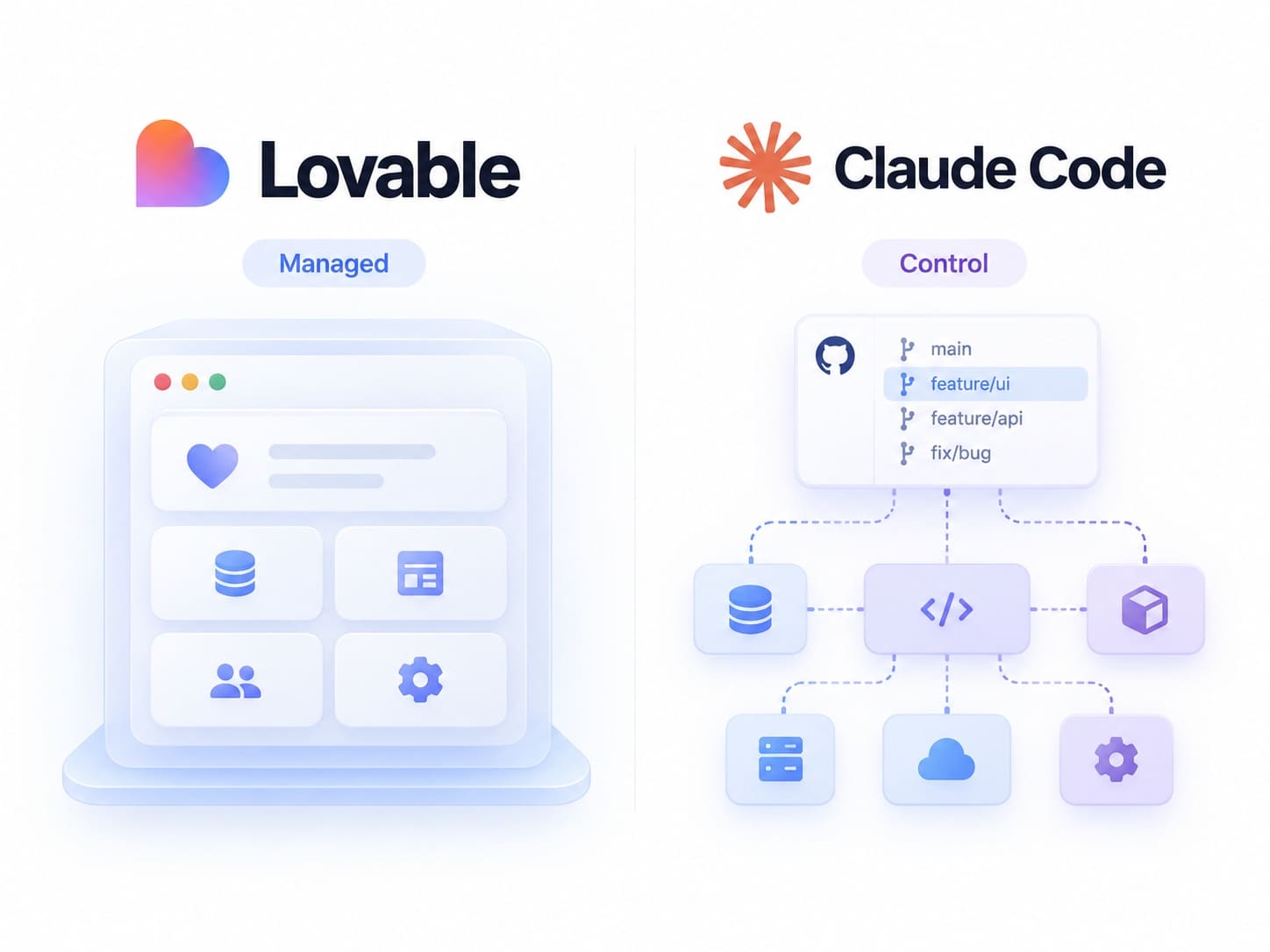
The core difference is what each one manages for you. Lovable manages an entire application environment, from prompt to hosted app. Claude Code manages code inside a development environment you own, and leaves hosting, architecture, and operations to you and your team. That distinction matters more than the common "no-code vs coding" framing, because it decides where responsibility sits: who owns the architecture, who fixes a broken build, and who is accountable for the running app.
How Lovable aproaches development
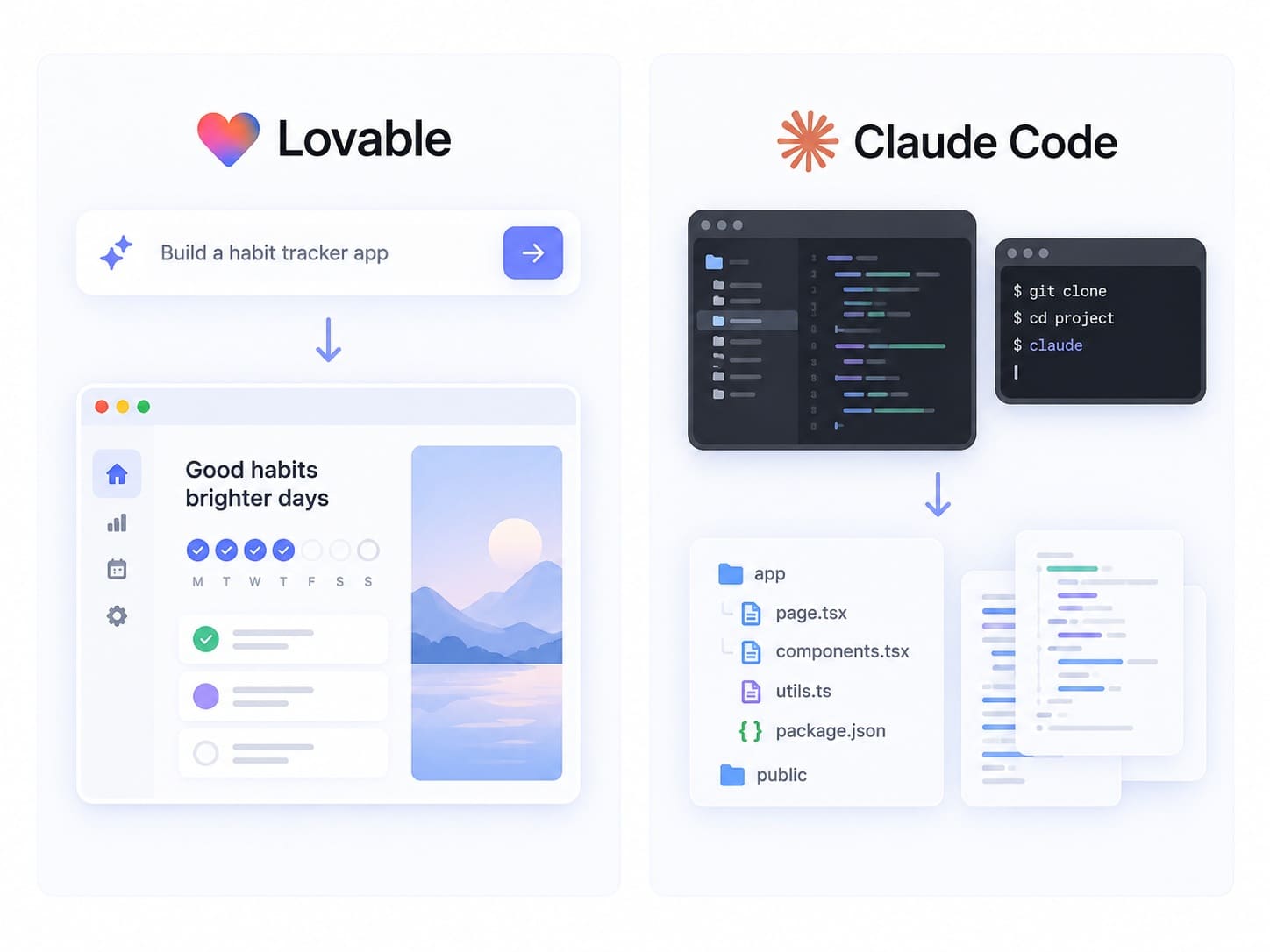
Lovable starts from a prompt and generates a real, editable codebase, adding backend and database functionality through Lovable Cloud or Supabase when the project requires it. New Lovable projects use TanStack Start with server-side rendering, while older projects use React with Vite and prerendering on deployed public URLs; Lovable uses Tailwind for styling. Backend functionality comes either from the built-in Lovable Cloud or from Lovable's native Supabase integration, covering the database, authentication, storage, and backend logic. You refine the app by editing visually or by prompting in chat, publishing deploys it to Lovable's hosting, and Git Sync connects the project to GitHub, GitLab, or Bitbucket.
How Claude Code approaches development
Claude Code starts from a project directory and runs across several surfaces, including the terminal, IDE extensions for VS Code and JetBrains, and Anthropic's desktop and web apps, so describing it only as a "terminal tool" undersells it. Inside a project it can inspect and edit files, plan a change, run commands and tests, stage changes, create Git commits and branches, and open pull requests. It can also create files in an empty folder, so it is not limited to existing codebases. The real distinction is that Claude Code works within a codebase and a development workflow rather than providing Lovable's managed, all-in-one environment.
How Does the Development Workflow Differ in Lovable vs Claude Code?
The clearest way to see the difference is to follow one project through both. Consider a small SaaS product with user authentication, a responsive frontend, a dashboard, a database with CRUD operations, one external API, and user roles, that needs to be deployed. The walkthrough below is an explanatory example, not a benchmark or timed test.
Step 1: Starting the project
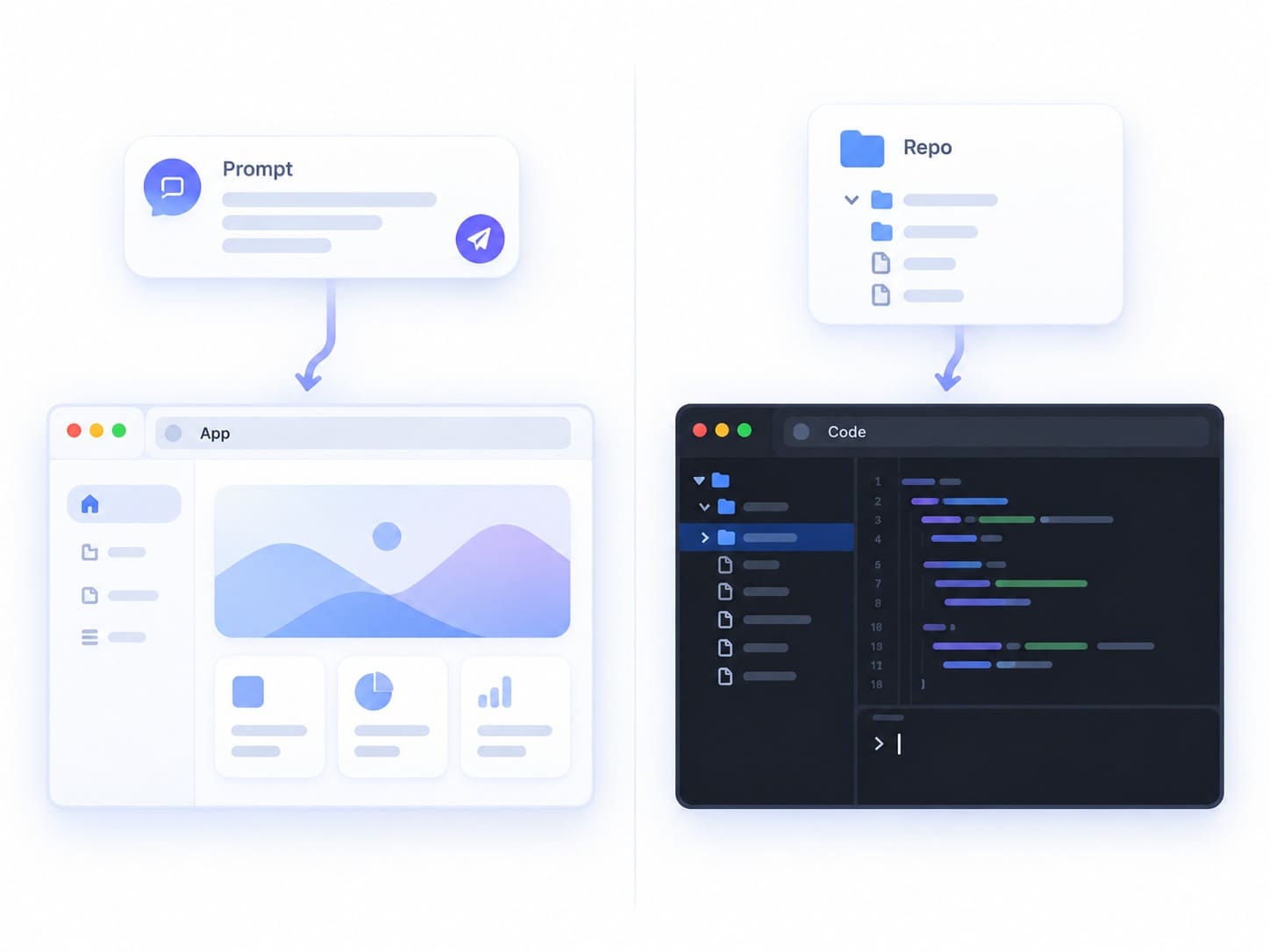
In Lovable, you describe the product in chat, and it generates a working application with UI scaffolding and a database schema, opened in an editor and preview: you begin with a running app. With Claude Code, you start in a project folder and give it a goal; it can scaffold a new project or work in an existing one, but you decide the framework and structure, so you begin with a codebase and a plan rather than a hosted app.
Step 2: Building the interface
In Lovable, interface work is visual and prompt-driven. You click elements, edit text and styles, or ask for a change like "add a settings page," and Lovable updates the underlying code behind the preview. With Claude Code, the interface is built as source code: you describe the same screen, and it writes or edits the components in your framework while you review the code and the rendered result in your own dev server.
Step 3: Adding authentication, database, and backend
Lovable handles this through its backend layer. Authentication, the database, and backend logic can come from the built-in Lovable Cloud, or a project can use Lovable's native Supabase integration, and Lovable wires the schema to the UI. With Claude Code, the backend is whatever your project defines: it edits your API routes, database models, migrations, and auth logic, but does not stand up a managed backend for you. Your team chooses the database and services, and Claude Code implements against them.
Step 4: Adding an external API
In Lovable, you describe the integration in chat and it generates the code to call the service, storing keys through the platform. With Claude Code, you ask it to implement the integration in your codebase, and it writes the client code, request and response handling, and error handling in your patterns, while you decide how secrets and environment configuration are managed.
Step 5: Debugging the app
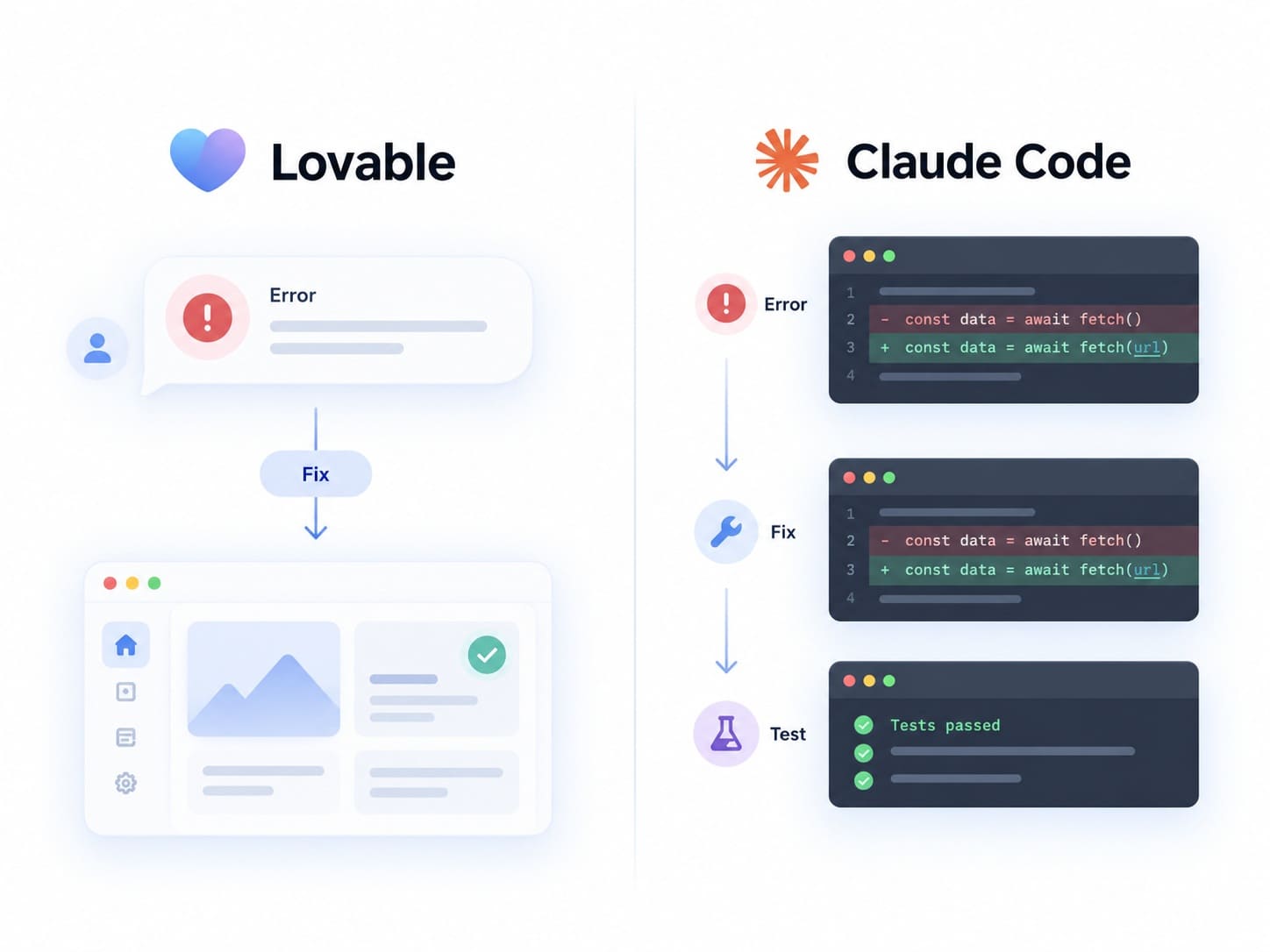
Lovable keeps debugging inside the chat loop: you attach the error and ask it to fix the problem, and it attempts an automatic fix, explains likely causes, and lets you roll back to an earlier version. With Claude Code, debugging is closer to how an engineer works: you share the failing command or error, it inspects the relevant files, proposes a fix as a diff, and can run tests to confirm it, with you reviewing each change.
Step 6: Testing
Lovable includes browser testing that interacts with the running app in a real browser: clicking elements, filling forms, navigating pages, capturing screenshots, and reading console logs and network requests. These checks help, but they do not replace a deliberate QA and testing strategy. Claude Code can write and run unit and integration tests inside your project using your test framework. In both tools, AI can produce tests; it cannot decide how much testing your product requires.
Step 7: Getting the project into Git
Lovable connects to Git through Git Sync, which works with GitHub, GitLab, and Bitbucket and is available on Free, Pro, Business, and Enterprise plans. Downloading the codebase directly is available on Pro, Business, and Enterprise, but not on Free. Either way you own the code Lovable generates, and once a repository is synced you can clone it locally and develop it in an external IDE. Claude Code works in a normal Git repository from the start, staging changes, creating commits and branches, and opening pull requests, so its output moves through your team's existing review process.
Step 8: Deployment and maintenance
Lovable deploys for you: publishing puts the app on managed hosting, and the built-in backend runs without separate setup. Maintenance means re-publishing after changes, unless you have moved the code into your own pipeline. With Claude Code, deployment is yours to define; it can help write CI configuration and deployment scripts, but you choose where the app runs and how it is monitored. Lovable removes much of the deployment setup within its managed workflow; Claude Code assumes you want to own the pipeline.
Lovable vs Claude Code Feature Comparison
The Claude Code vs Lovable comparison becomes clearer when the workflows are placed side by side.
Which Is Easier for Beginners: Lovable or Claude Code?
Lovable is easier for beginners. It requires no local setup, no framework decisions, and no terminal, and it turns plain-language descriptions into a running app with a backend already wired in. Someone who can clearly describe what they want can build with it.
Natural-language interaction does not make Claude Code a beginner tool, though. It also takes plain-English instructions, but it assumes you understand what it produces: repositories, commits, tests, and how a change affects the rest of the codebase. A non-developer can use Claude Code for a focused task with guidance, but its workflow rewards people who grasp basic software-development concepts.
Which Gives You More Control Over the Code and Architecture?
Claude Code generally gives developers more direct control over the application's architecture and codebase, because it works inside a repository you define rather than a managed environment with platform conventions. You choose the stack, the structure, and the deployment target.
Code ownership in Lovable
Ownership and control are separate ideas. With Lovable, you own the project and the code Lovable generates; what Lovable manages is where that code runs and how it is built, not who owns it. Until you export or sync the project, the code lives in Lovable's environment, but the rights to it are yours.
Git Sync vs direct code download
The plan level matters for one path but not the other. Git Sync, which keeps your project connected to a GitHub, GitLab, or Bitbucket repository, is available on every plan including Free. Downloading the codebase directly is a paid-plan capability. Both give you a real, editable codebase you can develop outside Lovable, so it helps to plan early how you will export your Lovable code.
Architecture control in Claude Code
Because Claude Code operates on standard code and Git, teams keep architectural decisions in their own hands: enforcing patterns, running tests, reviewing diffs, and refactoring across the project. That control is broad, though not unlimited. Claude Code can work with the languages, frameworks, and tooling present in the project rather than requiring Lovable's application stack, but the app can still depend on the cloud providers, databases, and APIs your team selects.
What Happens When Something Breaks?
How each tool handles failure is a real decision factor, because most of the work happens after the first version runs.
Debugging in Lovable
In Lovable, debugging stays in the conversation. You describe the problem or attach an error, and the platform investigates, explains a likely cause, and attempts a fix, with version history so you can roll back a change that made things worse. This keeps simple issues approachable, but it has a ceiling: once a bug lives in data relationships, authentication, or an integration, understanding the underlying code starts to matter, as with resolving CORS errors in Lovable, where platform prompts alone stop being enough.
Debugging with Claude Code
With Claude Code, debugging mirrors an engineer's process. You give it the error context, it inspects the relevant files, proposes a fix as a reviewable diff, and can run tests to verify the change before you accept it. Fixes are iterative and visible, which helps you learn the system rather than just patch it.
Where technical knowledge starts to matter
Some problems raise the engineering bar regardless of the AI tool. Authentication and user roles, database schemas and migrations, asynchronous behavior, external API failures, and infrastructure concerns involve state, security, and edge cases that are hard to reason about from a description alone. Both tools can help implement these; neither removes the need for someone who understands what correct behavior looks like when they break.
Which Is Better for Production Applications?
It depends on the application and the engineering behind it, not on the tool alone. It is a mistake to say Lovable is only for prototypes, and equally wrong to say Claude Code produces production-ready code by default. Production readiness is a property of the system, not the generator.
Where Lovable can take a project
Lovable is built to carry a project through to a deployed, running application. It provides hosting, a backend through Lovable Cloud or Supabase, and authentication. New Lovable apps created from May 13, 2026 use TanStack Start with server-side rendering, while older apps use React + Vite with prerendering on deployed public URLs, which helps with SEO and delivery for a real range of production web apps, particularly standard SaaS tools, dashboards, and internal software. Teams that need different infrastructure can connect their own Supabase project or move the code into their own pipeline.
Where engineering responsibility still exists
Whatever generates the code, production still depends on decisions a platform cannot make for you: architecture and data model, security and access control, test coverage, performance under load, monitoring, reliable integrations, and operational reliability. These determine whether an app survives real users, and they require engineering judgment.
Why Claude Code does not make code production-ready automatically
Claude Code accelerates implementation, but AI-assisted implementation is not the same as engineering responsibility. It writes features, tests, and fixes quickly, and follows strong patterns if your project defines them. It cannot decide, on its own, that your security model is sound, your data design will scale, or your monitoring will catch the next outage.
Lovable vs Claude Code Pricing: How Are the Cost Models Different?
The cost models differ in kind, not just in price. Lovable bills through credits tied to what the platform does, while Claude Code is included in a Claude subscription and draws on shared usage limits. Figures below are current as of the 2026 research and should be confirmed against the official pages.
Lovable pricing model
Lovable pricing uses a credit-based model. The free tier includes 5 daily build credits capped at 30 per month, 20 monthly Cloud credits, and 4 monthly AI credits. Pro starts at 100 monthly subscription credits for $25 per month, or $250 per year, and Business starts at 100 monthly subscription credits for $50 per month with team features such as SSO and role-based access; paid workspaces also receive the applicable free daily and monthly grants. Credits are consumed both by generating and editing code and by Cloud and AI usage, so cost scales with how much you build and run.
Claude Code pricing model
Claude Code is included with paid Claude plans rather than sold as a separate credit balance. It comes with Claude Pro at $20 per month, or $200 per year, and with Max plans from $100 per month; team plans are also available. For subscription users, usage across Claude's surfaces and Claude Code draws from the same plan pool, so heavy coding sessions and chat use share one allowance.
Do not choose on sticker price alone. Lovable costs vary with build, Cloud, and AI usage, while Claude Code on subscription plans draws from the same usage pool as other Claude activity. The real question is how your usage pattern maps to each model, not which entry price is lower.
Can You Use Lovable and Claude Code Together?
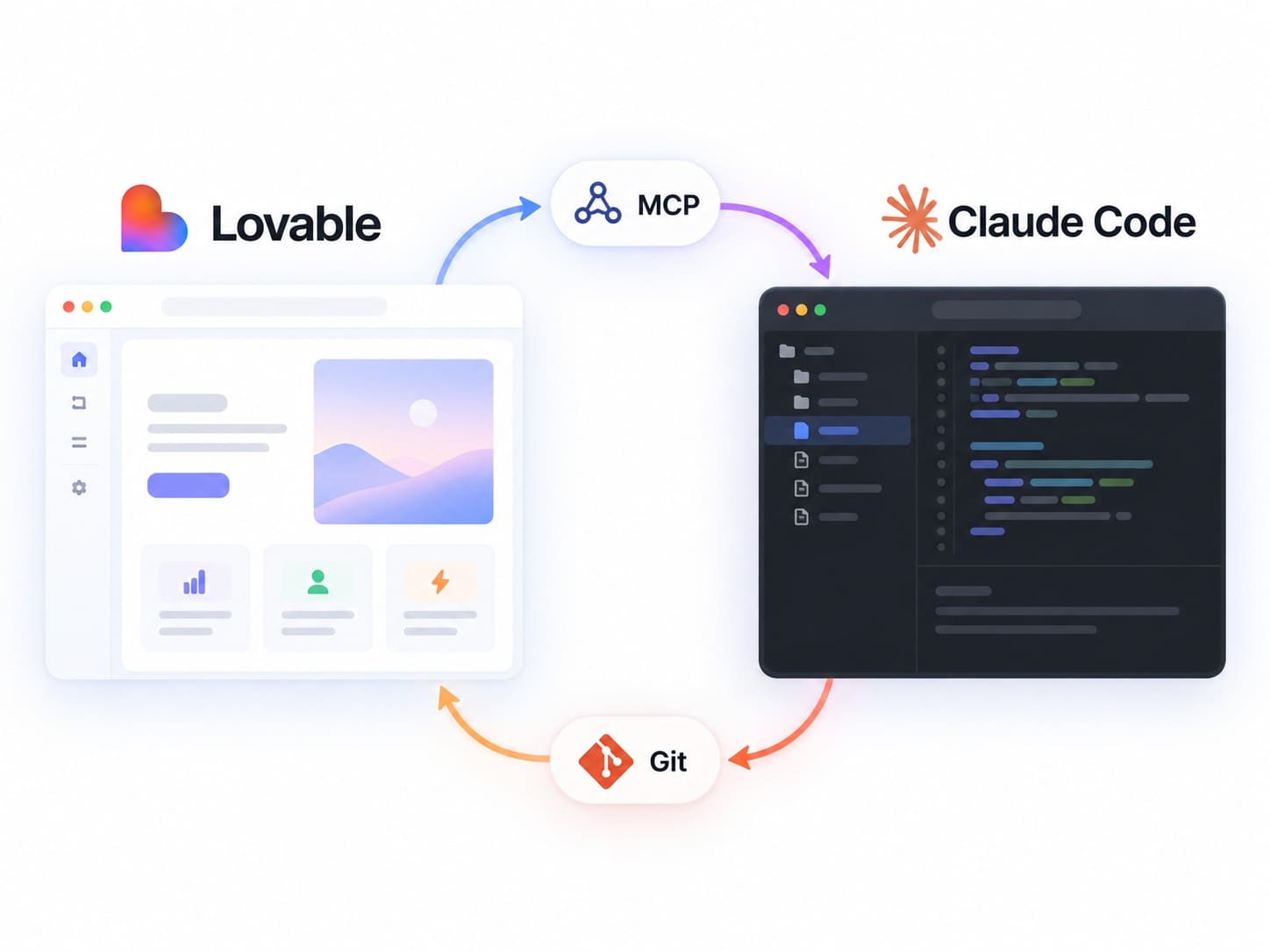
Yes, and in 2026 it is more than the old "prototype in Lovable, finish in Claude Code" idea. There are two concrete ways to combine them.
Option 1: Connect Claude Code to Lovable with MCP
Lovable provides an official MCP server, available on all plans, that Claude Code can connect to as an MCP client. The Model Context Protocol is a standard way for AI tools to work with external systems. Through Lovable's MCP server, a connected client such as Claude Code can create Lovable projects, send messages to the Lovable agent, inspect project files, read diffs and edit history, work with Lovable Cloud database functionality, and deploy projects. This gives the two tools a direct interoperability path rather than requiring exported files.
Option 2: Continue a Lovable project through Git
The second path is the standard engineering handoff. A Lovable project moves into a Git repository through Git Sync, and from there Claude Code works on it like any other codebase: creating branches, editing code, running tests, committing, opening pull requests, and feeding into your deployment workflow. Updated code can sync back to Lovable or be deployed independently. RapidDev covers this in its guide to using Lovable with Claude Code.
Which combined workflow makes more sense?
MCP-based collaboration fits lighter, ongoing interaction with a live Lovable project through a defined interface. A repository-based handoff fits the point where a project needs sustained engineering: custom architecture, deeper testing, complex backend logic, and a real deployment pipeline.
When Should You Choose Lovable?
Choose Lovable when you want to build a new web app quickly with minimal technical overhead. It fits greenfield projects, MVPs, and fast validation, teams with limited engineering resources, people who prefer visual iteration, and standard modern web stacks where an integrated backend and hosting workflow is an advantage.
Its limitations are the flip side of that convenience: you work within Lovable's conventions and default stack, and deeply custom architecture eventually pushes against the managed model. That does not make Lovable useful only for simple apps, but the further you move from standard web patterns, the more you will want direct control of the code.
When Should You Choose Claude Code?
Choose Claude Code when you have, or want, a real codebase and an engineering workflow for an AI to work inside. It fits existing repositories, teams with development skills, custom architectures, framework freedom, deeper testing and refactoring, complex or legacy backends, developer-controlled infrastructure, and products maintained over the long term.
Its limitations are also clear. Claude Code expects more setup and project context, assumes someone who can review its output, and shares usage limits with Claude's chat assistant. It does not hand you a managed app platform, so if you need a running product with no infrastructure work, Claude Code alone is not that.
Lovable vs Claude Code: Which One Should You Choose?
Choose Lovable if you are building a new web app, want speed with minimal setup, value visual iteration and a managed backend and hosting workflow, or need non-technical people to build independently.
Choose Claude Code if you have an existing codebase or specific architecture, want an AI inside a Git-centric engineering process, or need deeper testing, refactoring, and control over infrastructure and long-term maintenance.
Use both if you want to move fast early and keep control later: prototype in Lovable, then bring engineering depth with Claude Code through Lovable's MCP server or a Git repository.
Frequently Asked Questions
Is Lovable better than Claude Code?
Lovable is better when the goal is to build a new web app quickly with little setup, especially for MVPs, internal tools, and validation. For custom architecture or an existing codebase, Claude Code fits better.
Is Claude Code better than Lovable?
Claude Code is better when you want an AI working inside a real codebase, with more direct control over architecture, testing, and deployment. It is not the better choice if you want a running app without touching code or infrastructure.
How is Lovable different from Claude Code?
Lovable manages an entire application environment, from a prompt to a hosted full-stack app with a backend included. Claude Code manages code inside a development environment you control, leaving architecture, hosting, and operations to you.
Can you use Claude Code with Lovable?
Yes. Lovable's official MCP server lets Claude Code create projects, message the Lovable agent, inspect files and edit history, and deploy. You can also sync a Lovable project to Git and have Claude Code work on that codebase with branches, tests, and pull requests.
Which is easier for beginners?
Lovable is easier for beginners. It needs no setup, framework choices, or terminal, and turns plain descriptions into a running app. Claude Code also takes plain-language instructions but assumes you understand repositories, commits, and how changes affect a codebase.
Which gives developers more control?
Claude Code gives developers more direct control over architecture and code: it works in a repository you define, where you choose the stack, review diffs, and refactor freely. Lovable gives you ownership of the generated code but guides architecture through its conventions until you export or sync it.
Which is better for an MVP?
Lovable is usually the faster path to an MVP: it generates a working full-stack app from a description, with a backend and hosting, and supports quick visual iteration. Claude Code can build an MVP too, but it expects you to set up and run the surrounding project.
Which is better for a production application?
It depends on the requirements and the engineering behind it. Lovable can take standard web apps to production with managed hosting and a backend; heavier needs can move to a dedicated backend or exported code. Claude Code supports production work through your own architecture and pipeline. Either way, production readiness comes from security, testing, performance, and monitoring.
Conclusion
The real decision in Lovable vs Claude Code is not which AI writes better code. It is which development workflow matches the speed, control, responsibility, and maintainability your project requires. Lovable gives you a managed path from prompt to a hosted, running app, ideal when you want to move quickly with little setup. Claude Code gives you an AI that works inside your codebase and engineering process, which matters when architecture, testing, and long-term maintenance are on the line.
Match the workflow to the stage: reach for Lovable when speed matters, Claude Code when control and maintainability do, and combine them as the project grows.
Ready to Take Your Project Further?
If you have a Lovable prototype that is outgrowing the platform, or code that needs production architecture, deeper testing, and long-term engineering, RapidDev can help you combine AI development tools with professional software engineering. Talk to the RapidDev team about moving your project from prototype to production, or start with the quick Lovable vs Claude Code comparison.