

March 21, 2026
•
22
min read

Cursor vs Copilot, Windsurf, and Claude Code: AI Code Editor Comparison 2026
Compare Cursor, Copilot, Windsurf, and Claude Code in 2026. See features, pricing, strengths, weaknesses, and which AI code editor fits your workflow best.
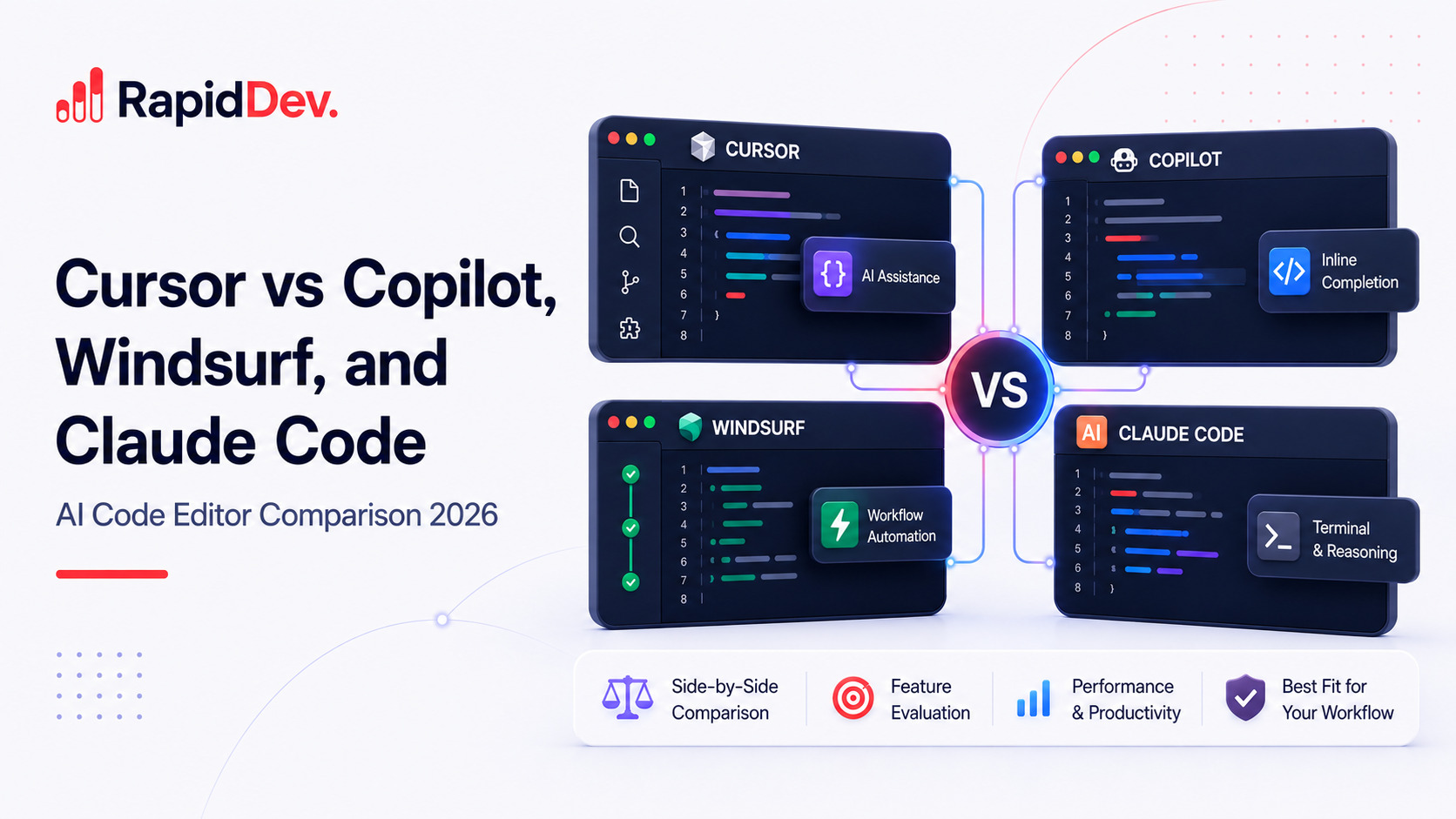
The numbers tell a compelling story. Cursor reached $1 billion in annual recurring revenue in under two years. GitHub Copilot now serves 4.7 million paid subscribers across 90% of Fortune 100 companies. Meanwhile, Windsurf got acquired for $250 million, and Claude Code achieved an 80.8% score on SWE-bench Verified.
The AI code editor market has matured fast. What started as simple autocomplete has evolved into autonomous agents that can plan, write, test, and ship code with minimal human input. According to recent surveys, 85% of developers now use AI coding tools regularly. However, choosing the wrong tool costs more than the subscription fee. It costs hours weekly in friction, missed context, and workflows that don't fit your codebase.
This AI code editor comparison 2026 guide evaluates Cursor against its top competitors. Whether you're considering Cursor vs Copilot 2026 or exploring the best AI code editor 2026 has to offer, you'll learn exactly how these AI-powered code editors differ in features, pricing, performance, and team fit. By the end, you'll know which tool belongs in your workflow.
TL;DR: Quick AI Code Editor Comparison 2026 Summary
Short on time? Here's the best AI code editor 2026 has to offer for different use cases.
- Cursor leads on raw AI capability with agent mode, multi-file editing, and model flexibility. Choose it if you want the most powerful AI coding experience available.
- GitHub Copilot dominates enterprise adoption with unmatched GitHub integration and the most affordable pricing. Choose it for platform consistency and team workflows.
- Windsurf offers the best free tier and flow-state editing experience. Choose it for value and a clean, focused interface.
- Claude Code excels at autonomous execution with the highest benchmark scores. Choose it for terminal-based agentic workflows on complex tasks.
How We Evaluated These AI-Powered Code Editors
Before diving into comparisons, let's establish our evaluation framework. We assessed each tool across eight dimensions that matter most to working developers.
First, we measured code completion quality and speed. How accurate are suggestions? How fast do they appear? Second, we tested multi-file editing capabilities. Can the tool coordinate changes across your entire codebase?
Third, we evaluated agent and autonomous features. Can the AI plan, execute, and iterate without constant guidance? Fourth, we compared context windows and codebase understanding. How much of your project can the tool actually see?
Fifth, we examined model flexibility. Can you choose between different AI models or bring your own API keys? Sixth, we analyzed pricing and value at different team sizes. Seventh, we reviewed privacy and security controls for enterprise needs.
Finally, we considered learning curve and daily user experience. The best features mean nothing if the tool disrupts your flow.
Our evaluation draws from SWE-bench benchmark scores, published acceptance rate data, and hands-on testing across real projects.
The Contenders: Best AI Code Editors and Cursor Alternatives 2026
Four tools dominate developer conversations in 2026. Each takes a fundamentally different approach to AI-powered code editors and development assistance.
Cursor: The AI-Native IDE Leader
Cursor is a standalone code editor built as a VS Code fork with AI embedded at every level. Rather than adding AI to an existing editor, Cursor redesigns the entire editing experience around intelligent assistance.
The numbers reflect its rapid growth. Cursor sits at a $29.3 billion valuation with over $1 billion in annual recurring revenue. More than 800,000 developers use it monthly, and over half of the Fortune 500 now trust it for development.
Cursor's architecture offers a 200,000+ token context window supplemented by semantic codebase indexing. Even on projects with thousands of files, Cursor retrieves relevant context through intelligent search.
Key features that set Cursor apart include Composer for multi-file editing, Background Agents that work in cloud sandboxes, and BugBot for automatic pull request reviews. The March 2026 release added Composer 2 (their own coding model), Automations for always-on agents, and JetBrains IDE support through the Agent Client Protocol.
Cursor supports Claude, GPT-5.2, Gemini 3 Pro, and other frontier models. You can also bring your own API keys for maximum flexibility.
GitHub Copilot: The Enterprise Standard
GitHub Copilot remains the most widely adopted AI coding assistant. Built by GitHub in collaboration with OpenAI, it integrates with VS Code, JetBrains IDEs, Neovim, and the entire GitHub platform.
The adoption numbers are impressive. Copilot serves 4.7 million paid subscribers and holds roughly 42% market share. It's the default choice in enterprise environments where GitHub already anchors the development workflow.
Copilot works as an extension rather than a standalone editor. This approach means you keep your existing IDE while adding AI capabilities. The tradeoff is less deep integration than fork-based alternatives like Cursor.
Key features include Copilot Chat for conversational assistance, Copilot Edits for multi-file changes, and Copilot Workspace for planning implementations from issues. The 2026 updates added a Coding Agent that can autonomously work on GitHub issues, create branches, write code, and open pull requests.
Copilot now offers model selection between GPT-4o, Claude, and Gemini. However, all models run on GitHub's infrastructure with no bring-your-own-key option.
Windsurf: The Value Contender
Windsurf is an AI-first editor built by Codeium, the company behind the popular free autocomplete extension. In early 2026, Cognition (the company behind Devin) acquired Windsurf for $250 million.
The tool positions itself around "flow-state" editing. Its Cascade feature maintains session context, remembering what you've worked on across your entire coding session. You rarely need to repeat context or re-explain your goals.
Windsurf's standout feature is its generous free tier. You get unlimited access to their SWE-1-lite model plus 50 premium credits monthly. For developers testing AI editors or working on side projects, this makes Windsurf immediately accessible.
Key features include Cascade flows for multi-step agentic actions, Supercomplete for context-aware autocomplete, and Command mode for quick targeted tasks. The 2026 updates added Arena Mode for blind model comparison and Plan Mode for structured agent workflows.
The acquisition creates some uncertainty. The founding team departed, and the roadmap now depends on Cognition's plans. However, the product itself remains capable and actively developed.
Claude Code: The Terminal Powerhouse
Claude Code takes a fundamentally different approach. Rather than embedding AI into a visual editor, it operates directly in your terminal as an autonomous agent.
Built by Anthropic and powered by Claude models, Claude Code achieved the highest SWE-bench Verified score at 80.8%. It offers a 1 million token context window, far exceeding any visual IDE's capacity.
The philosophy here prioritizes execution depth over editor velocity. Claude Code can read your entire codebase, plan multi-step implementations, write code, run tests, fix errors, and iterate until tasks complete. It's closer to a junior developer than a typing assistant.
Key features include Agent Teams where sub-agents coordinate with shared task lists, deep git integration with automatic commits, and tool use capabilities for interacting with external systems. The 2026 improvements enhanced multi-file reasoning and expanded tool use.
Claude Code requires comfort with terminal-based workflows. If you prefer visual diffs and GUI-based editing, it presents a steeper learning curve. However, for developers who live in the terminal, it offers capabilities no visual editor matches.
Feature-by-Feature AI Code Editor Comparison 2026
Let's examine how these AI-powered code editors perform across the capabilities that matter most for daily development work. This Cursor vs Windsurf and Cursor vs Copilot 2026 analysis covers every critical dimension.
Code Completion and Autocomplete Quality
All four tools offer code completion, but the experience differs significantly.
Cursor excels at multi-line and predictive edit suggestions. Its Tab model doesn't just complete the current line. It predicts your next several edits based on recent changes and cursor position. If you rename a variable in one place, Cursor often suggests renaming it everywhere automatically. The model trains continuously through reinforcement learning, improving based on which suggestions developers accept.
GitHub Copilot provides the fastest single-line completions. Trained on the largest code corpus, it excels at standard patterns like API routes, data transformations, and boilerplate. For conventional code, Copilot suggestions appear almost instantly.
Windsurf's Supercomplete adapts to your project's patterns over a session. Completions become more relevant the longer you work. However, it doesn't match Cursor's predictive multi-edit capability.
Claude Code doesn't offer inline autocomplete at all. As a terminal-based tool, it generates code in response to explicit requests rather than predicting as you type.
Winner for autocomplete: Cursor for multi-edit workflows, Copilot for raw speed on standard patterns.
Multi-File Editing and Refactoring Capabilities
This dimension reveals the biggest differences between tools.
Cursor's Composer feature handles cross-file changes exceptionally well. Describe what you want in natural language, and Composer applies edits across multiple files simultaneously. You review a unified diff before accepting. The agent mode extends this further, autonomously planning changes, running terminal commands, and iterating until tasks complete.
GitHub Copilot Edits manages multi-file changes but requires you to manually define the working set. It proposes edits that you accept or reject file by file. Copilot Workspace offers higher-level planning but remains in preview with less mature capabilities than Cursor's agent.
Windsurf's Cascade flows provide strong multi-file capability with an emphasis on maintaining your flow state. Cascade can plan and execute cross-file changes. However, its agent capabilities are less developed than Cursor's for complex multi-step tasks.
Claude Code produces the most reliable multi-file changes for autonomous execution. It can analyze your entire repository, create implementation plans, and execute changes across dozens of files while running tests and fixing errors iteratively.
Winner for multi-file editing: Cursor for IDE-based workflows, Claude Code for fully autonomous execution.
Agent Mode and Autonomous Capabilities
Autonomous capabilities represent the frontier of AI coding tools in 2026.
Cursor's Background Agents run tasks in isolated cloud sandboxes while you continue working. They can create branches, make changes, run tests, and open pull requests for review. The March 2026 Automations feature enables always-on agents that trigger based on schedules or events from Slack, Linear, GitHub, and other tools.
GitHub Copilot's Coding Agent assigns issues directly to the AI. It autonomously creates branches, writes code, runs tests, opens pull requests, and responds to review feedback. The tight GitHub integration makes this feel natural for teams already in that ecosystem.
Windsurf's Cascade flows execute multi-step actions but with less autonomy than Cursor or Copilot agents. You typically stay more involved in guiding the process.
Claude Code offers the deepest autonomous execution. Its Agent Teams feature coordinates multiple sub-agents with shared context and task lists. Each agent can reason independently while collaborating toward larger goals. For complex tasks spanning many files and requiring iteration, Claude Code currently leads.
Winner for autonomous capabilities: Claude Code for execution depth, Cursor for IDE-integrated agents.
Context Window and Codebase Understanding
How much of your project can each tool actually understand?
Cursor supports models with context windows up to 200,000 tokens. More importantly, its codebase indexing creates semantic embeddings of your entire repository. When you ask questions or request changes, Cursor retrieves relevant context through intelligent search even from files you haven't opened.
GitHub Copilot uses up to 128,000 tokens and draws context from open files, recently viewed files, and GitHub repository structure. It doesn't offer the full codebase indexing that Cursor provides.
Windsurf offers similar context capacity to Copilot with local indexing for privacy. Session-level context tracking remembers your work across a coding session.
Claude Code dramatically exceeds competitors with a 1 million token context window. It can reason across massive codebases, understanding relationships and dependencies that other tools miss. For monorepos and large enterprise projects, this capacity difference matters significantly.
Winner for context: Claude Code for raw capacity, Cursor for indexed understanding within an IDE.
Model Flexibility and Selection
Which AI models can you use with each tool?
Cursor offers the widest selection. You can choose Claude Sonnet 4.5, Claude Opus 4.5, GPT-5.2, Gemini 3 Pro, and other frontier models. The bring-your-own-key option lets you use any OpenAI-compatible model, including self-hosted alternatives.
GitHub Copilot now supports model selection between GPT-4o, Claude, and Gemini. However, all models run on GitHub's infrastructure. You cannot bring your own keys or use self-hosted models.
Windsurf uses Codeium's proprietary models for autocomplete (optimized for speed) and supports GPT-4o and Claude for chat and agent tasks. Model selection is more limited than Cursor.
Claude Code only runs Anthropic's models, currently Opus 4.6 and Sonnet 4.5. If you prefer other model families, Claude Code isn't an option.
Winner for model flexibility: Cursor by a significant margin.
Comprehensive AI Code Editor Comparison 2026 Table
This complete AI code editor comparison 2026 table summarizes every key dimension across all four tools.
AI Code Editor Pricing Comparison 2026: True Cost Analysis
Understanding pricing for AI-powered code editors requires looking beyond base subscription costs. Let's break down what you'll actually pay when comparing Cursor vs Copilot 2026 costs and other alternatives.
Subscription Tiers Compared
Value Analysis by Use Case
Best budget option: GitHub Copilot at $10/month delivers solid AI assistance for everyday coding. For developers who primarily need autocomplete and occasional chat, it's hard to beat this value.
Best free tier: Windsurf offers unlimited access to their base model plus monthly premium credits. For students, open-source contributors, or developers testing AI tools, Windsurf removes the financial barrier entirely.
Best power user value: Cursor Pro at $20/month includes agent mode, multi-file Composer, and model flexibility that Copilot's $10 tier doesn't match. For developers who use AI as a core workflow component, the extra $10 monthly pays for itself quickly in productivity gains.
Most expensive but most capable: Claude Code with the Max plan at $100/month (or usage-based pricing) provides the highest benchmark performance and largest context window. For complex autonomous tasks, the cost reflects genuine capability differences.
Hidden Costs to Consider
Cursor Pro includes 500 fast premium requests monthly. Heavy users can exceed this limit, triggering either slower queue processing or pay-as-you-go charges.
GitHub Copilot's Pro+ tier at $39/month unlocks additional model access. The base $10 tier may feel limiting for power users who want frontier models.
Windsurf's credit system requires monitoring. Once credits expire, you're limited to the base model until the next billing cycle.
Claude Code's usage-based pricing can surprise users. Complex tasks consuming many tokens add up quickly. The Max plan provides predictability but at a higher base cost.
Performance Benchmarks: AI Code Editor Comparison 2026 Quality Metrics
Objective benchmarks help cut through marketing claims. Here's how these AI-powered code editors perform on standardized tests and real-world metrics.
SWE-bench Verified Scores
SWE-bench tests AI systems on real GitHub issues from popular open-source projects. Higher scores indicate better ability to understand problems and generate correct solutions.
Claude Code's lead reflects its architecture. The terminal-based agent can reason longer, use tools, and iterate on solutions. Visual IDE tools face constraints that limit autonomous problem-solving.
Real-World Productivity Metrics
Studies and developer surveys report 30-50% productivity improvements when using AI coding tools effectively. However, these gains depend heavily on task type and developer experience with the tool.
Code acceptance rates vary by tool and context. Cursor reports approximately 30% of suggested characters are kept by users. This metric reflects the challenge of predicting exactly what developers want.
Language-Specific Performance
Privacy and Security: AI Code Editor Comparison
Privacy concerns influence tool selection for many teams, especially those working on proprietary codebases or in regulated industries.
Data Handling by Tool
Cursor offers a Privacy Mode that prevents code storage on their servers. Code sends to the LLM provider for inference and immediately discards. The bring-your-own-key option routes requests through your own cloud accounts for full data control. Cursor holds SOC 2 Type II certification.
GitHub Copilot on the Individual tier may use code snippets to improve models (opt-out available). The Business tier excludes code from training and includes IP indemnity. Enterprise adds audit logs, policy controls, and organization-wide management.
Windsurf states that code isn't stored or used for training across all tiers. The Teams tier adds SOC 2 compliance certification. Enterprise options include on-premise deployment for maximum control.
Claude Code operates on usage-based pricing through Anthropic's API. Code processes for inference but doesn't train models. The Max plan provides predictable access without per-request data concerns.
Compliance Summary
For regulated industries, GitHub Copilot Enterprise offers the most mature compliance story through Microsoft's existing enterprise agreements and certifications.
What's New in 2026: Latest AI-Powered Code Editor Features
The first quarter of 2026 brought significant updates across all four platforms. This AI code editor comparison 2026 wouldn't be complete without covering the latest changes.
Cursor 2026 Updates
Composer 2 launched in March 2026 as Cursor's own coding model. It achieves frontier-level performance with roughly 4x generation speed compared to similarly capable models. Most interactive turns complete in under 30 seconds.
Automations enable always-on agents that run based on schedules or triggers from Slack, Linear, GitHub, PagerDuty, and webhooks. Agents spin up cloud sandboxes and follow configured instructions using your selected MCPs and models.
JetBrains IDE support arrived through the Agent Client Protocol. Developers who rely on IntelliJ, PyCharm, or WebStorm can now use Cursor's agent capabilities without switching editors.
30+ new marketplace plugins added integrations with Atlassian, Datadog, GitLab, Glean, Hugging Face, monday.com, PlanetScale, and others.
GitHub Copilot 2026 Updates
Copilot Coding Agent now handles full issue-to-PR workflows autonomously. Assign an issue to Copilot, and it creates a branch, writes code, runs tests, opens a pull request, and responds to review feedback.
Multi-model selection expanded to include Claude and Gemini alongside GPT models. You can choose the best model for different task types.
Jira integration launched in March 2026, connecting Copilot to project management workflows beyond GitHub Issues.
Windsurf 2026 Updates
Cognition acquisition closed at $250 million. The product continues operating, but the founding team departed. The roadmap now depends on Cognition's vision for integrating Windsurf with Devin.
Arena Mode enables blind model comparison. Test different models on the same tasks without knowing which is which, then see which performs better for your use cases.
Plan Mode structures agent workflows with step-by-step execution plans. This adds predictability to autonomous task handling.
Claude Code 2026 Updates
Agent Teams coordinate multiple sub-agents with shared task lists and messaging. Sub-agents can work in parallel on different aspects of complex tasks.
1 million token context window expanded codebase reasoning capacity. Claude Code can now understand relationships across massive monorepos that other tools can't fully process.
Enhanced tool use improved interactions with external systems, databases, and APIs during autonomous execution.
Decision Framework: How to Choose the Best AI Code Editor 2026
With features and pricing covered, let's translate that AI code editor comparison 2026 information into concrete decisions for your workflow.
Choose Based on Your Top Priority
Maximum AI capability? Choose Cursor. Its agent mode, multi-file Composer, model flexibility, and continuous innovation keep it at the frontier of what's possible in AI-assisted coding.
Platform integration and team consistency? Choose GitHub Copilot. The deep GitHub ecosystem integration, broad IDE support, and enterprise-ready compliance make it the safest choice for organizations.
Budget conscious or evaluating options? Choose Windsurf for its generous free tier, or GitHub Copilot for the lowest paid entry point at $10/month.
Autonomous execution on complex tasks? Choose Claude Code. The 80.8% SWE-bench score and 1 million token context enable capabilities no visual editor matches.
Enterprise compliance and governance? Choose GitHub Copilot Enterprise. Microsoft's existing certifications and enterprise agreements provide the most mature compliance story.
Best Tool by Scenario
Migration Considerations
VS Code to Cursor: Nearly seamless. Cursor is a VS Code fork, so extensions, themes, and keybindings transfer directly. The learning curve involves understanding Composer and agent features, not the editor itself.
Copilot to Cursor: Uninstall the Copilot extension and install Cursor. The bigger adjustment is workflow. Cursor encourages different patterns around multi-file editing and agent delegation.
Any tool to Claude Code: This represents a paradigm shift. You're moving from visual editing to terminal-based agentic execution. Plan for a steeper learning curve, but potentially higher capability ceiling for autonomous tasks.
The Layered Approach: Using Multiple AI Code Editors Together
Many experienced developers don't choose just one tool. They combine them strategically for different purposes.
Common Multi-Tool Setups
Cursor + Claude Code: Use Cursor for daily editing, autocomplete, and medium-complexity changes. Switch to Claude Code for heavy autonomous tasks like large refactors, feature implementations, or codebase migrations.
Copilot + Claude Code: Keep Copilot for its GitHub integration and quick inline suggestions. Use Claude Code when you need deeper autonomous execution that Copilot's agent can't handle.
Windsurf daily + Cursor for complex projects: Use Windsurf's free tier for everyday work and side projects. Upgrade to Cursor when tackling complex codebases that need stronger agent capabilities.
When Layering Makes Sense
Layering works well when different tools excel at different task types. Editor-based autocomplete differs fundamentally from terminal-based autonomous execution. Using both captures capabilities that no single tool provides.
Layering also helps with cost optimization. Use free tiers for routine work and paid subscriptions for high-value tasks where better AI directly translates to faster shipping.
When to Avoid Layering
Avoid layering if it stems from indecision rather than intentional workflow design. Running multiple subscriptions for overlapping capabilities wastes money.
Avoid layering if you're early in AI tool adoption. Master one tool thoroughly before adding others. Context switching between tools has real cognitive costs.
Frequently Asked Questions About AI Code Editor Comparison 2026
Which AI code editor is best for beginners in 2026?
GitHub Copilot is the most beginner-friendly option. Its /explain command helps learners understand code, and the massive community provides abundant tutorials and support. Windsurf's free tier also works well for beginners who want to experiment without financial commitment.
Can I use Cursor and GitHub Copilot together?
Technically yes, but practically no. Running both creates conflicting suggestions that disrupt your workflow. Choose one as your primary tool. If you use Cursor, its built-in completions and agent mode replace most of what Copilot offers.
Is Cursor worth $20/month over Copilot's $10/month?
For developers who heavily use AI throughout their workflow, yes. Cursor's agent mode, multi-file Composer, and model flexibility deliver capabilities that Copilot's $10 tier doesn't match. The ROI depends on how central AI is to your development process. If you primarily need autocomplete and occasional chat, Copilot provides better value.
Which tool has the best free tier in 2026?
Windsurf offers the most generous free tier with unlimited access to their SWE-1-lite model. GitHub Copilot's free tier limits you to 50 premium requests monthly, which most active developers exhaust quickly. Cursor's free tier similarly restricts usage to evaluation purposes.
Do any AI code editors work offline?
None of these tools work fully offline because they rely on cloud-hosted models. Cursor's bring-your-own-key option with a locally hosted model (via Ollama) comes closest to offline operation, but this requires significant setup and capable hardware.
Which AI code editor generates the most accurate code?
Claude Code achieves the highest benchmark scores at 80.8% on SWE-bench Verified. However, benchmark performance doesn't always translate to daily coding accuracy. Cursor's superior codebase indexing often produces more accurate code for project-specific logic because it understands your existing patterns and types.
Is my code safe with AI code editors?
All four tools offer configurations that prevent code storage and training data usage. Cursor's Privacy Mode, Copilot's Business tier, and Windsurf's zero-retention policy all protect proprietary code. For maximum security, Cursor's bring-your-own-key option routes requests through your own cloud accounts.
Which tool is best for large codebases or monorepos?
Claude Code's 1 million token context window handles the largest codebases. Cursor's semantic indexing provides strong understanding within its 200,000 token window. GitHub Copilot's 128,000 token limit and lack of full codebase indexing make it less suited for massive monorepos.
What's the difference between Cursor's Composer and Copilot's Workspace?
Composer applies multi-file edits directly within your editor with visual diffs. Copilot Workspace is a higher-level planning tool that proposes implementation plans from issues or descriptions. Composer is more mature and integrated. Workspace remains in preview with developing capabilities.
Should I switch from Copilot to Cursor in 2026?
Consider switching if you want stronger agent capabilities, multi-file editing, or model flexibility. Stay with Copilot if GitHub integration matters most, you need broad IDE support beyond VS Code, or budget is a primary concern. Try Cursor's free tier to evaluate before committing.
Conclusion: Our AI Code Editor Comparison 2026 Verdict
After evaluating Cursor vs Copilot 2026, Cursor vs Windsurf, and Claude Code, here's our assessment of the best AI code editor 2026 options.
No single tool wins across all dimensions. Each optimizes for different priorities, and the best choice depends on how you actually work.
Cursor leads on raw AI capability. Its agent mode, Composer multi-file editing, model flexibility, and rapid innovation keep it at the frontier. For developers who want the most powerful AI coding experience available and are willing to adopt a new editor, Cursor is the top choice.
GitHub Copilot leads on ecosystem and practical value. The deep GitHub integration, broad IDE support, enterprise compliance, and $10/month pricing make it the default for organizations that want reliable AI assistance without disrupting established workflows.
Windsurf leads on accessibility. The generous free tier removes barriers for evaluation. The flow-state editing experience appeals to developers who want AI assistance that feels ambient rather than disruptive.
Claude Code leads on autonomous execution. The 80.8% SWE-bench score and 1 million token context enable capabilities that visual editors cannot match. For terminal-native developers tackling complex tasks, Claude Code offers unique value.
For most professional developers, we recommend starting with Cursor and evaluating for two weeks. Its capabilities exceed Copilot's at comparable cost, and the VS Code familiarity minimizes switching friction.
For teams prioritizing platform consistency and enterprise features, GitHub Copilot Business or Enterprise remains the safest choice.
Whatever tool you choose, the key is integrating AI deeply into your workflow rather than treating it as an occasional helper. The productivity gap between developers who master their AI tools and those who use them casually continues to widen in 2026.
Ready to Accelerate Your Team's AI Code Editor Adoption?
RapidDev helps development teams navigate the evolving AI tool landscape. Choosing the right AI code editor is just the first step. Getting your team productive with it requires training, configuration, and workflow integration.
Our services include hands-on evaluation of AI code editors for your specific codebase and workflow requirements. We develop custom configurations including .cursorrules files, team policies, and integration patterns tailored to your architecture.
We provide team onboarding programs that accelerate the learning curve for developers at all experience levels. Our experts help integrate AI tools with your existing CI/CD pipelines, code review processes, and deployment workflows.
Don't let your team struggle through trial and error. RapidDev's experience with AI development tools helps you reach productivity gains faster while avoiding common pitfalls.
[Contact RapidDev today for a free consultation on selecting and implementing the right AI code editor for your team.]