August 25, 2026
•
14
min read

Custom Software Development Process: 7 Stages, Deliverables, and Sign-Offs
Learn how the custom software development process works across 7 stages, including deliverables, acceptance criteria, sign-offs, and project handoff.
A custom software project can have technically sound code and still run into expensive trouble. That usually happens when “done” was never tied to a reviewable deliverable and an explicit acceptance decision — a stage gets called complete, but nobody agreed what “complete” meant, and the gap surfaces later as rework, a scope dispute, or a launch that isn’t ready.
This guide reframes the custom software development process as a series of controlled decisions rather than a rigid waterfall sequence. It focuses on process governance for the buyer, not the mechanics of developing a new software product from concept to launch. For each stage you’ll see what to deliver, what to review, the acceptance criteria, who approves, and what must be true before moving on.
Standards such as ISO/IEC/IEEE 12207 describe the software life cycle but don’t prescribe a fixed phase order. The seven-stage model here is a practical governance framework — real projects iterate, overlap stages, and run work in parallel, including in Agile.
What is the custom software development process?
The custom software development process is the structured sequence of stages that turns a business problem into working, owned, and supportable software built for one organization. It spans discovery through deployment, handoff, and support — the scope that applies once you’ve decided when custom software makes sense.
Separate lifecycle from methodology: the lifecycle is the work; the methodology (Agile, iterative, staged) is how it’s sequenced. ISO/IEC/IEEE 12207 allows iterative, incremental, and parallel execution, so the process is rarely strictly linear.
One spine holds the stages together: Stage → Deliverable → Reviewer → Acceptance criteria → Sign-off → Gate. That spine turns a list of software development phases into a process a buyer can control.
What are the seven stages of the custom software development process?
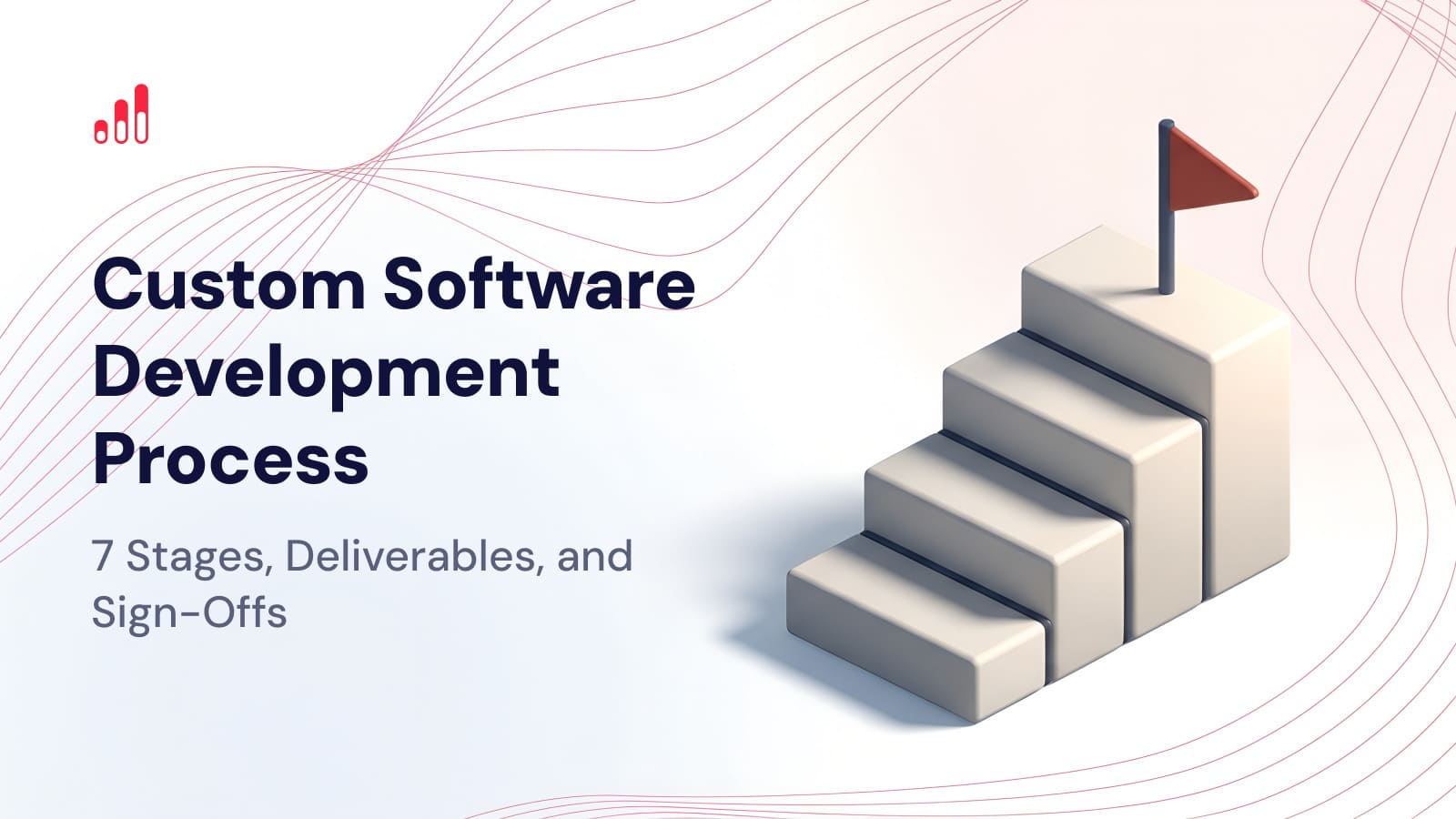
From a buyer’s governance perspective, the seven stages of software development are:
- Discovery and business alignment
- Requirements and scope definition
- UX/UI and solution design
- Technical architecture and development planning
- Development and iterative acceptance
- QA, UAT, and release readiness
- Deployment, handoff, and post-launch support
The table below is the navigation layer for the sections that follow — a summary of the software development deliverables, reviewers, and gates across the process.
Stage 1 — Discovery and business alignment
Discovery defines the problem, users, outcomes, and constraints before anyone commits to a solution. It answers what, why, and for whom — not how to build it.
The deliverable is a discovery baseline — a discovery brief, problem statement, goals and KPIs, initial scope boundaries, assumptions, constraints, and a first risk list — reviewed by the business sponsor, product owner, and relevant SMEs. Acceptance means they align on the problem, users, intended outcomes, constraints, and out-of-scope boundaries. Approval authority varies by governance model, but it should be named — often the sponsor or product owner — before the stage closes.
The gate is that baseline approved for requirements elaboration — hold it if stakeholders still disagree on the problem or outcome, or if a critical dependency or data source is unknown.
The failure mode is subtle: a team turns an early solution assumption into “scope” before the business problem is understood well enough to justify it.
Stage 2 — Requirements and scope definition
This stage converts business intent into clear, testable, prioritized requirements and a controlled scope baseline. It is one of the highest-leverage stages in the software development process, because everything downstream is verified against it.
The deliverables are a PRD or SRS where appropriate, a prioritized backlog and user stories, functional and non-functional requirements, integrations, roles and permissions, acceptance criteria, and a versioned scope baseline. The product owner, a business analyst, SMEs, and a technical lead typically review them; final approval authority varies by governance model but should be named, not assumed.
The reliable acceptance test isn’t “the document is written” — it’s whether the content can be verified. ISO/IEC/IEEE 29148 and NASA’s software engineering guidance align here: requirements should be clear, unambiguous, complete, consistent, individually verifiable, and traceable. Tie approval to a versioned baseline, so later changes are measured against it rather than argued over.
Don’t proceed with vague or non-testable requirements or no defined approval authority. The failure mode is treating “document completed” as approval when requirements can’t be objectively checked.
Stage 3 — UX/UI and solution design
Design validates complete user workflows before expensive implementation — it’s far cheaper to fix a flow in a prototype than in production code.
The deliverables are user flows, wireframes, key interface states, a prototype, and high-fidelity designs with a component library where relevant, reviewed by the product owner, representative users or SMEs, and a UX lead. Acceptance should confirm the design covers more than the happy path: critical journeys, permissions, error/empty/loading states, responsive behavior, and relevant business scenarios, for the agreed scope.
Don’t move forward while core workflows are still materially changing. The failure mode is a “looks good” approval that skips edge cases, permissions, and exception flows — the gaps that force rework during development.
Stage 4 — Technical architecture and development planning
This stage establishes enough technical certainty to build, integrate, secure, deploy, and verify the system.
The deliverables are an architecture diagram, a data model, API and interface specifications, environment and deployment assumptions, an implementation backlog, and relevant security requirements — reviewed by the architect or technical lead, the client’s technical owner, and a security or operations stakeholder where relevant. Security belongs in this planning, not a separate late phase; NIST’s Secure Software Development Framework recommends integrating secure practices into the existing lifecycle. Acceptance means critical integrations, data ownership and flows, environments, dependencies, and security constraints are sufficiently resolved — or the residual risks are explicitly accepted.
The common gate blocker: the architecture exists on a diagram, but nobody has confirmed the production APIs, credentials, identity model, hosting, or rate limits work as assumed. Validate those before development scales up.
Stage 5 — Development and iterative acceptance
Development builds working increments and accepts them against agreed criteria. The central principle for a buyer: “the developer finished coding” is not the same as “the feature is accepted.”
Two acceptance concepts work together. Feature-level acceptance criteria define when a specific story meets its requirement. The Definition of Done is the broader quality bar for any increment. In Scrum, work that doesn’t meet the Definition of Done isn’t part of the increment, and the product owner is accountable for the backlog and its value.
This is why Agile sign-off can be incremental and lightweight — an accepted story, backlog decision, or recorded product-owner approval can serve as the documented decision. Don’t proceed when the Definition of Done isn’t met; the failure mode is letting “code complete” become the only completion criterion.
Stage 6 — QA, UAT, and release readiness
This stage does three distinct jobs: verify technical quality, validate business fit, and separately decide whether the release is operationally ready.
QA and UAT answer different questions. QA verifies that the software works as engineered — unit, integration, system, and regression testing. UAT is business validation: real users confirm the release fits agreed workflows, using realistic data. UAT does not replace QA.
The critical distinction is between UAT sign-off and go-live approval.
Passing UAT does not automatically mean the product is ready for production.
UAT sign-off answers whether the release satisfies the agreed business requirements. Go-live approval is broader — cutover, the production environment, integrations, data migration, rollback, monitoring, access, support readiness, and open risks. Microsoft’s go-live guidance separates the two, and AWS Operational Readiness Reviews are designed to surface operational risks and known causes of impact before and throughout production operations. The failure mode is treating UAT approval as proof that production operations are ready.
Stage 7 — Deployment, handoff, and post-launch support
Deployment is not the moment the vendor clicks “deploy.” This stage deploys safely and transfers operational control to the client. Acceptance means the client is genuinely in control: production works as agreed, the client owns or controls the required assets and accounts, ownership and access are verified, and support responsibilities are clear.
One point matters for buyers: receiving the source code does not by itself determine IP ownership. Ownership, assignment, background IP, third-party components, and related rights depend on the contract and applicable law. Under U.S. copyright law, handing over a copy of the code does not by itself transfer copyright. This isn’t legal advice — confirm the terms with counsel for your engagement.
Access needs an audit, not just a password handoff. Repository transfers can retain existing collaborators, and credentials such as deploy keys can survive a user’s removal. Transfer control, then inventory and rotate or revoke both human and machine credentials. Where the dependency footprint is significant, hand over a software bill of materials (SBOM) — a component and license inventory, in a format such as SPDX.
Separate two things that are often confused. A warranty or defect-remediation obligation is a contractual promise tied to the delivered scope; ongoing maintenance and support — incidents, enhancements, platform updates — is separate work. There is no universal standard warranty period for custom software; take it from the agreement.
Project handoff checklist (apply the items relevant to your project):
- Source code: all production repositories, branches and tags, build instructions
- Repository control: client-owned org or transferred repos with correct admin roles
- IP: contract terms covering custom deliverables, background IP, and third-party components
- Cloud / hosting: client-controlled account, billing, and admin access
- Domains / DNS / certificates: ownership, registrar access, and renewal contacts
- CI/CD: pipeline configuration and deploy permissions
- Secrets: API keys, tokens, and signing keys, with vendor secrets rotated or revoked
- Integrations: account owners, production credentials, and vendor contacts
- Databases: admin access, backup/recovery docs, and schema/migration artifacts
- Documentation: architecture diagrams, technical and API docs, and runbooks
- Monitoring: dashboards, alerts, and incident/escalation ownership
- Known issues: accepted defects, technical debt, and deferred backlog
- Third-party subscriptions: provider, billing owner, renewal, and license constraints
- Support: warranty/defect terms if contracted, and any separate maintenance model
The failure mode to avoid: “deployment complete,” but the vendor is still the only party who controls production-critical accounts and knowledge.
How should sign-offs work in an Agile custom software project?
Agile reduces heavy stage-gate bureaucracy — it does not remove accountable acceptance decisions. The formal decisions still happen; they just get smaller and more frequent. Distinguish the types of acceptance rather than lumping them together:
- Stage-gate approval — a milestone-level decision on a large scope
- Increment or story acceptance — a feature meets its acceptance criteria and the Definition of Done
- Backlog acceptance — a prioritization or scope decision by the product owner
- UAT acceptance — business users validate a release against agreed workflows
- Release authorization — a separate go/no-go for production
- Contractual milestone acceptance — acceptance tied to payment or contract terms
The right level of formality depends on project risk, contract structure, regulatory context, and governance. Name one accountable decision owner for each material approval, rather than vague “client approved” language.
On Scrum specifically: the Sprint Review is for inspection and adaptation, not a formal release gate. Contractual or governance approvals are better layered on top as a separate mechanism.
What happens when requirements change after sign-off?
A sign-off doesn’t mean requirements can never change. It creates a baseline that change can be measured against — the distinction that prevents scope disputes. Material changes should follow a controlled loop:
- Change request — capture what is being asked for
- Impact assessment — evaluate effect on scope, schedule, effort, architecture, testing, documentation, and risk
- Decision / change order — an authorized approver accepts, defers, or rejects it, with commercial terms adjusted where required
- Re-baseline — update the requirements, backlog, and any affected artifacts
- Communicate — restate the updated acceptance criteria to everyone affected
This mirrors NASA’s change-management guidance: analyze impact across requirements, design, tests, and documentation, record the disposition, then verify and close the change.
Not every small backlog adjustment needs a contract amendment. But a change to an approved requirement can touch budget, schedule, architecture, and test evidence — not just code. Undocumented scope changes can become a major source of delivery disputes, because each side later remembers a different version of what was agreed.
Who should approve each stage?
Approval authority should be defined before a decision is needed — not improvised in a meeting. The table below is a starting point, not a universal RACI standard. Titles vary; one company may combine roles another separates.
The recurring principle: for every material approval, know one accountable decision owner.
Conclusion
A strong custom software development process isn’t about how many stages it has. It’s whether, at any point, you can answer six questions: what should be delivered now, by what criteria it’s accepted, who reviews it, who is authorized to approve it, what remains open, and what must be true before the next step.
Making acceptance observable and ownership explicit reduces ambiguity and helps prevent delivery disputes before they reach late-stage rework or handoff. Every material stage should end with a reviewable deliverable, clear acceptance criteria, an accountable approver, and a defined gate.
Whatever you build, a practical next step is to define, for each stage, the deliverable, the reviewer, the acceptance criteria, the sign-off, and the gate before work begins. If you’d rather have that governance handled end to end — from staged deliverables through acceptance, sign-offs, and a documented handoff — RapidDevelopers structures its custom software engagements this way, transferring source code, IP, and project assets to the client at completion per its stated policy, with the specifics governed by contract.
Frequently asked questions
What are the stages of the custom software development process?
The process typically runs through seven stages: discovery, requirements and scope, UX/UI design, technical architecture and planning, development, QA/UAT and release readiness, and deployment and handoff. It’s a practical governance model rather than a mandated standard, so real projects iterate and overlap these software development phases.
Who signs off on software requirements?
The product owner or business owner usually holds final approval, informed by a business analyst, SMEs, and a technical lead. The key is a named, authorized approver and a versioned requirements baseline, so later changes go through change control.
What should be approved before development starts?
An aligned discovery baseline and a testable, prioritized requirements or scope baseline — plus, where relevant, an accepted design and a validated technical architecture. Development shouldn’t scale up while production assumptions, critical integrations, or approval authority remain unresolved.
What is the difference between QA and UAT?
QA verifies that the software works as engineered, through unit, integration, system, and regression testing. UAT is business validation, where real users confirm the release fits agreed workflows. Neither is the same as go-live approval, which also checks operational readiness.
What happens if requirements change after sign-off?
Material changes follow a controlled loop: change request, impact assessment, an authorized decision or change order, re-baseline, and updated acceptance criteria. Sign-off doesn’t freeze the project; it creates a baseline so the impact on scope, budget, and schedule is measurable.
What should a software vendor hand over at the end of a project?
Typically source code and repository access, environment and credential access, integration and database access, CI/CD configuration, architecture diagrams, runbooks, monitoring, a known-issues list, third-party licenses, and support contacts. Holding the code isn’t the same as owning the IP, so verify ownership and access against the contract.