October 16, 2026
•
21
min read

AI Policy Template: Free Company AI Use Policy
A free, editable AI policy template for companies: what to include, section-by-section guidance, and the rules that keep employee AI use safe, legal, and productive.
An AI policy explains how employees can use artificial intelligence at work. It should identify approved tools, set firm rules for company data, spell out prohibited uses, and require human review when AI-generated work could affect customers, employees, or business decisions.
Why Your Company Needs an AI Policy Now
There is a good chance your employees are already using AI at work.
They may be using ChatGPT to summarize a document, revise an email, review a spreadsheet, write a proposal, or troubleshoot code. Some may be working through personal accounts. Others may be using AI features built into software your company already pays for.
Much of that activity may be happening without anyone formally approving or tracking it.
This is known as shadow AI: the use of AI tools for company work without proper oversight, security review, or clear internal rules. A blanket ban usually does not solve the problem. It simply pushes AI use out of sight.
A clear policy gives employees a safer path. It should address three immediate risks:
- Data leakage: Employees may enter confidential, personal, or commercially sensitive information into tools that have not been approved.
- Compliance exposure: AI may be used in ways that conflict with privacy rules, employment law, industry regulations, or customer agreements.
- Unreliable output: Incorrect, biased, incomplete, or fabricated information may reach customers or influence decisions without proper review.
The goal is to make appropriate use easy to understand and risky use harder to justify.
AI Policy Template
The policy below is designed as a general AI acceptable use policy for companies. Copy it into your preferred format, then adapt it to your business, industry, locations, and existing policies.
Legal notice: This template is a general starting point and does not constitute legal advice. Have qualified counsel review it for the jurisdictions in which your company operates. RapidDev is not a law firm.
[COMPANY NAME] Artificial Intelligence Use Policy
Policy owner: [NAME OR DEPARTMENT]
Approved by: [NAME, TITLE, OR GOVERNANCE BODY]
Effective date: [DATE]
Last reviewed: [DATE]
Next review date: [DATE]
Policy version: [VERSION NUMBER]
Purpose
[COMPANY NAME] supports the responsible use of artificial intelligence when it helps employees work more efficiently, improve customer service, reduce repetitive tasks, or build better products and services.
This policy explains how employees, contractors, consultants, and other authorized users may use AI while protecting company information, customer data, intellectual property, and the rights of employees and third parties.
The policy is intended to:
- Support responsible and productive AI use
- Protect confidential and personal information
- Reduce security, legal, compliance, and reputational risk
- Set expectations for human review and accountability
- Define approved and prohibited uses
- Establish a consistent process for reviewing new AI tools
- Explain when AI use must be disclosed
AI may support an employee’s work, but it does not replace professional judgment or personal accountability.
Scope
This policy applies to:
- All employees of [COMPANY NAME]
- Contractors, temporary workers, consultants, and interns
- Third parties using AI on behalf of [COMPANY NAME]
- Company-owned devices
- Personal devices used for company work
- Standalone AI platforms
- AI features built into existing software
- Generative AI systems
- Machine learning tools
- Predictive systems
- AI agents
- Copilots
- Automated decision-making tools
The policy applies whether the tool is free or paid, provided by the company, accessed through a personal account, or included as a feature inside another product.
Where another company policy, customer agreement, law, or regulatory requirement sets a stricter standard, the stricter standard applies.
Definitions
For the purposes of this policy:
Artificial intelligence or AI means software that can generate, analyze, classify, recommend, predict, automate, or make decisions based on data or user instructions.
Generative AI means systems that create new content, including text, images, audio, video, software code, or other materials.
Approved AI tool means an AI platform, product, model, or feature that has completed the company’s review process and has been authorized for specific business uses.
Confidential information includes nonpublic business, customer, employee, financial, technical, legal, commercial, and strategic information.
Personal data means information that identifies, relates to, or can reasonably be linked to an individual.
High-impact use means an AI-supported action that may materially affect a customer, employee, applicant, supplier, patient, client, or other person.
Shadow AI means AI tools or features used for company work without formal approval or company visibility.
Approved AI Tools
Employees may use AI for company work only through tools approved by [APPROVING DEPARTMENT OR GOVERNANCE BODY].
The current list of approved tools is available here:
[LINK TO APPROVED AI TOOL LIST]
Each approved tool may have different permissions. Approval for one task does not mean the tool may be used for every task or with every type of data.
For example, a tool may be approved for:
- Editing public marketing copy
- Summarizing nonconfidential documents
- Generating ideas for internal use
- Assisting with software development
- Searching an approved internal knowledge base
The same tool may not be approved for:
- Processing customer records
- Reviewing employee information
- Analyzing financial data
- Making automated decisions
- Handling protected or regulated information
Employees must use company-managed accounts when they are available. Personal accounts may not be used for company work unless [APPROVING DEPARTMENT] has provided written approval.
Anyone who wants to use a new AI tool or feature must submit a request through:
[LINK TO AI TOOL APPROVAL PROCESS]
The request should include:
- The name of the tool
- The proposed business use
- The type of data involved
- The employees or departments that will use it
- Whether the output will reach customers or influence decisions
- Any required system integrations
- The expected business benefit
Acceptable Use
Employees may use approved AI tools for authorized work as long as the use complies with this policy and all other company requirements.
Acceptable uses may include:
- Brainstorming ideas
- Drafting internal documents
- Editing and proofreading
- Summarizing approved information
- Preparing meeting agendas or notes
- Researching public information
- Organizing nonconfidential data
- Drafting software code for review
- Creating first drafts of marketing or sales materials
- Preparing internal knowledge-base content
- Classifying or routing documents
- Automating approved administrative tasks
- Supporting analysis that a qualified employee will review
Employees must:
- Use only approved tools for company work
- Follow the permissions assigned to each tool
- Enter only data that the tool is approved to process
- Review AI-generated content before using it
- Verify important facts, figures, references, and calculations
- Correct inaccurate, incomplete, or misleading output
- Apply their own professional judgment
- Follow company security and access requirements
- Report suspected data exposure, harmful output, or policy violations
- Keep appropriate records when required
Unless the company has approved a system to complete a specific action independently, employees should treat AI output as a draft or recommendation.
Prohibited Use
Employees may not use AI to:
- Enter confidential or restricted information into an unapproved tool
- Enter personal data unless both the tool and use case have been approved
- Upload customer, employee, supplier, or partner records without authorization
- Share passwords, credentials, security keys, or access tokens
- Bypass company security controls
- Create deceptive, fraudulent, or misleading content
- Impersonate another person without authorization
- Generate harassment, discrimination, hate speech, or abusive content
- Make unlawful decisions or recommendations
- Violate copyright, trademark, privacy, or intellectual property rights
- Produce or distribute malicious code
- Conduct unauthorized surveillance or profiling
- Create deepfakes or synthetic media intended to mislead
- Make final legal, financial, medical, employment, or compliance decisions without qualified human review
- Evaluate employees or job candidates unless the system and process have been formally approved
- Allow an AI system to communicate externally without the required review
- Present AI-generated information as verified when it has not been checked
- Use a personal AI account to process restricted company information
- Connect an AI tool to company systems without authorization
- Disable required logging, monitoring, or safety controls
Employees may not use AI to avoid responsibility for their work. Using AI does not excuse inaccurate, inappropriate, unlawful, or harmful output.
Data Handling and Confidentiality
Employees must follow [COMPANY NAME]’s privacy, security, confidentiality, records management, and data-classification policies whenever they use AI.
Unless the company has explicitly approved the use, employees may not enter the following information into an AI tool:
- Customer records
- Employee or applicant information
- Health information
- Financial account details
- Payment information
- Government identification numbers
- Authentication credentials
- Legal advice or privileged communications
- Confidential contracts
- Nonpublic financial information
- Proprietary source code
- Trade secrets
- Unreleased product information
- Strategic plans
- Merger, acquisition, or investment information
- Information covered by a nondisclosure agreement
- Any data classified as [RESTRICTED DATA CLASSIFICATION]
Employees must check the tool’s approved data level before entering company information.
Where possible, sensitive information should be removed, anonymized, aggregated, or replaced with sample data before using AI.
A login does not automatically make a tool private or secure. The company must review the provider’s terms, privacy settings, retention practices, model-training policies, integrations, and account controls.
Any suspected disclosure of confidential or personal information must be reported immediately to:
[SECURITY OR PRIVACY CONTACT]
[EMAIL OR INCIDENT-REPORTING LINK]
Human Review and Accountability
Employees remain responsible for work completed with AI assistance.
Before using AI-generated output, the employee must review it for:
- Accuracy
- Completeness
- Relevance
- Bias
- Confidentiality
- Legal and policy compliance
- Appropriate tone
- Intellectual property concerns
- Possible harm to customers, employees, or third parties
Facts, statistics, citations, legal references, calculations, and technical claims must be independently verified when they could affect a decision or be shared outside the company.
AI output may not serve as the sole basis for high-impact decisions involving:
- Employment
- Hiring
- Promotion
- Termination
- Compensation
- Credit
- Insurance
- Healthcare
- Legal rights
- Access to essential services
- Customer eligibility
- Supplier selection
- Compliance enforcement
These decisions require review and approval by [AUTHORIZED ROLE OR DEPARTMENT].
When an AI system has been approved to take an automated action, it must remain within documented permissions, controls, and escalation rules.
Customer-Facing and External Content
AI-generated or AI-assisted content must be reviewed before it is shared with customers, prospects, partners, regulators, the media, or the public.
The reviewer must confirm that the content:
- Is accurate and not misleading
- Reflects the company’s position
- Uses appropriate language and tone
- Does not reveal confidential information
- Does not make unsupported claims or promises
- Meets brand, legal, and regulatory requirements
- Does not infringe third-party rights
An AI system may not send customer communications automatically unless [APPROVING DEPARTMENT] has approved the workflow.
Employees may not create fake testimonials, fabricated case studies, invented citations, false reviews, or misleading synthetic media.
Disclosure of AI Use
[COMPANY NAME] will disclose the use of AI when required by law, contract, industry rules, customer commitments, or company policy.
Disclosure may also be appropriate when AI:
- Interacts directly with a customer
- Creates realistic synthetic audio, video, or images
- Produces a substantial part of a customer-facing deliverable
- Influences a decision that materially affects an individual
- Performs a task a customer would reasonably expect a person to perform
- Is used in a way that could affect trust or informed consent
Employees should use the following approved disclosure language when appropriate:
This content was created with the assistance of artificial intelligence and reviewed by [COMPANY NAME].
For automated customer interactions:
You are interacting with an AI-assisted service. You may request help from a member of our team at any time by [ESCALATION METHOD].
Questions about disclosure should be directed to:
[LEGAL, COMPLIANCE, OR POLICY CONTACT]
Security Requirements
AI tools used for company work must meet applicable security standards.
Depending on the use case, required controls may include:
- Company-managed accounts
- Single sign-on
- Multifactor authentication
- Role-based access
- Encryption
- Data-processing agreements
- Defined retention periods
- Logging and monitoring
- Restrictions on model training with company data
- Vendor security review
- Incident notification requirements
- Integration and API approval
- Backup and recovery procedures
- Regular access reviews
Employees may not connect AI tools to company email, storage, databases, CRMs, financial systems, code repositories, or other internal platforms without written approval.
Suspected prompt injection, unauthorized access, data exposure, unsafe output, or other security concerns must be reported through:
[SECURITY REPORTING CHANNEL]
Compliance and Legal Requirements
All AI use must comply with:
- Applicable laws and regulations
- Customer and supplier contracts
- Privacy requirements
- Employment policies
- Intellectual property rules
- Records-retention requirements
- Industry-specific obligations
- Company codes of conduct
- Information security policies
Before AI is used in a regulated or high-impact workflow, [LEGAL, COMPLIANCE, SECURITY, OR RISK TEAM] must review the proposed use.
Additional controls may be necessary in industries such as:
- Healthcare
- Financial services
- Insurance
- Legal services
- Education
- Government
- Employment and recruiting
- Critical infrastructure
Employees should not rely on AI for legal interpretation or compliance advice unless a qualified professional reviews the output.
Intellectual Property
Employees must respect intellectual property rights when using AI.
Employees should not:
- Enter third-party proprietary material without permission
- Ask AI tools to reproduce copyrighted content unlawfully
- Present AI-generated work as entirely human-created when disclosure is required
- Assume generated material is free from third-party claims
- Use AI-generated branding, code, images, or content without appropriate review
Before AI-generated material is published or used commercially, employees must follow [COMPANY NAME]’s process for originality, licensing, attribution, and intellectual property review.
Work created with AI during employment remains subject to the company’s existing intellectual property and work-product policies.
Roles and Responsibilities
Employees and Authorized Users
Employees are responsible for:
- Following this policy
- Using approved tools only
- Protecting company and personal information
- Reviewing output before use
- Reporting problems and suspected violations
- Completing required training
- Asking for guidance when the rules are unclear
Managers
Managers are responsible for:
- Reinforcing the policy
- Identifying appropriate use cases
- Making sure employees receive training
- Monitoring how AI affects team workflows
- Escalating risks and incidents
- Making sure employees are not pressured to use unapproved tools
- Maintaining human accountability for team decisions
[IT OR SECURITY DEPARTMENT]
[IT OR SECURITY DEPARTMENT] is responsible for:
- Reviewing technical and security risks
- Managing approved accounts and access
- Evaluating integrations
- Monitoring incidents
- Maintaining security controls
- Supporting approved tools
[LEGAL, RISK, OR COMPLIANCE DEPARTMENT]
[LEGAL, RISK, OR COMPLIANCE DEPARTMENT] is responsible for:
- Reviewing legal and regulatory risks
- Advising on high-impact uses
- Setting disclosure requirements
- Supporting incident response
- Reviewing changes to this policy
[AI GOVERNANCE COMMITTEE OR PROGRAM OWNER]
The AI governance owner is responsible for:
- Maintaining the approved-tool list
- Reviewing proposed use cases
- Assigning risk levels
- Coordinating cross-functional approvals
- Tracking AI use across the company
- Updating governance standards
- Reviewing whether the policy is working as intended
Training
Employees must complete required AI training before using approved tools for company work.
Training may cover:
- Approved tools
- Data-handling rules
- Prompting and output review
- Security risks
- Bias and responsible use
- Copyright and intellectual property
- Customer disclosure
- Incident reporting
- Role-specific workflows
- Human accountability
Managers, system owners, developers, customer-facing teams, HR, finance, legal, and employees involved in higher-risk use cases may need additional training.
Reporting Concerns and Incidents
Employees must promptly report:
- Confidential information entered into an unapproved tool
- Suspected personal data exposure
- Unsafe or discriminatory output
- Materially inaccurate customer-facing content
- Unauthorized AI integrations
- Security incidents
- Unapproved automated decisions
- Misleading synthetic media
- Other suspected policy violations
Reports should be submitted through:
[INCIDENT-REPORTING PROCESS]
Employees who report concerns in good faith will not face retaliation.
Where appropriate, the company will investigate the issue, limit further exposure, document the incident, notify affected parties, and update its controls or training.
Violations
Violations of this policy may result in:
- Loss of access to AI tools
- Additional training
- Corrective action
- Disciplinary action
- Termination of employment or contract
- Legal action where appropriate
The company’s response will depend on the nature, severity, intent, and impact of the violation.
Employees who are unsure about a proposed use should ask [POLICY CONTACT] before moving forward.
Review and Updates
This policy will be reviewed at least every [SIX OR TWELVE] months and whenever there is a significant change in:
- Applicable law
- Regulatory guidance
- Company operations
- Approved tools
- AI capabilities
- Security risks
- Customer requirements
- Company data practices
- High-impact use cases
The policy owner will keep a record of updates and communicate material changes to affected employees.
Questions about this policy should be directed to:
[NAME OR DEPARTMENT]
[EMAIL ADDRESS]
[INTERNAL POLICY LINK]
How to Adapt This AI Policy Template for Your Company
The template is intentionally broad. A small professional services firm and a multinational healthcare organization should not use the same policy without making changes.
Before publishing it, review each section against your operations, industry, existing systems, and local requirements.
Start With the Tools Employees Already Use
Before setting new rules, find out what is already happening.
Ask employees which AI tools they use, what they use them for, and what information they enter. Review the AI features built into your current software as well. Your CRM, help desk, office suite, project management system, or development platform may have added AI functionality without going through a separate review.
This will give you a clearer picture of shadow AI inside the business.
The purpose is not to punish employees for experimenting. It is to understand which uses are helpful, stop unsafe practices, and provide approved alternatives.
Your policy should name approved tools directly. Telling employees that they may use “authorized AI platforms” is not helpful if no one knows which platforms are authorized.
Maintain a central list that includes:
- Tool name
- Approved users
- Allowed tasks
- Permitted data types
- Prohibited data types
- Required review
- System owner
- Approval date
Write Data Rules Employees Can Apply
A policy that tells employees to “protect confidential information” sounds sensible, but it leaves too much open to interpretation.
State which information may never be entered into an unapproved AI tool.
For many companies, that will include:
- Customer records
- Employee information
- Contracts
- Financial data
- Credentials
- Product plans
- Proprietary code
- Trade secrets
The rules should reflect your company’s data-classification system. Use examples employees will recognize from their daily work.
A marketing agency may allow employees to work with public campaign information while prohibiting the use of confidential client strategies. A healthcare company will need stricter controls around patient information. A law firm may prohibit client documents from being entered into any system that has not passed a confidentiality and privilege review.
Match the Controls to the Risk
Not every use of AI needs the same approval process.
Brainstorming ideas for an internal event is not the same as using AI to screen job applicants or give financial advice.
A practical policy groups uses by risk.
| Risk Level | Example | Typical Control |
|---|---|---|
| Low | Brainstorming with public information | Employee review |
| Moderate | Drafting customer-facing content | Qualified human approval |
| High | Processing sensitive data or influencing important decisions | Formal business, legal, and security review |
| Prohibited | Deceptive, discriminatory, unlawful, or unauthorized use | Not permitted |
This approach keeps low-risk work moving while giving high-impact systems the scrutiny they require.
Decide When AI Use Must Be Disclosed
Not every AI-assisted task needs a disclosure.
An employee who uses an approved tool to improve the grammar in an internal email probably does not need to announce it.
Disclosure matters more when a customer interacts directly with AI, when realistic synthetic media is used, or when AI has a meaningful role in a decision or customer deliverable.
Companies operating in the European Union should consider whether the EU AI Act’s transparency requirements apply to their systems or content. The requirements vary by use case and are being introduced over time, so the policy should direct employees to the appropriate legal or compliance contact rather than asking them to make that judgment alone.
Your policy should explain when disclosure is required, who approves the language, and how customers can reach a person.
Review the Policy Regularly
An AI policy can become outdated quickly.
New tools appear. Vendors change their terms. Employees find new uses. Regulations and customer expectations continue to develop.
Review the policy at least every six to twelve months. Update it sooner when the company adopts a higher-risk system, enters a new market, or experiences a security or compliance incident.
Larger organizations may also choose to align their governance program with ISO/IEC 42001, which sets out requirements for an AI management system.
Smaller companies do not need to pursue certification before using AI. They can still apply the core principles: clear ownership, documented controls, regular review, and ongoing improvement.
Adjust the Policy for Your Industry
Regulated industries usually need additional controls.
Healthcare
Healthcare organizations may need stricter rules for patient information, clinical review, data residency, vendor agreements, and AI-supported diagnosis or treatment decisions.
Financial Services and Insurance
Financial companies may need added controls around customer data, lending, fraud detection, pricing, suitability, explainability, recordkeeping, and regulatory reporting.
Legal Services
Law firms and legal departments should address confidentiality, privilege, client consent, citation verification, court rules, and professional responsibility.
Employment and Recruiting
Employers should carefully review the use of AI in hiring, screening, monitoring, promotion, performance management, compensation, and termination. These uses may require additional legal review because they can materially affect individuals.
The policy does not need to reproduce every applicable rule. It should tell employees when to involve legal, security, privacy, compliance, or HR.
What Does a Good AI Policy Get Right?
A useful policy does more than describe risks.
It gives employees enough clarity to make sound decisions without having to guess.
The strongest policies get three things right.
They Name Approved Tools
Employees should be able to find out quickly whether a tool is permitted.
Publish a current list and explain what each tool is approved to do.
Be specific. A platform approved for researching public information may not be approved for processing employee records or customer data.
They Define Restricted Data Clearly
Employees need concrete examples.
“Do not enter sensitive information” is not enough when people have different ideas about what counts as sensitive.
Name the data categories and connect them to your existing classification rules.
They Require Meaningful Human Review
Customer-facing content, regulated work, high-impact decisions, and important business actions should not bypass qualified human review.
That review has to be real. Clicking “approve” without checking the output does not count.
The reviewer should understand the subject, have the authority to reject the output, and remain accountable for the final decision.
Where Most AI Policies Go Wrong
Most policies fail in one of two ways.
They Ban Everything
A blanket ban may feel safe, but it often drives AI use underground.
Employees still want faster ways to research, write, analyze, and automate. When the company provides no approved path, people turn to personal accounts and unreviewed tools.
A more practical approach is to approve specific tools and low-risk uses while setting tighter controls around sensitive work.
They Are Too Vague to Be Useful
At the other extreme, some policies tell employees to “use AI responsibly” without explaining what responsible use looks like.
They do not identify approved tools, define restricted data, explain human-review requirements, or name the person who approves new use cases.
That leaves every employee to create their own rules.
The goal is not to impose maximum restrictions or give employees unlimited freedom. It is to create a workable system that people understand and managers can enforce.
A Policy Alone Will Not Change Behavior
Publishing the policy is only the first step.
Most employees will not remember a document they read once during onboarding. They need to understand how the rules apply to their jobs.
Compliance comes from four things working together:
- Approved tools: Employees need a safe option that works well enough to use.
- Practical training: Teams need examples based on their actual responsibilities.
- Clear ownership: Someone must answer questions, approve new uses, and manage incidents.
- Ongoing reinforcement: Managers need to revisit the rules as tools and workflows change.
RapidDev’s AI training and education services help teams apply responsible AI practices to real work, from handling data and reviewing output to managing role-specific use cases.
Training should go beyond definitions and warning slides.
Customer support teams need to know which account information they can use, when an AI-generated response should be escalated, and who approves it before it goes out.
Developers need guidance on proprietary code, package selection, security testing, and the review of generated code.
Marketing teams need practical rules for claims, sources, customer data, copyrighted material, and synthetic media.
Managers need to understand how new use cases are approved and what to do when something goes wrong.
For larger rollouts, AI adoption and transformation services connect governance with workflow planning, training, change management, ownership, and performance measurement.
When policy is developed separately from the rollout, it often becomes something employees work around instead of something that helps them work safely.
How Does AI Governance Fit Into a Wider Adoption Plan?
An AI policy is only one part of the operating model.
Before a company scales AI, leadership also needs to answer:
- Which use cases deserve investment?
- Who owns each workflow?
- Which tools and models are approved?
- How will vendors be reviewed?
- What data can each system access?
- Which actions require human approval?
- How will performance be measured?
- How will employees be trained?
- What happens when a system fails?
An AI readiness assessment can show whether the company has the data, processes, people, governance, and business case needed to move ahead.
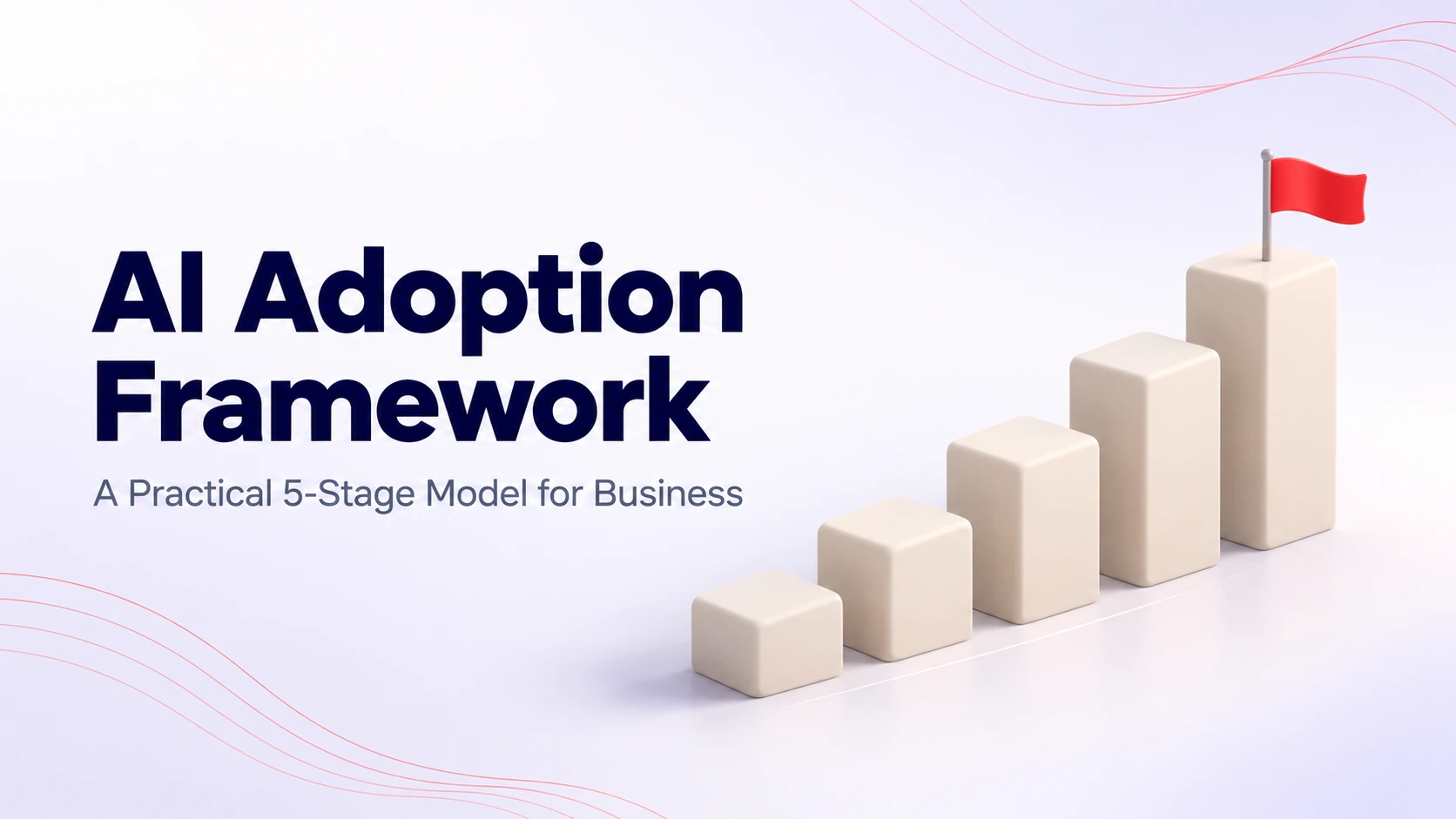
From there, the RapidDev AI adoption framework organizes the work into five stages: Assess, Pilot, Govern, Scale, and Optimize.
Governance should begin early, but the controls should grow with the use case.
A low-risk internal pilot may begin with a small set of rules and manual review. A production system connected to customer, employee, or financial data will need stronger permissions, security, monitoring, and incident-response procedures.
Automated workflows also need clear boundaries. RapidDev’s AI automation services help companies decide what a system can do on its own, where approval is required, and how exceptions should be handled.
How RapidDev Helps With AI Governance
RapidDev helps companies put practical structure around AI so experimentation can become safe, repeatable use.
Our work may include:
- AI readiness reviews
- Use-case risk assessments
- Governance frameworks
- Tool and vendor approval processes
- Data-access planning
- Security requirements
- Human-review and escalation rules
- Responsible AI policies
- Workflow mapping
- Role-specific training
- Rollout planning
- KPI and monitoring frameworks
- Ongoing improvement
We start with the business process.
We look at what the team is trying to accomplish, what data the workflow uses, which systems are involved, what can go wrong, and who should remain accountable.
The right answer may be a new policy, a revised workflow, a more secure technical setup, better training, or a decision not to automate a particular action.
Governance also has to hold up in production. RapidDev’s experience scaling AI operations for Freed.ai included stronger security, more reliable integrations, and a technical foundation that could support continued growth.
Companies ready to move beyond informal AI use can use RapidDev’s AI adoption and transformation services to bring governance, rollout planning, training, operational integration, and measurement into one program.
Organizations still deciding where to begin can start with AI strategy and consulting to assess risks, identify practical opportunities, and build a roadmap before committing to a wider rollout.
FAQs
What Should an AI Policy Include?
An AI policy should cover:
- Purpose and scope
- Approved tools
- Acceptable uses
- Prohibited uses
- Data-handling requirements
- Human-review rules
- Customer disclosure
- Security requirements
- Legal and compliance responsibilities
- Roles and ownership
- Incident reporting
- Consequences for violations
- Training
- A review schedule
It should also tell employees where to ask questions and how to request approval for a new tool or use case.
Does My Company Need an AI Policy?
Your company likely needs an AI policy once employees start using AI for work or AI features appear inside approved business software.
You do not need to wait until the company launches a major AI project. A basic policy can reduce shadow AI, protect sensitive information, and give employees a safe path to approved tools.
What Is an Acceptable Use Policy for AI?
An AI acceptable use policy explains how employees may use AI tools at work.
It usually identifies approved platforms, permitted tasks, restricted data, prohibited activities, human-review requirements, and the process for requesting new tools.
Can Employees Use ChatGPT at Work?
Employees can use ChatGPT at work when the company has approved the tool and clearly defined which tasks and types of information are permitted.
Approval should take into account the account type, privacy settings, data retention, security controls, and intended use. Employees should not enter confidential or personal information into a personal or unapproved account.
How Often Should an AI Policy Be Reviewed?
Review the policy at least every six to twelve months.
It should also be reviewed when the company adopts a new tool, introduces a higher-risk use case, enters a new jurisdiction, receives new regulatory guidance, or experiences a security or compliance incident.
What Is Shadow AI?
Shadow AI is the use of AI tools or features without company approval or oversight.
Examples include employees using personal chatbot accounts, installing AI browser extensions, connecting unapproved tools to internal systems, or entering company information into AI features that have not been reviewed.
Shadow AI often grows when employees see the value of AI but the company has not given them approved tools or clear rules.