

October 13, 2026
•
17
min read

AI Agent Development Services: Scope, Timelines, and What They Actually Cost
What AI agent development services include, how projects get scoped and priced, realistic timelines, and the questions to ask before you hire a vendor.
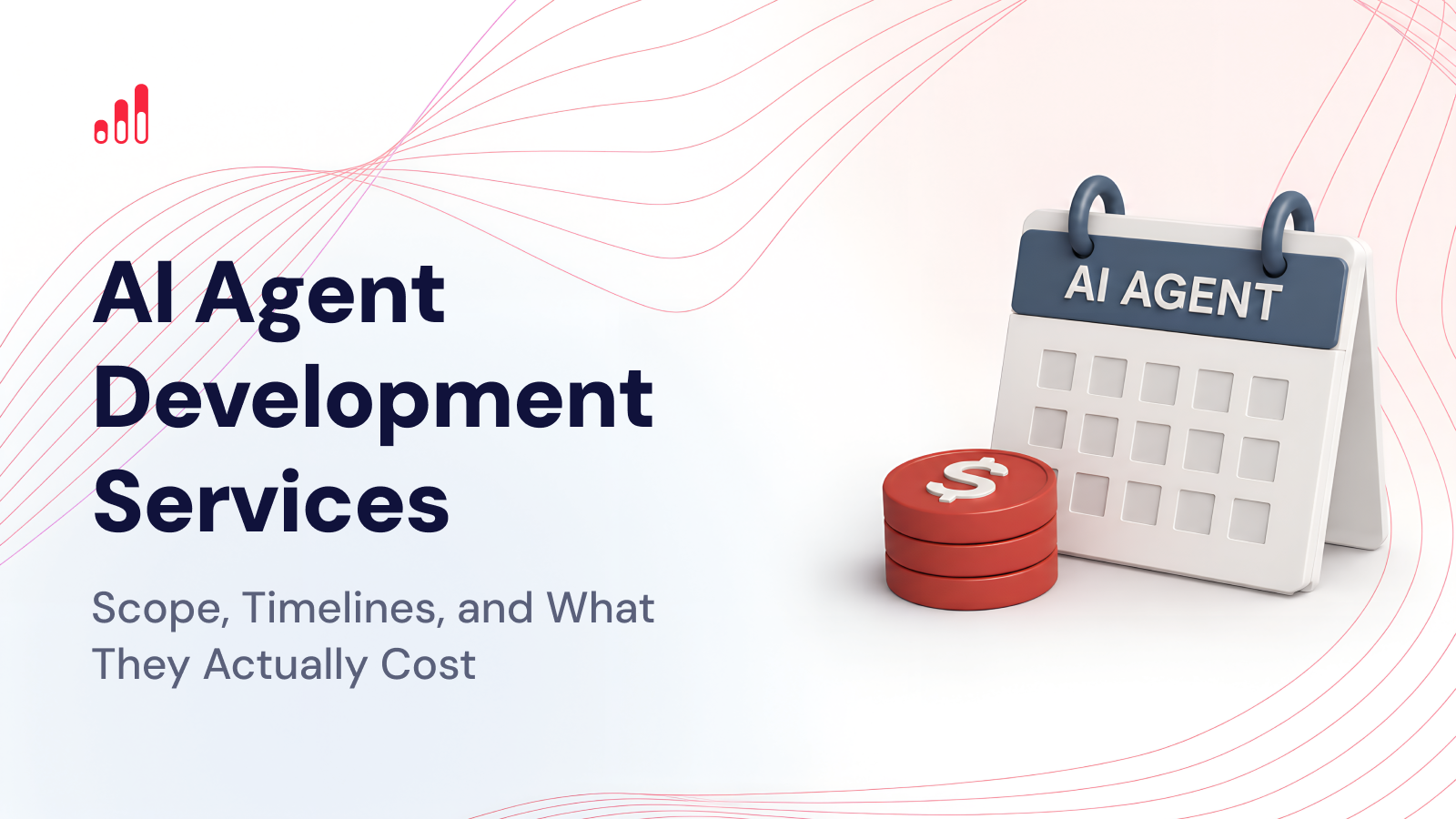
AI agent development services cover the work required to design, build, connect, test, deploy, and maintain software that can take a goal, work through the steps, use external tools, and complete a task with limited supervision.
That can mean something fairly narrow, such as an agent that reviews support tickets and routes them to the right team. It can also mean a much more complex system that works across a CRM, ERP, internal databases, email, and third-party APIs while making decisions within clearly defined limits.
Those are two very different projects.
That is why quotes for “an AI agent” can range from a relatively modest pilot to a six-figure production build. The cost depends less on the model name or chat interface and much more on what the agent is expected to do, which systems it needs to access, how much freedom it has, and what happens if it makes the wrong call.
For companies already considering a build, RapidDev’s AI agent development services cover everything from use-case scoping and architecture to integrations, evaluation, deployment, and production support.
What Is an AI Agent, and What Do Vendors Mislabel as One?
An AI agent is software that can interpret a goal, decide what needs to happen next, use tools or connected systems, and continue working until the task is complete or a person needs to step in.
The problem is that “agent” has become one of the most overused words in AI.
A chatbot that answers questions from a knowledge base can be useful, but that does not automatically make it an agent. A workflow that receives a form submission and sends an email is automation. An RPA bot clicking through a legacy system is also automation. All three can be valuable, but they solve different kinds of problems.
The distinction matters because the architecture, cost, risk, and maintenance requirements are different.
AI Agent vs. Chatbot vs. Workflow Automation vs. RPA
| System | What It Does | How It Decides | Typical Use |
|---|---|---|---|
| Chatbot | Responds to user questions | Generates an answer from instructions and context | Support, FAQs, internal knowledge |
| Workflow automation | Runs predefined steps | Follows explicit rules | Approvals, notifications, data movement |
| RPA | Mimics actions in a software interface | Follows scripted actions | Legacy-system automation |
| AI agent | Chooses and carries out steps toward a goal | Uses model reasoning, tools, context, and business rules | Research, triage, operations, multi-step work |
A refund request is a simple way to see the difference.
A chatbot may explain the refund policy. A workflow automation may issue a refund when a form meets a predefined set of rules. An AI agent could identify the customer, pull up the order, check the policy, decide whether the request falls within its permissions, issue the approved refund, update the CRM, and send the customer a confirmation. If the case falls outside those limits, it hands the decision to a person.
That combination of interpretation, tool use, and controlled action is what makes the system agentic.
What Capabilities Actually Make Something an AI Agent?
A useful business agent usually combines several capabilities.
The first is tool use. The agent needs some way to act outside the conversation. That may mean searching a database, creating a CRM task, checking an order, sending an approved email, or calling an internal API.
The second is planning. Some tasks require several steps, and the right order may depend on what the agent discovers along the way.
There is also memory or state. An agent may need to remember what has already happened during the current task or carry context across several interactions.
Then there is autonomy. The agent needs permission to make at least some decisions about what to do next instead of following one fixed sequence from beginning to end.
And finally, there is evaluation. A production agent needs a way to show whether it is doing the job correctly. That means checking both the outcome and the steps the agent took to get there.
None of those capabilities makes an agent reliable by default.
They simply make it capable of doing more.
Where Are AI Agents Still Unreliable?
AI agents are better than they were a year ago, but they are still not deterministic software.
They can choose the wrong tool. They can misunderstand vague instructions. A model update can change behavior. An API may return something unexpected. An agent may complete the same task correctly nine times and fail on the tenth because the input looks slightly different.
That is why a production system needs more than a prompt and a model.
It needs permissions, evaluation, logging, retries, failure handling, and clear points where a person takes over.
The more expensive the mistake, the more conservative the design should be.
An internal research agent can usually tolerate more uncertainty than an agent that issues payments, updates customer accounts, approves contracts, or handles health information.
If a development company spends a lot of time talking about autonomy and almost no time talking about failure handling, that is a warning sign.
What Do AI Agent Development Services Include?
A serious engagement starts before anyone chooses a framework.
The first question should be whether the process needs an agent at all.
Some workflows are better handled with AI automation services, conventional software, or a simpler chatbot. Adding an agent where one is not necessary increases cost and gives the workflow more ways to fail.
Discovery and Use-Case Qualification
The discovery phase is where the team looks at how the process works today and where judgment actually enters the picture.
Take accounts payable.
If every invoice arrives in the same format and always follows the same approval path, standard automation may handle most of the job.
If invoice formats vary, exceptions are common, supporting documents need to be compared, and the next step changes depending on what the system finds, then an agentic layer may make sense.
A useful discovery process should clarify what starts the workflow, what a successful outcome looks like, which steps are predictable, where employees use judgment, and what should happen when the system is unsure.
It should also establish the baseline. If the current process takes 14 days or seven minutes per ticket, that number gives you something real to compare against later.
Data and Systems Access Audit
An agent is only as useful as the information and tools it can reach.
Before designing the architecture, the team needs to know where the data lives, whether it can be accessed programmatically, how reliable it is, and what the agent is allowed to do with it.
A typical project may need access to a CRM, ERP, ticketing platform, email, internal databases, shared documents, payment systems, or custom APIs.
This is often where a simple idea starts to look more complicated.
“The agent should check whether this customer is eligible” sounds straightforward until eligibility depends on three databases, an old spreadsheet, a policy document, and an API that does not always return a clean account identifier.
The model may be the visible part of the system.
The integration work is often where much of the engineering lives.
Architecture and Model Selection
Once the workflow and systems are clear, the team can decide how the agent should be structured.
That includes model selection, orchestration, memory, retrieval, tool access, and integration patterns.
Not every step needs the most powerful model available.
A fast, inexpensive model may be perfectly adequate for classification or extraction. More complex planning can be routed to a stronger model. That kind of routing can make a meaningful difference to operating cost once the system is processing thousands of tasks.
The same principle applies to integrations.
Some connections will use direct APIs. Others may use MCP. Legacy systems may still need browser automation or RPA.
The right architecture uses the simplest reliable option for each part of the process.
Guardrails, Evaluation, and Human Review
This is one area that should be clearly covered in any serious proposal.
Guardrails define what the agent is allowed to do.
A support agent may be allowed to issue a refund below $50 but require approval above that amount. A sales agent may draft an email but not send it without a rep reviewing it. A finance agent may flag a duplicate invoice but never delete or reject it automatically.
Human review should be built into the workflow from the beginning rather than added after the first serious mistake.
Evaluation matters just as much.
The test set should include routine cases, edge cases, incomplete information, bad tool responses, and situations where the agent is expected to stop and hand the task over.
Testing should cover both the final result and the path the agent took to get there. A response can look correct even if the agent used the wrong tool or skipped an important step.
Deployment, Observability, and Iteration
Launching the agent is not the end of the project.
It is the start of the operating phase.
A production system needs logs showing what the agent did, which tools it called, what failed, how much the task cost, and where a person had to step in.
That gives the team something concrete to improve.
Prompts will change. Tool definitions will change. Models will change. Business rules will change. New edge cases will show up.
The system needs an ongoing review and iteration process.
That is the difference between building an agent and actually running one.
How Are AI Agent Projects Scoped?
Most projects fall into one of three categories: a pilot, a production build, or managed agent operations.
Pilot
A pilot tests one clearly defined workflow with limited users and controlled access.
The point is not to build every production feature.
The point is to answer one business question:
Can this agent do the job reliably enough to justify a larger investment?
A real pilot should still use representative data and include realistic edge cases. A demo built around five hand-picked prompts does not tell you much about how the system will behave in normal use.
Production Build
A production build takes a proven use case and adds the infrastructure needed to run it every day.
That may include authentication, integrations, permissions, evaluation suites, human approval flows, monitoring, retry logic, admin tools, and cost controls.
This is where initial estimates often grow.
The prototype proves that the agent can complete the task.
The production build proves that the company can trust it enough to use it in a real workflow.
Managed Agent Operations
Some agents need ongoing technical and operational support after launch.
That may include reviewing failures, maintaining evaluations, changing models, monitoring usage costs, updating tools, adding new workflows, and improving performance.
For a business-critical agent, this is not optional maintenance.
It is part of running the system.
What Makes an AI Agent Project More Expensive?
The number of agents is not necessarily the best measure of complexity.
One agent connected to eight internal systems and allowed to take financial actions may be far harder to build than five research agents that only read public information.
The biggest cost drivers are usually the number of integrations, data quality, compliance requirements, task volume, reliability expectations, and the cost of failure.
Poor data adds engineering work because the system needs more validation, fallback logic, and cleanup.
Every integration introduces authentication, testing, error handling, and maintenance.
Sensitive or regulated workflows need stronger access controls, clearer audit trails, and more human oversight.
And if one bad action could cost thousands of dollars, the evaluation and safety work needs to be much more rigorous.
AI Agent Scoping Checklist
Before you talk to a development company, you should have a reasonably clear answer to the questions below.
| Scoping Question | Your Answer |
|---|---|
| What exact process should the agent handle? | |
| What triggers the task? | |
| What does a successful outcome look like? | |
| How often does the process happen? | |
| Which systems does the agent need to access? | |
| What data does it need? | |
| What may it do automatically? | |
| Which actions require human approval? | |
| What happens if the agent is uncertain? | |
| What is the current time or cost per task? | |
| What is the cost of an incorrect action? | |
| Are there privacy, legal, or compliance constraints? | |
| Who owns the system after launch? |
You do not need every technical answer before the first call.
But if no one can clearly explain what the agent is supposed to accomplish, any quote you get will be mostly guesswork.
Companies that need help defining the use case first can use AI strategy and consulting to map the workflow and decide whether an agent is the right solution before committing to development.
How Long Does AI Agent Development Take?
A narrow pilot can take a few weeks. A production agent with several integrations, security requirements, and a proper evaluation layer takes longer.
The timeline is usually driven by the workflow, not the model.
Pilot on a Single Workflow
For a well-defined process with accessible data and one or two straightforward integrations, a focused pilot may take roughly 3–6 weeks.
That usually covers discovery, a minimal architecture, the core integrations, a basic evaluation set, and testing with a small group.
That is enough to prove the concept.
It is not the same thing as a finished production deployment.
Production Build
A production build often takes 8–16 weeks, depending on the number of integrations, security requirements, and amount of testing involved.
More complex projects can take longer.
The right timeline should come from the actual scope rather than a standard sales promise.
Why “Production Agent in Two Weeks” Is a Red Flag
A useful prototype can absolutely be built in two weeks.
A production system is a different claim.
If the agent needs authentication, permissions, real integrations, evaluation, monitoring, failure handling, and deployment infrastructure, those pieces take time to build and test properly.
Always ask what the vendor means by “production.”
If the answer is a working chat interface connected to a model, you are still looking at a prototype.
What Does AI Agent Development Cost?
There is no standard price for an AI agent.
The range is wide because the projects themselves are wide.
A practical budgeting framework looks something like this:
| Engagement | Typical Scope | Indicative Build Range |
|---|---|---|
| Discovery / feasibility | Workflow mapping, architecture, technical validation | $3,000–$10,000 |
| Focused pilot | One workflow, limited integrations, controlled users | $10,000–$30,000 |
| Production single-agent system | Integrations, guardrails, evals, monitoring, human review | $30,000–$80,000 |
| Complex or multi-agent system | Multiple systems, advanced orchestration, higher reliability | $80,000–$150,000+ |
| Enterprise agent platform | Broad integrations, compliance, custom infrastructure, scale | $150,000+ |
These are broad market reference points, not RapidDev pricing.
A vendor should be able to explain exactly why your project falls where it does within that range.
What Running Costs Usually Get Left Out?
Development is only part of the first-year budget.
Agents have ongoing costs every time they run.
The most obvious one is model usage. The more context an agent processes, the more often it retries, and the more expensive the model, the higher the inference bill.
Then there is infrastructure: databases, vector search, orchestration, queues, logging, hosting, and third-party APIs.
Evaluation also costs money. Test suites need to run after model changes, prompt updates, and integration changes. Some of those evaluations use models themselves.
Monitoring takes tooling and engineering time.
And someone still needs to maintain prompts, tool definitions, permissions, integrations, and evaluation sets.
Those costs may look small when the pilot handles 100 tasks a month.
They matter much more when the agent handles 100,000.
What Is the Total Cost of Ownership in Year One?
The simplest way to think about the first-year cost is:
build + infrastructure + model usage + monitoring + maintenance + evaluation.
For a smaller internal agent, the operating cost may remain modest.
For a high-volume system using expensive models, several external tools, and frequent evaluations, the operating bill can become significant.
That is why cost control should be part of the architecture from the beginning.
Use the most capable model only where the task actually needs it. Limit unnecessary context. Avoid uncontrolled retries. Measure the cost per completed task.
A cheap agent that needs three human corrections every time is not cheap.
Neither is an impressive agent that costs more to operate than the manual process it replaced.
How Do You Choose an AI Agent Development Company?
Do not choose a vendor based on who has the slickest demo.
Ask how they handle the parts that become difficult after the demo ends.
A strong development partner should be comfortable talking about workflow discovery, integrations, evaluation, permissions, failure modes, monitoring, and post-launch operations.
They should also be willing to tell you when the workflow does not need an agent.
Here are ten questions worth asking:
- Why does this workflow need an agent rather than standard automation?
- How will you evaluate the agent before launch?
- How will you test tool use, not just the final response?
- What happens when the agent is unsure or an integration fails?
- What actions will the agent be allowed to take on its own?
- How will you connect it to our current systems?
- How will you monitor cost and performance after launch?
- What happens when the model or a third-party API changes?
- Can you show us production examples rather than demos?
- Who owns the architecture, prompts, data, and code after the project?
RapidDev publishes examples of AI systems we have built in production, which is the kind of evidence we would ask any development company to show.
What Are the Biggest Red Flags?
The biggest one is no evaluation strategy.
If the testing plan is basically “we’ll try it and see,” the project is not ready for production.
Another warning sign is no discussion of failure handling. Agents will run into bad data, API outages, ambiguous requests, and unexpected inputs. A team that assumes everything will work every time has not operated enough real systems.
Demo-only proof is another red flag.
A polished video of an agent booking a meeting tells you very little about how the system behaves after thousands of requests, months of model updates, and messy real-world data.
And be cautious when a vendor immediately recommends a multi-agent architecture.
Multi-agent systems can be useful, but they also add orchestration complexity, latency, evaluation work, and cost.
One well-designed agent is often the better place to start.
Where Do AI Agents Pay Back First?
The best early use cases usually combine high volume with enough judgment to make standard automation awkward.
Customer Support Triage and Resolution
Support is a natural fit because the workflow usually starts with unstructured language.
An agent can read the ticket, identify the issue, pull customer context, search the knowledge base, draft a response, and escalate anything outside its authority.
The business result is easy to track: lower handling time, faster first response, fewer manual escalations, or more tickets resolved without triage work.
If the use case is only a simple website Q&A assistant, AI chatbot development services may be the more appropriate option.
Finance and Accounts Payable
Finance workflows combine documents, rules, exceptions, and repetitive manual checks.
RapidDev rebuilt an accounts payable process for a construction business processing thousands of invoices each month. The new system reduced invoice-processing work from four employees to one and cut processing time from 12–18 days to 2–3 days.
This is the kind of use case where the baseline and business impact are both easy to see.
Internal Knowledge and Back-Office Operations
Internal knowledge agents can search policies, customer history, documentation, procedures, and operational records.
The stronger systems go beyond answering questions. They gather supporting information, prepare requests, update systems, and route actions to the right employee.
This is where custom AI app development can become useful, because the agent often needs a clean internal interface around the underlying workflow.
Sales Research and Enrichment
Sales teams spend a surprising amount of time gathering information rather than talking to customers.
An agent can research an account, summarize CRM history, find recent developments, identify likely priorities, prepare discovery questions, and enrich the opportunity record.
It does not need to replace the salesperson.
It needs to give the salesperson better context with less manual research.
Should You Build an AI Agent In-House or Hire a Partner?
Building in-house makes sense when you already have experienced AI engineers, product ownership, infrastructure support, and enough ongoing work to justify keeping the capability internally.
It also gives you tighter control over architecture and institutional knowledge.
The challenge is that production agent development crosses several disciplines.
You need application engineering, AI orchestration, data integration, security, evaluation, observability, and product design. Most companies have some of those skills internally, but not all of them.
An outside partner may make more sense when you need to get the first system into production quickly, do not want to build a permanent AI engineering team yet, or need experience with patterns your team has not implemented before.
A hybrid model is often the most practical.
The external team handles architecture and the initial build, while internal employees own the workflow, data, acceptance criteria, and long-term operating knowledge.
The right decision comes down to what capability you want to own after the project, not simply which option has the lower upfront quote.
FAQs
How Much Does It Cost to Build an AI Agent?
A focused pilot can start in the low five figures. Production systems usually move into the tens of thousands, and complex multi-agent or enterprise systems can exceed $100,000.
The biggest cost drivers are integrations, data quality, compliance, task volume, reliability requirements, and how much authority the agent has.
How Long Does AI Agent Development Take?
A focused pilot may take roughly three to six weeks. A production build with integrations, evaluation, monitoring, and security often takes eight to sixteen weeks or longer.
Be cautious with vendors promising production-ready agents in days without first understanding the workflow and the risks.
What Is the Difference Between an AI Agent and a Chatbot?
A chatbot primarily responds to a user.
An AI agent can decide what steps to take and use tools to complete a task.
A chatbot might explain how to request a refund. An agent may verify the purchase, check policy, issue an approved refund, update the customer record, and send confirmation.
Do We Need Our Own AI Model?
Usually not.
Most business agents can be built using existing models through an API.
Custom model development or fine-tuning only becomes relevant when the use case has specialized requirements that cannot be handled reliably through existing models, retrieval, prompting, or tool design.
For most companies, training a model from scratch adds a lot of cost without solving the real problem.
What Ongoing Maintenance Does an AI Agent Need?
Expect regular monitoring, evaluation, integration maintenance, prompt and tool updates, cost reviews, and regression testing.
The system should also be reviewed whenever a model changes, a connected application updates its API, business rules change, or new edge cases appear.
An agent is not something you launch once and forget.
RapidDev’s AI agent development services cover discovery, architecture, integrations, evaluation, guardrails, production deployment, and ongoing improvement.
If you already have a workflow in mind and want to understand what it would take to build, you can book a scoping call.