September 3, 2026
•
16
min read

What is Suno AI? Everything You Need to Know
Suno AI turns text, lyrics, or audio into full songs. Here's how it works in 2026 — v5.5, Voices, Suno Studio, pricing, downloads, and who owns the music.

What Is Suno AI?
Suno AI is an AI music generator that creates complete songs — lyrics, vocals, and instrumentation — from a text description, your own lyrics, or an audio clip you upload. Think of it as a song creator, a light editing environment, and, on its top tier, a production tool, rather than a single “type a prompt, get a track” button.
That framing matters because older guides describe Suno only as text-to-song. It still does that well. But the product now spans idea capture, generation, editing, and export, with AI woven through each step instead of stopping at the first result.
You use it through a web app or mobile apps, and you can steer the output with prompts, structure tags, uploaded reference audio, or your own voice.
What Is Suno AI Used For?
People reach for Suno for a wide range of jobs. The common ones:
- Making complete, original songs with vocals and backing
- Song demos and quick sketches to test an idea
- Musical ideation — generating starting points, hooks, or arrangements
- Turning your own lyrics into finished vocals
- Instrumentals and background beds
- Music for social clips, videos, streams, and shop playlists
- Personalized songs (birthdays, gifts, in-jokes)
- Experimentation across genres you can't play yourself
- Production assistance — drafts, stems, and reference tracks you rework elsewhere
- Remixing, covers, and section-level edits of existing generations
One caveat up front: not every use is commercially allowed on every plan. Anything you intend to monetize needs to come from a paid plan and be downloaded while you are subscribed. More on that in the commercial-rights section.
How Does Suno AI Work?
At a high level, Suno's models are trained to associate audio with text descriptions, so they can generate new audio that matches a prompt. You describe what you want — genre, mood, instrumentation, structure — and the model produces a song, usually returning two variations per generation.
You can write your own lyrics or let Suno write them. You can lean on plain-language prompts or use structure tags like [Verse] and [Chorus] to control where sections land. You can also feed it audio: upload a clip and have Suno extend it, cover it in a new style, or build around it.
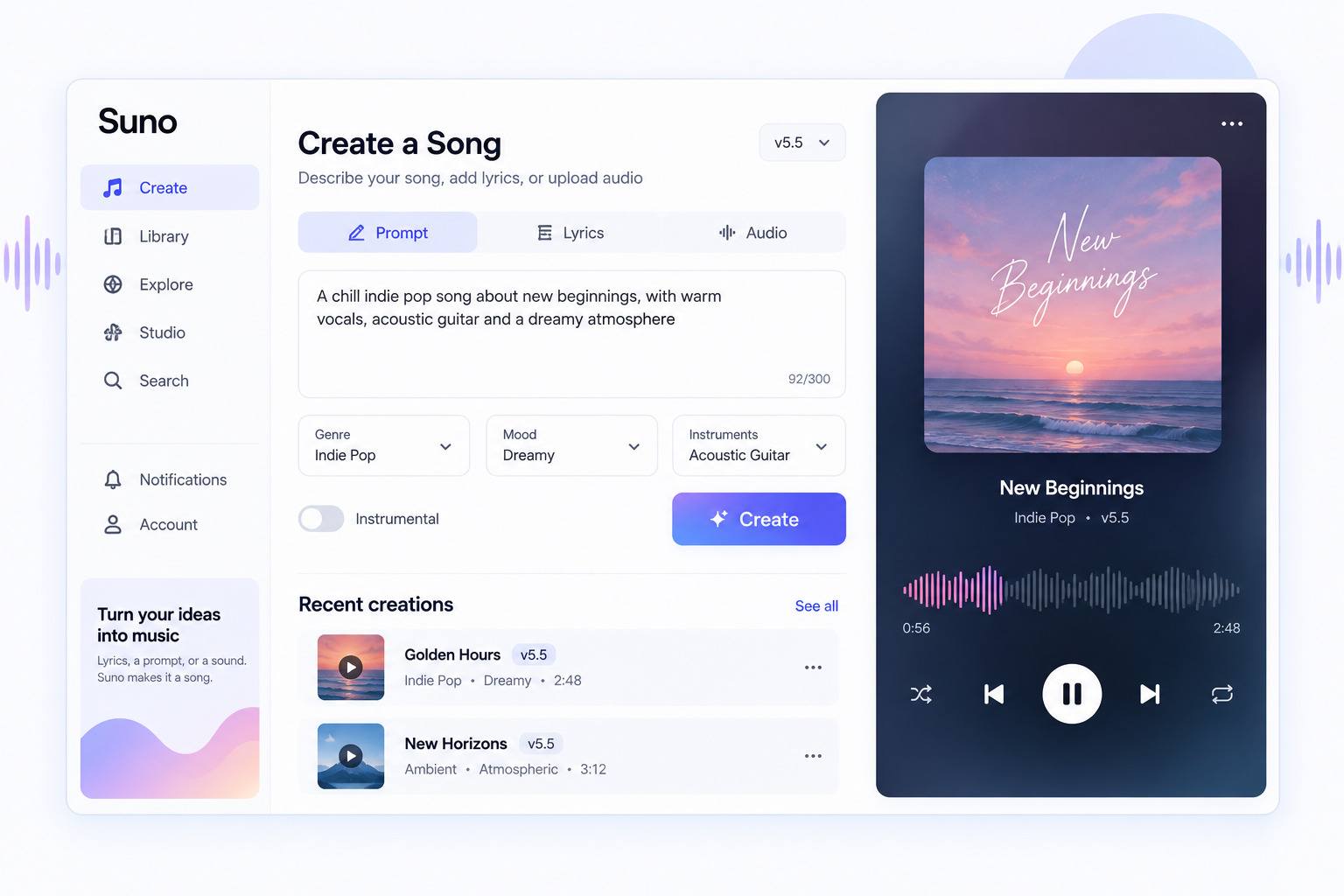
Because output is probabilistic, the same prompt won't produce the same song twice, and getting a keeper often takes a few tries. That trial-and-error is normal, not a sign you're doing it wrong.
How Do You Make a Song With Suno AI?
A current beginner workflow looks like this:
- Start from a prompt, lyrics, or audio. A short description works; specific ones (genre, tempo, instruments, mood, reference feel) work better.
- Describe style and structure. Name the vibe and, if you care about arrangement, mark the sections.
- Generate options. Each run returns variations, so you have something to choose between.
- Listen and iterate. Regenerate, tweak the prompt, or adjust length. Most credits get spent here.
- Edit where needed. Extend a track, replace a weak section, add or swap vocals, or crop and fade.
- Go deeper if you want. Split into stems, or open Suno Studio (Premier) for full multitrack production.
- Download or share. Export within your plan's download allowance, or just share the playable Suno link.
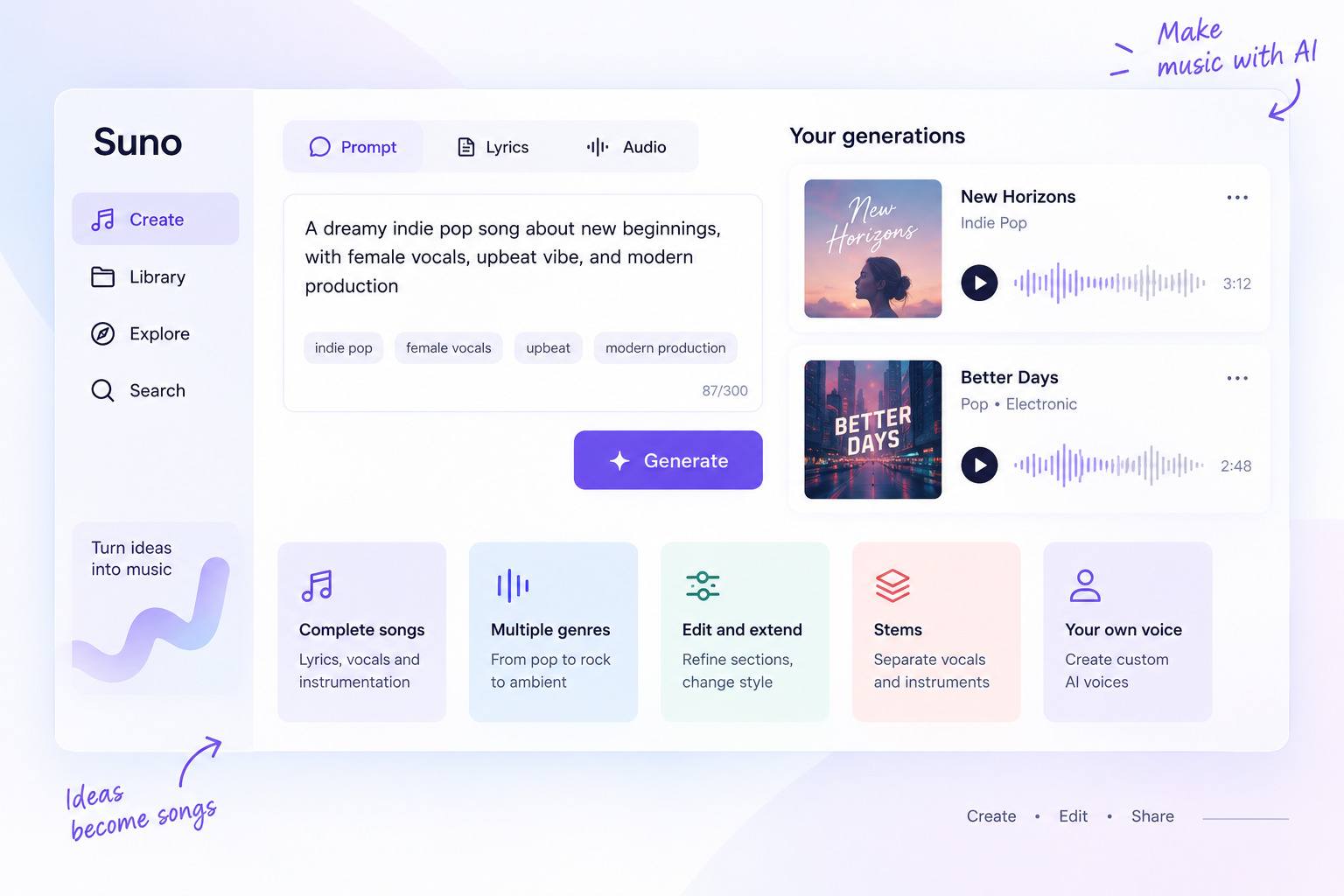
The interface changes often, so treat the steps as the shape of the process rather than a fixed button sequence.
What Can Suno AI Create?
Suno can produce full vocal songs across a broad range of genres, instrumental tracks, extended versions of existing clips, covers and remixes of your own generations, and short-form video pairings through its Hooks feature. On paid tiers you can also separate a track into stems and export high-resolution multitracks from Studio.
It is strongest at complete, radio-shaped songs and quick genre pastiche. It is weaker when you need one exact performance, a specific arrangement decision, or a distinctive artistic signature — those usually take repeated generations or hands-on editing.
What Is Suno v5.5?
As of September 2026, v5.5 is the latest song model available on paid plans. Suno released it on March 26, 2026 and describes it as its most expressive and most personalized model to date. The free tier runs an earlier model, v4.5-all, not v5.5.
Suno has publicly said it is developing a next generation of models with music-industry partners, and that those newer models will eventually replace the current ones. Those have not launched yet. If you see references to "Suno v6," treat them as speculation until Suno ships and names it.
v5.5 introduced three personalization features: Voices, Custom Models, and My Taste.
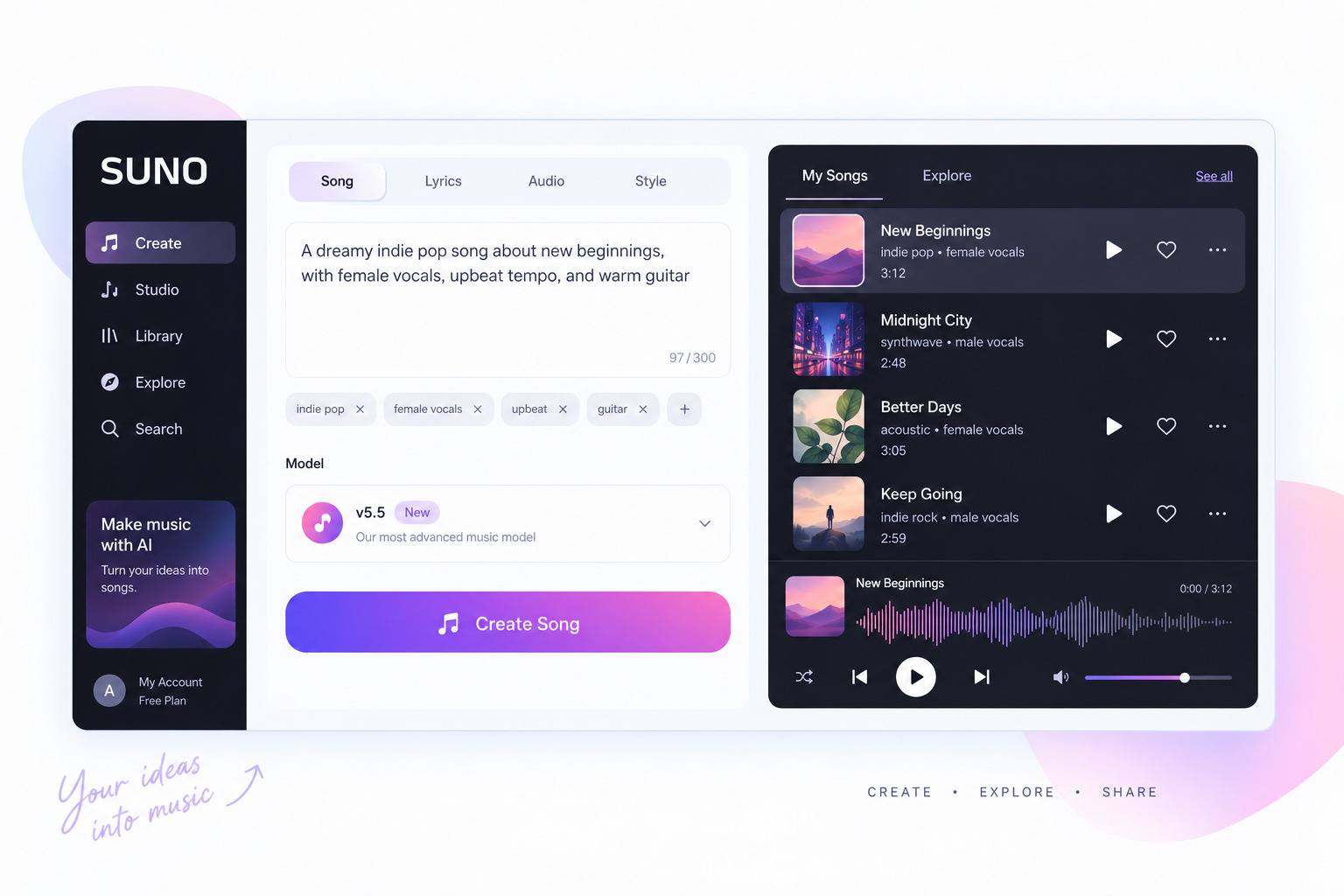
Voices
Voices lets eligible Pro and Premier users generate songs sung in their own verified singing voice. To set one up, you record a vocal sample and pass a verification step — reading a displayed phrase aloud so the system can confirm the voice is yours.
By default your Voice is private and only you can create with it. If you publish a song that uses your Voice, other creators can remix or cover it, which is how your voice can appear in someone else's track. Availability is limited, and geographic or age restrictions may apply, so don't assume every account can use it.
Custom Models
Pro and Premier users can create up to three custom variants of v5.5, tuned on their own uploaded music. The idea is to nudge generation toward your particular sound and style rather than a generic default.
These are personalized variants, not independently trained foundation models. Suno's guidance suggests using a set of stylistically consistent tracks so the model learns a coherent sound.
My Taste
My Taste is available to all users. It learns from your preferences — the genres and moods you gravitate toward — and personalizes your Suno experience accordingly. It shapes what you see and get, rather than adding a production capability.
Personas
If you've searched "what is persona in Suno AI," here's the current nuance. Personas still exist, but in the Create menu the Voices button has replaced the old Personas entry point. Style Personas remain available inside the Voices menu.
The distinction worth keeping straight: a Persona captures the essence, style, and vocal character of a song so you can reuse that feel on new tracks. A Voice is your own verified singing voice. They solve different problems and aren't interchangeable.
What Is Suno Studio 2.0?
Suno Studio 2.0 launched on August 13, 2026 for Premier subscribers. It’s the biggest update to Suno’s browser-based DAW, and it pushes the product closer to conventional production software with AI built into each feature.
Current first-party features include:
- A browser-based production environment (no install)
- MIDI import, plus MIDI recording and editing on the timeline
- Using MIDI clips as generation prompts
- A built-in wavetable synth, playable from a MIDI controller or your typing keyboard
- A Chat Bar (beta) that reads your session and edits it on request
- Advanced stem separation
- Built-in audio effects and track automation
- Custom plugins you can build through the chat bar
- High-quality multitrack and stem export (32-bit/48kHz)
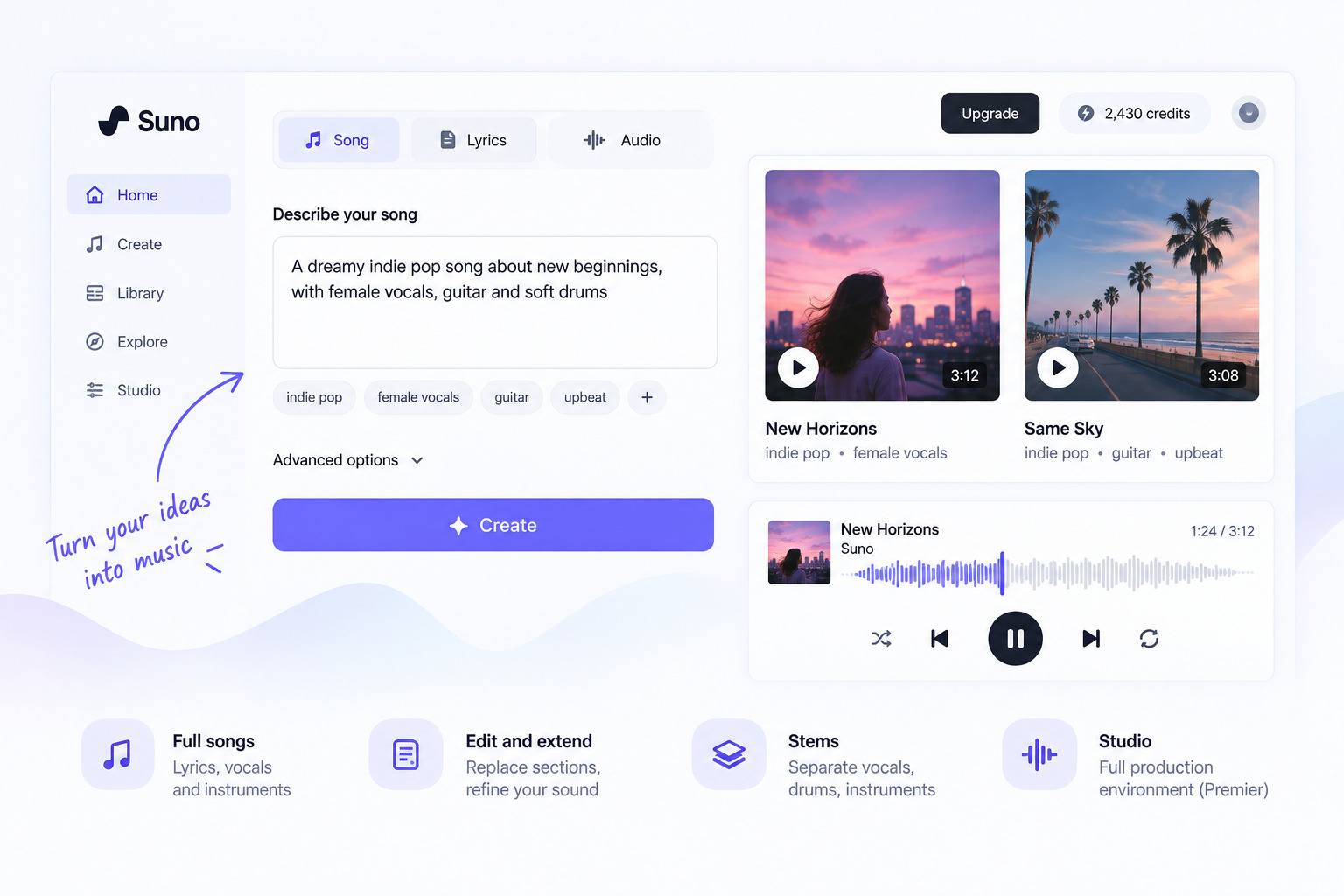
One practical detail: Premier Studio exports are not subject to the normal monthly song-download limit. Studio is Premier-only — it isn't available on Free or Pro. The original Suno Studio launched in September 2025, built on Suno's earlier acquisition of the browser DAW WavTool.
What Editing and Production Tools Does Suno Have?
Beyond first-generation prompting, Suno offers a set of tools for reshaping a track. Availability varies by plan, so verify against your own account, but the current toolkit generally includes:
- Extend — continue a song past its original length
- Covers / remix — reinterpret an existing track in a new style
- Rewrite or replace sections — regenerate a weak verse or chorus without starting over
- Add Vocals / Add Instrumental — layer onto an existing bed
- Crop and fade — basic trimming and endings
- Adjust speed and other light edits
- Stems — split a track into separate parts (deeper options on higher tiers)
- Audio uploads — bring in your own material to build on
- Suno Studio — full multitrack production, on Premier
The point of these tools is iteration: getting from "close" to "usable" without regenerating an entire song each time, and moving a Suno draft into a real production workflow.
What Is Suno AI Trained On?
According to Suno’s California AB 2013 training-data disclosure, its music-generation models are trained on publicly available music files and related metadata found on third-party websites across the open internet. Suno states that it respects paywalls and password protections and does not create login credentials to obtain training data.
Suno's disclosure describes the corpus as tens of millions of public music audio files with corresponding text metadata, and says the datasets may include both public-domain material and works subject to intellectual-property protection. It also notes that certain post-training datasets may include user Content and User Activity Information, and that synthetic data is used.
Two honest framings here. First, this is not the same as saying all training music was licensed — Suno's own disclosure explicitly allows for IP-protected works in the mix. Second, it is not accurate to say Suno "stole music"; whether training AI on copyrighted works is lawful is a genuinely contested legal question that courts are still working through. The most accurate statement is that the practice remains disputed and subject to ongoing litigation.
Where Do Things Stand Legally?
The legal picture is evolving, not settled, and it's more nuanced than "the record labels sued Suno."
Warner Music Group settled its lawsuit against Suno in November 2025 and struck a licensing partnership. BMG followed with its own licensing deal in August 2026. At the same time, Universal Music Group and Sony Music remain in active copyright litigation against Suno in the US, with no fair-use ruling issued yet.
Separately, in late August 2026 a group of musicians — including Jason Isbell and David Lowery — filed a new lawsuit built on right-of-publicity and biometric-privacy claims rather than copyright. They allege Suno encoded artists’ identities and vocal characteristics so that prompting an artist’s name produces a sound-alike. Suno disputes the claims and says its tools are for original music, and that it filters artist-name prompts.
Suno has also said its future, industry-developed models will be trained on licensed music. Treat the environment as changing month to month, and check current sources before relying on any specific legal claim.
Is Suno AI Free?
Yes — there's a free plan at $0. It's genuinely usable for trying the product and making personal tracks, but it comes with real limits: it runs the older v4.5-all model, gives you 50 credits that renew daily, and does not grant commercial rights. Free-tier songs are for personal, non-commercial use.
If you plan to publish, sell, or sync anything you make, you'll need Pro or Premier.
How Much Does Suno AI Cost?
There are three tiers. Note the difference between the monthly price and the lower annual-equivalent price (annual billing is paid upfront for the year).
So “Pro is $8” is only true billed annually; month-to-month it’s $10. Same with Premier: $24 annual-equivalent, $30 monthly. Verify current numbers on Suno’s pricing page before subscribing, since plan details have changed more than once in 2026.
How Do Suno Credits Work?
Credits are the currency you spend to generate music, and each song generation costs roughly five credits (and typically returns two variations). Here's the current structure:
- Free: 50 credits that renew daily
- Pro: 2,500 credits per month
- Premier: 10,000 credits per month
A few rules to know. Monthly subscription credits do not roll over — they reset each billing cycle. Paid users can buy top-up credits for extra generation, and those purchased top-ups don't expire, but you need an active subscription to use them.
Most of your credits go to iteration — regenerating and refining — not to first attempts, so specifying your prompt carefully up front tends to save credits overall.
How Do Suno Downloads Work in 2026?
This is where recent changes trip people up. Effective September 3, 2026, Suno caps how many songs you can download off the platform:
- Pro: 20 download credits per month
- Premier: 60 per month
- Suno Studio (Premier) exports: not subject to those download limits
For free users, download access depends on timing. Free accounts created before September 3 get up to 7 lifetime trial downloads and can buy additional downloads. Free accounts created on or after September 3 may occasionally receive trial downloads and can also purchase downloads. Trial downloads are for non-commercial use.
Two things that make this less painful than it sounds: the limits apply to taking files off the platform, not to listening — your library stays fully playable and shareable on Suno even after your download allowance is used up. And downloading the same song again, in any format, or grabbing its stems, doesn't count as an extra download against your quota.
If you're reading an older guide, ignore its download assumptions; the rules changed in September 2026.
Can You Use Suno Music Commercially?
Under Suno’s current policy, songs you download while subscribed to a paid plan (Pro or Premier) come with commercial-use rights. In practice that can cover distributing to streaming services, using music in film, TV, or video games, selling tracks independently, and monetizing content. Suno says it does not take a cut of what you earn.
The relationship between four things is worth stating plainly: creating a song, being subscribed, downloading it, and having commercial rights are linked. Commercial rights attach to songs downloaded while you hold a paid subscription. Free-plan material is personal, non-commercial only. And subscribing later does not automatically grant commercial rights to songs you already made on the free tier — so if a track might ever earn money, make it on a paid plan from the start.
Who Owns Music Made With Suno AI?
Suno’s Help Center splits ownership by plan. On the free (Basic) plan, Suno says it retains ownership of the songs you generate; you’re allowed to use them for personal, non-commercial purposes. On Pro or Premier, Suno says you’re considered the owner of songs made while subscribed, and you keep the commercial-use rights on those songs even if you later cancel.
One thing to keep separate: ownership is not the same as copyright protection. Owning a song under Suno's terms doesn't guarantee it qualifies for copyright. Also note that if you wrote the lyrics yourself, those lyrics are yours regardless of plan.
Can Suno AI Music Be Copyrighted?
Short version: ownership, commercial rights, and copyright are three different things, and having one doesn't guarantee the others.
Suno’s own guidance acknowledges that fully AI-generated music may not qualify for copyright protection. In the US, copyright generally protects work created by a human, so writing a prompt alone may not create the human authorship courts and copyright offices look for. Lyrics you personally wrote can be a separate matter and may qualify on their own. Rules also vary by jurisdiction.
A common professional workaround is to treat Suno output as a reference: generate the idea, then re-record parts with human performers or rework the stems, which strengthens the human-authorship claim. None of this is legal advice — if copyright matters to your project, check with your local copyright office or a lawyer.
What Is Suno Good At — and Where Does It Struggle?
Strengths
- Generates complete songs — vocals and instruments — from very little input
- Extremely low barrier to experimentation; no music-theory or instrument skills required
- Fast ideation and quick drafts
- Audio uploads let you build on existing material
- Personalization through Voices, Custom Models, and My Taste
- Stem separation and section editing for reworking tracks
- Suno Studio 2.0 for genuine multitrack production (Premier)
- Works in the browser and on mobile
- A clear commercial-use path for paid users
Limitations
- Precise artistic intent often takes several generations to land
- Generated lyrics and styles can feel generic or clichéd
- The most powerful production tools sit behind paid tiers
- Studio requires Premier
- Downloads are limited outside of Studio
- Commercial rights don't guarantee copyright protection
- The ownership and legal environment is still evolving
If you see a write-up claiming Suno delivers "professional studio quality" as a flat fact, be skeptical — quality depends heavily on your inputs, iteration, and how much you edit afterward.
Who Is Suno Best For?
Suno fits:
- Beginners who want to make a full song without learning an instrument
- Songwriters testing melodies and arrangements around their own lyrics
- Hobbyists making music for fun or personal projects
- Content creators who need background music, intros, or social clips
- Producers using it for ideation, reference tracks, or as one stage of a larger workflow
- Artists experimenting with AI in their process
It's a weaker fit if you need exact control over every performance, arrangement, and authorship decision. In that case a conventional DAW and human-production workflow still wins — though plenty of producers use Suno as one step (drafting or stems) inside that process rather than an all-or-nothing choice.
Using a tool like Suno is one thing; building generative AI into your own product is a different project. If that’s where you’re headed, our walkthrough of how to build an AI app covers the process, stack, and decisions behind a real build.
Frequently Asked Questions
What is a Persona in Suno AI?
A Persona captures the essence of a song — its style and vocal character — so you can reuse that feel on new tracks. In the Create menu, the Voices button has replaced the old Personas button, but Style Personas remain available inside the Voices menu.
What is a Hook in Suno AI?
Hooks is Suno’s short-form social feature, not just the musical term for a catchy part. It pairs a segment of your Suno song with video to create a vertical short you can post to the in-app Hooks feed, where others can like, comment, share, and remix it. Check current availability in the app, since social features change often.
Does Suno have an app?
Yes. Suno is available on the web, iOS, and Android, and it also offers an iMessage integration for creating and sending songs in a chat.
Can you use your own voice in Suno?
Yes, through the Voices feature, available to eligible Pro and Premier users. You record and verify your singing voice, and it stays private for your own creation by default. Geographic and age limits may apply.
Can you upload your own music to Suno?
Yes. You can upload audio to extend, cover, or build around, and paid users can use uploaded music to tune Custom Models.
Is Suno AI free?
There's a free plan, but it's for personal, non-commercial use, runs the older v4.5-all model, and gives 50 daily credits with limited download access. Commercial use requires Pro or Premier.
Can you monetize Suno songs?
Yes, if you download the song while subscribed to a paid plan — those downloads carry commercial-use rights, and Suno doesn't take a share of earnings. Free-tier songs can't be monetized, and upgrading later doesn't retroactively license songs you already made for free.
Is Suno AI safe?
Suno AI is a legitimate music-generation platform, but “safe” depends on how you use it. Avoid uploading music, vocals, or other material you do not have the right to use, and review Suno’s privacy and ownership terms before submitting personal voice recordings or commercially sensitive audio. If you plan to release or monetize a song, also make sure your plan grants the required commercial-use rights and that any lyrics, samples, or uploaded material are cleared for use.
Related Reading From RapidDev
- How to Build an AI App: The Process Behind VSL’s $100K First Month
- AI Agent vs Chatbot: The Difference That Actually Changes What You Build
- AI Chatbot Development Services: What’s Included, What It Costs, and How to Vet a Vendor