

November 13, 2026
•
20
min read

Small Language Models: When a Smaller Model Is the Better Business Choice
What small language models are, how they compare with LLMs on cost, speed and privacy, and where they fit. Book a free AI strategy call to pick a model.
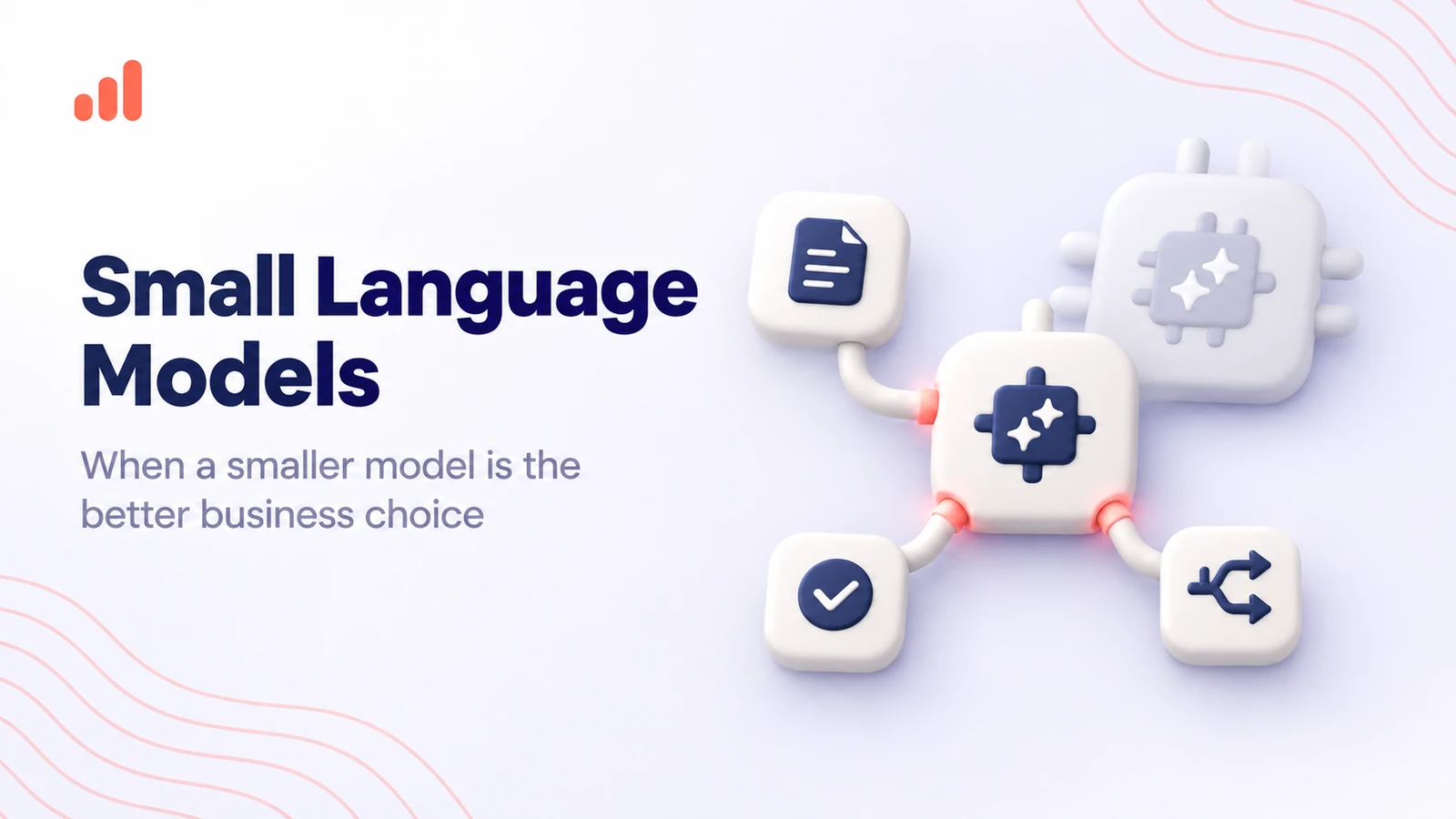
Small language models (SLMs) are compact AI models that handle language tasks with fewer computing resources than large language models (LLMs). They're often a better fit for classification, data extraction, routing, and other repetitive work. The deciding factor is whether a smaller model can deliver the accuracy you need at a lower operating cost.
RapidDev, an AI development and integration company, has an AI app development team that tests models against real application requirements rather than defaulting to the largest option.
When companies start building AI applications, they often look for the most capable model they can afford.
That's understandable. During a demo, you want something that handles complicated instructions, answers unexpected questions, and produces impressive results.
Production has different priorities: volume, speed, and cost per request.
If your application processes 100,000 support tickets a month, do you really need a premium general-purpose model to decide whether each ticket belongs to billing, technical support, or account management?
Probably not.
A smaller model might do that job just as accurately, respond faster, and cost less to run.
The question is where you can make that trade-off without hurting performance.
At RapidDev, we help businesses choose and integrate models based on what their applications actually need to do.
What is a small language model?
A small language model is an AI model that processes and generates language using fewer parameters and generally fewer computing resources than a large language model.
Parameters are the numerical values a model learns during training. They help determine how it interprets information and generates responses.
Models with fewer parameters generally need less memory to store their weights and may require less computation to run.
But there's no universally accepted cutoff separating an SLM from an LLM.
Some researchers consider models with a few billion parameters small. Others include models with tens of billions, depending on what they're comparing.
For business applications, the exact number matters less than three questions:
- Can the model complete the task accurately?
- Can it respond quickly enough for your application?
- Does it cost less to operate at your expected volume?
A model can perform well on public benchmarks and still struggle with your customer records, industry terminology, or document formats.
That's why model selection should start with the work you need done, not the parameter count.
Why are businesses interested in SLMs?
Large language models are built to handle a wide range of tasks.
That flexibility is useful, but you don't always need it.
If an application repeatedly performs one narrow operation, such as extracting invoice numbers or assigning support tickets to categories, much of a large model's general-purpose capability may go unused.
A smaller model may produce equally useful results for that specific task while requiring less infrastructure or costing less per request.
Those differences matter when an application handles thousands or millions of requests.
SLM vs. LLM: What is the difference?
The main difference between small language models and large language models is scale, which affects computing requirements, operating costs, and the types of tasks each model can handle reliably.
Large models generally offer broader capabilities and stronger performance on difficult, open-ended work.
Small models tend to be more resource-efficient, particularly when the task is narrow and predictable.
Here's how LLM vs. SLM compares, factor by factor.
| Factor | Small language model (SLM) | Large language model (LLM) |
|---|---|---|
| Cost per request | Often lower for comparable tasks and deployment conditions | Often higher, especially for premium hosted models |
| Speed | Can deliver lower latency for short, focused tasks | May take longer, particularly for lengthy outputs or complex reasoning |
| Hardware | Some models run on consumer GPUs, laptops, or mobile devices | Larger models often need substantial GPU memory or hosted infrastructure |
| Privacy | Compact models can be practical to deploy in controlled environments | Private deployment is possible but may require more resources |
| Reasoning depth | May struggle with complex or unfamiliar multi-step problems | Generally stronger on demanding reasoning tasks |
| Context length | Varies by model; smaller deployments may face memory constraints | Varies by model; some offer very large context windows |
| Ease of fine-tuning | Often less expensive and easier to adapt with limited hardware | Usually more resource-intensive to fine-tune |
These are general tendencies, not guarantees. Architecture, quantization, hardware, provider pricing, and model-specific capabilities can change the comparison.
Cost: the savings add up at scale
Imagine an application that classifies every incoming customer message.
Each request is short. The model reads the message, selects a category, and returns a structured result.
A large model may do this well, but a smaller one might deliver the same accuracy at a lower cost.
Multiply that difference across hundreds of thousands of requests, and the savings can become meaningful.
The same applies to AI agents that repeatedly call a model to select tools, interpret responses, or format information.
Our guide to AI agent running costs explains how model usage, infrastructure, and workflow design affect expenses after launch.
That said, self-hosting a small model isn't automatically cheaper than using a hosted LLM.
Infrastructure, engineering time, utilization, and maintenance all affect the total cost.
Speed: smaller doesn't always mean faster
Small models can respond faster because they often require less computation.
But size is only part of the equation.
Network delays, hardware, input length, output length, and serving infrastructure all affect response time.
A poorly optimized small model running on limited hardware may be slower than a larger model served through a highly optimized API.
Latency matters especially for voice AI agents, where even a short delay can make a conversation feel unnatural.
Measure the actual end-to-end response time rather than relying on advertised model speed.
Privacy: more control over deployment
Some SLMs can run on company-controlled infrastructure or directly on a device.
That can be useful when an application handles sensitive information or needs to work with limited connectivity.
Keeping inference within a controlled environment may reduce the need to send data to an external model provider.
It doesn't automatically make the system secure or compliant.
You still need access controls, encryption, monitoring, patching, and appropriate data-handling policies.
The advantage is that a smaller model may make private deployment more practical.
What are examples of small language models?
Examples of small language models include compact models from Microsoft's Phi family, Google's Gemma family, and smaller variants of Llama, Qwen, and Mistral.
There are two broad options worth considering: open-weight models you can deploy yourself and lower-cost hosted models accessed through an API.
Open-weight small language models
Open-weight models provide downloadable model weights, subject to their respective licenses.
They give developers more control over deployment, customization, and infrastructure.
Microsoft Phi
Microsoft's Phi-3 helped establish the Phi family as a practical option for compact language models.
The family has expanded to include newer models for language understanding, reasoning, and multimodal applications.
Microsoft's official Phi open models documentation covers the family and its deployment options.
Google Gemma
Google's Gemma 3 includes models at different sizes, allowing teams to compare smaller and larger variants within the same family.
Google has also introduced newer Gemma models, including options designed for mobile and edge applications.
The official Google DeepMind: Gemma page provides details about the available models and capabilities.
Small Llama models
Meta's Llama family includes smaller variants designed for applications with tighter resource constraints.
They're worth considering if you need an open-weight model and already have infrastructure that supports the Llama ecosystem.
Qwen models
Alibaba's Qwen family includes compact models that can be tested for multilingual processing, structured outputs, and other tasks.
Performance depends on the specific model and workload.
Mistral models
Mistral offers models with different capability and resource requirements, including compact options.
The right choice depends on your application, deployment requirements, and licensing terms.
What about hosted small models?
You don't have to run your own infrastructure to use a smaller, more economical model.
Commercial providers also offer lower-cost tiers.
Examples include:
- Anthropic's Claude 3 Haiku, an earlier example of a speed-focused hosted model.
- Google's Flash and Flash-Lite tiers.
- OpenAI's mini model tiers.
These shouldn't automatically be classified as SLMs in the same technical sense as open-weight models with published parameter counts.
Hosted providers don't always disclose model sizes.
It's more accurate to describe them as smaller, faster, or lower-cost service tiers when current specifications support those claims.
For business buyers, the practical question is the same: does the model meet your requirements at an acceptable cost?
Which business tasks suit a small model?
Small language models are best suited to tasks with clear instructions, predictable inputs, and outputs that can be checked automatically or reviewed efficiently.
They don't need to understand every possible question.
They need to do one job consistently.
Here's where we'd start testing.
| Business task | SLM fit | Why |
|---|---|---|
| Text classification | Good | Assigning categories or labels is usually a focused task |
| Structured data extraction | Good | Required fields can be defined and validated |
| Request routing | Good | The model chooses from a limited set of destinations |
| Short summaries | Good, with testing | Brief summaries of consistent inputs may not require a large model |
| On-device applications | Good | Compact models can fit tighter memory and computing limits |
| Tool selection in AI agents | Good, with validation | The model chooses from a defined set of tools |
| Complex multi-step reasoning | Often better suited to an LLM | Requires handling several dependent decisions |
| Long-form writing | Often better suited to an LLM | Needs sustained structure, context, and consistency |
| Complex software development | Often better suited to an LLM | Requires understanding code dependencies and edge cases |
| Open-ended research | Often better suited to an LLM | Requires synthesizing varied information and resolving ambiguity |
Classification and routing
Suppose a customer support system receives thousands of messages every day.
The first step is deciding whether each message concerns billing, technical support, account access, or another category.
A small model may be sufficient.
You can test its output against labeled examples and measure how often it assigns the correct category.
The model doesn't need to write a detailed explanation. It just needs to return the right label.
Structured data extraction
Document processing is another promising use case.
An SLM might extract invoice numbers, customer names, dates, or other fields from text.
The output can then be checked against a required format or sent to a person for review.
In workflows such as AI document processing, extraction is only one step. A larger model or additional validation may still be needed for complex interpretation.
Short summaries
A small model may also work well for summarizing short, consistent inputs.
For example, a CRM application might turn a support conversation into a three-sentence internal note.
If the format is predictable and the output can be evaluated, an SLM is worth testing.
Summarizing a lengthy contract with subtle legal implications is a different challenge.
The task, not the word summary, determines which model is appropriate.
On-device features
Compact models can support applications that need to work locally or with limited internet access.
Examples include basic text classification, short-form assistance, and document categorization.
Whether a particular model can run well on a laptop or phone depends on its memory footprint, quantization, available hardware, and performance requirements.
When do you still need a large model?
A large language model is usually the better starting point when a task involves complex reasoning, broad knowledge, difficult coding, or unfamiliar situations.
Small models can be surprisingly capable, but they have limits.
Multi-step reasoning
Some business workflows involve decisions that depend on several pieces of information.
An insurance assessment, for example, may require interpreting multiple documents, checking conditions, and resolving conflicting details.
A small model may handle individual extraction tasks but struggle with the full reasoning process.
Long-form writing
Writing a short, structured summary is different from producing a detailed report that needs a consistent argument, accurate references, and careful organization.
Larger models often perform better on complex writing tasks, although their output still needs review.
Complex code
Small models can help with narrow coding tasks.
But when the work involves unfamiliar codebases, debugging across several services, or architectural decisions, larger coding-capable models are often more reliable.
Open-ended research
Research requires more than finding facts.
A model may need to compare conflicting information, identify gaps, evaluate uncertainty, and explain how the evidence fits together.
A larger model is often better equipped for that work, especially when combined with retrieval and verification.
The goal isn't to use the smallest model for everything.
It's to avoid paying for capabilities your application doesn't need.
Can you use small and large models together?
Yes. Model routing lets an application send straightforward requests to a smaller model and reserve a larger model for tasks that need more capability.
For many businesses, this is more useful than choosing one model for the entire application.
Imagine a customer support assistant.
Most requests involve familiar questions:
- How do I reset my password?
- Where can I find an invoice?
- How do I update my account details?
A small model may handle classification or response generation for these requests using approved information.
But some conversations are more complicated.
A customer may describe several related problems, provide conflicting information, or ask for an exception to company policy.
Those requests can be routed to a larger model or a person.
How model routing works
A practical workflow might look like this:
- A request enters the application.
- A lightweight classifier identifies the task type.
- A smaller model handles requests within its tested capabilities.
- Validation checks the result against defined requirements.
- Requests that fail validation or fall outside the approved scope move to a larger model or human reviewer.
The validation step matters.
You shouldn't rely entirely on a model's own claim that it's confident.
For structured tasks, use checks you can measure: valid output formats, required fields, consistency rules, or comparison with trusted information.
Why routing can reduce costs
Suppose most requests to your application are simple.
Using a premium model for all of them means paying for capabilities many requests don't require.
Routing those requests to a smaller model can reduce costs.
But the savings depend on how many requests the smaller model handles successfully, the cost of routing and validation, and how often requests need retries or escalation.
A system that sends too many requests through several models may cost more than expected.
Measure the full workflow, not just the price of one model call.
Are small models the future of AI agents?
Small language models are likely to play an important role in AI agents because many agent tasks are narrow, repetitive, and easier to evaluate than open-ended conversations.
An AI agent may call a language model repeatedly to choose tools, interpret responses, format data, or decide what to do next.
Not every decision needs a large general-purpose model.
For example, an agent might need to choose between three approved tools based on a user's request.
If a smaller model can make that choice accurately, using a large model every time may add unnecessary cost.
The research paper Small Language Models are the Future of Agentic AI, by NVIDIA-affiliated researchers, argues that smaller models are well suited to many specialized agent tasks and that combining models of different sizes can be more economical.
That doesn't mean every agent should run entirely on an SLM.
Some agents need complex planning, difficult reasoning, or the ability to handle unexpected situations.
A mixed architecture may make more sense.
Use smaller models for well-defined operations and larger models where their additional capabilities deliver measurable value.
Reliability matters more than model size
Tool selection may sound simple, but mistakes can have consequences.
Choosing the wrong search tool might waste a few seconds.
Choosing the wrong financial operation could create a serious problem.
For important actions, use strict tool permissions, input validation, logging, and approval requirements.
The model should only be allowed to perform actions appropriate to the workflow, regardless of its size.
How do you test whether a small model is good enough?
The best way to evaluate an SLM is to run it against a larger model using the same real business examples and compare accuracy, latency, and total cost.
Don't choose a model based only on benchmark rankings.
Build a test set from the work your application will actually perform.
For an initial evaluation, 50–100 real examples can be a useful starting point, although high-risk or highly variable workflows need broader testing.
Define the task
Be specific about what the model needs to do.
Instead of "understand customer emails," define the task as "assign each incoming email to one of six categories and return a valid JSON object."
That makes the result easier to measure.
Build a representative test set
Collect examples that reflect real production inputs.
Include straightforward cases, ambiguous requests, incomplete information, unusual formats, and situations where the correct response is to escalate.
Have a qualified person establish the expected result for each example.
Don't use only easy cases.
Test small and large models side by side
Run the same examples through your candidate models.
Use consistent instructions and output requirements.
Where appropriate, test more than one prompt or configuration, but avoid tuning a model only to the evaluation examples.
Compare the results
Track the metrics that matter for your application.
| Metric | What to measure | Why it matters |
|---|---|---|
| Task accuracy | Percentage of outputs that meet the expected result | Shows whether the model can do the job |
| Format validity | Percentage of responses that follow the required schema | Important for system integrations |
| Latency | Typical and slower-end response times | Shows whether the model meets user expectations |
| Cost per request | Model and infrastructure costs for each request | Helps estimate operating expenses |
| Cost per successful task | Total cost divided by correctly completed tasks | Accounts for retries, failures, and escalations |
| Escalation rate | Percentage of requests requiring a larger model or human review | Shows how much work the SLM can handle independently |
Calculate the real operating cost
A cheaper model isn't necessarily cheaper overall.
Suppose Model A costs less per request but makes more mistakes.
Those mistakes may require retries, larger-model fallbacks, or manual correction.
Model B may cost more per request but complete the work correctly more often.
Compare the cost per successful task, not just the advertised price per token.
Include infrastructure, monitoring, and maintenance where relevant.
Pilot before switching production traffic
If the SLM performs well in testing, introduce it gradually.
You might start by routing a small share of eligible requests to the new model while monitoring accuracy, latency, and errors.
Keep a fallback available.
The goal is to confirm that results hold up under real operating conditions, not just in a test environment.
How does RapidDev choose models for clients?
RapidDev approaches model selection by matching the model to the business task, evaluating it against real requirements, and choosing the simplest architecture that meets the agreed performance standards.
We don't assume every application needs the largest available model.
And we don't recommend an SLM simply because it's cheaper.
The right choice depends on the workflow.
Understand the application
We start with what the system needs to accomplish.
Is it extracting fields from documents? Answering customer questions? Classifying requests? Supporting a multi-step agent workflow?
We also look at expected usage, response-time requirements, data sensitivity, and existing infrastructure.
Identify suitable models
Next, we shortlist models that fit the task.
That may include open-weight SLMs, lower-cost hosted models, and larger general-purpose models.
We consider deployment options, licensing, integration requirements, and ongoing costs.
Test against real examples
We compare candidate models using representative data and agreed success criteria.
For structured extraction, that may mean field accuracy and schema validity.
For a customer-facing assistant, it may involve answer quality, response time, and appropriate escalation.
Design the right architecture
Sometimes one small model is enough.
Sometimes the application needs a larger model.
In other cases, model routing offers a better balance: smaller models for routine work, larger models for difficult requests.
The architecture should also include validation, permissions, monitoring, and fallback behavior.
Monitor performance after launch
Model selection isn't a one-time decision.
Providers change pricing. New models become available. Your application may handle different types of requests as usage grows.
Review performance and costs periodically to see whether the current setup still makes sense.
FAQs
What is the difference between SLM and LLM?
An SLM is a smaller language model that generally requires fewer computing resources than an LLM.
SLMs are often suitable for narrow tasks such as classification, extraction, and routing. LLMs generally offer broader capabilities for complex reasoning, long-form writing, and unfamiliar problems.
There is no universally accepted parameter cutoff separating the two categories.
What is an example of a small language model?
Microsoft's Phi family and Google's Gemma family include well-known examples of small language models.
Other options include compact variants from the Llama, Qwen, and Mistral families.
The best choice depends on the task, hardware, licensing requirements, and measured performance.
What are the best tiny language models?
There isn't one best tiny language model for every application. Common starting points are the smallest variants in the Phi, Gemma, Llama, and Qwen families.
For on-device processing, look for models designed to work with limited memory and computing power.
For structured extraction or classification, prioritize accuracy and reliable output formatting.
For business use, test several candidates against your own data rather than relying on a general ranking.
Can a small language model run on a laptop or phone?
Yes. Some small language models are designed to run on laptops, smartphones, and other devices with limited computing resources.
Whether a particular model runs well depends on its size, quantization, memory requirements, and the device's hardware.
A model that technically fits on a device may still be too slow for a good user experience, so practical testing matters.
Can you fine-tune a small language model on company data?
Yes. Many open-weight small language models support fine-tuning, which can adapt their behavior to a specific task or domain.
Fine-tuning can be useful when a model needs to follow specialized terminology, output formats, or recurring task patterns.
It isn't always necessary. Better instructions, structured outputs, or retrieval from company documents may solve the problem with less effort.
Evaluate those options before committing to training.
At RapidDev, we help businesses evaluate AI models, build production-ready applications, and choose architectures that balance capability, reliability, and operating costs.
Our AI app development team can help you test a smaller model against your own workload and determine where a larger model is worth the additional cost.
To discuss your application, book a free AI strategy call.