

November 18, 2026
•
24
min read

AI in HR: Practical Use Cases, Risks and Where to Start
Where AI helps HR teams today, the bias and legal risks to plan for, and how to start small. Book a free AI strategy call to plan your first HR use case.
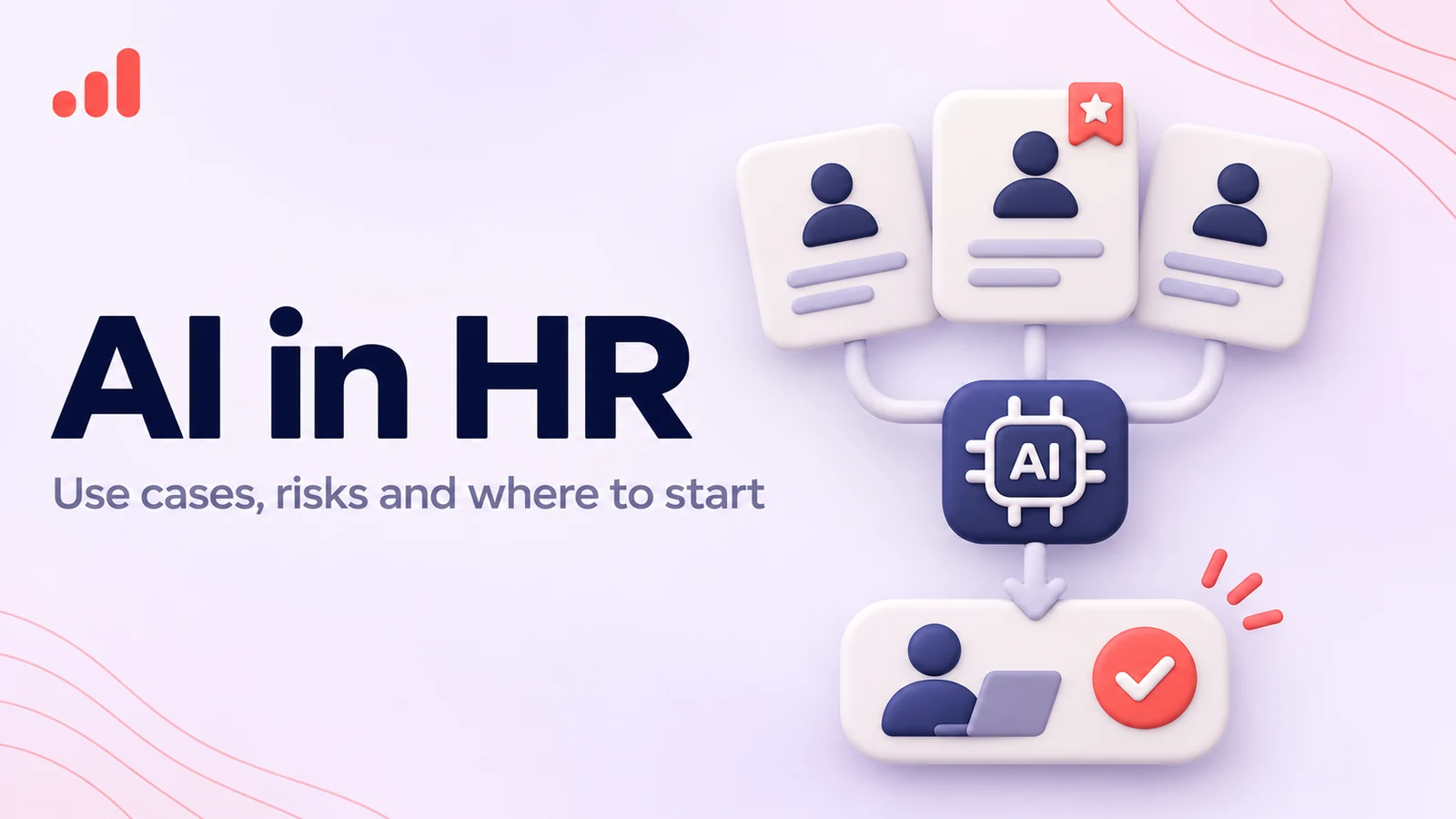
AI in HR means using AI tools to draft documents, schedule interviews, answer employee policy questions and analyze workforce data, while people keep control of hiring, performance and pay decisions. Most HR teams should start with low-risk admin work, which is where our AI automation services usually begin.
How is AI used in HR today?
AI is used across recruitment, onboarding, employee support, learning and development, workforce planning, and HR administration. Some applications take care of routine tasks, while others help HR professionals find information, analyze data, or prepare recommendations. The important distinction is whether AI is assisting a person or making a decision that affects someone’s employment.
Most applications fall into four broad categories.
Generative AI creates and edits content. HR teams can use it to draft job descriptions, prepare onboarding materials, summarize policies, and develop training resources.
Predictive analytics identifies patterns in historical and current data. It can help HR teams forecast staffing needs, understand turnover trends, and spot potential gaps in workforce planning. These findings need careful interpretation: a pattern in the data doesn't necessarily explain why something is happening, and historical data may reflect existing bias.
Conversational AI allows employees and candidates to ask questions in everyday language. An HR assistant, for example, can explain a leave policy, guide a new hire through onboarding, or direct an employee to the right internal team.
Agentic AI can carry out several connected tasks using approved systems and tools. An agent might collect onboarding details, create an internal ticket, and notify the relevant department. Its permissions should be carefully defined so that it cannot take actions beyond its assigned role.
Each of these technologies has a place in HR. But the risks vary considerably. Drafting a welcome email is one thing; ranking candidates for a job is quite another.
Which HR tasks can AI handle?
AI can support many HR processes, but the right level of automation depends on the task and the consequences of getting it wrong. Administrative work is generally a better starting point than processes that evaluate, rank, or make decisions about people.
The table below provides a practical overview. Risk levels are indicative, not formal legal classifications. Even a seemingly routine application can become sensitive if it involves personal information or influences an employment decision.
| HR task | What AI can do | Typical risk | Role of HR | Buy or build? |
|---|---|---|---|---|
| Job descriptions and letters | Draft content, adjust tone, and check consistency | Low | Review accuracy, requirements, and wording | Usually use existing AI features |
| Employee policy questions | Retrieve relevant information from approved HR documents | Low | Maintain source documents and handle sensitive or unusual cases | Buy or configure an internal assistant |
| Onboarding | Send reminders, collect information, and coordinate routine tasks | Low | Manage the process and resolve exceptions | Automate existing workflows |
| Learning and development | Draft training materials, quizzes, and role-specific resources | Low | Check accuracy and learning quality | Buy or configure |
| Interview scheduling | Coordinate calendars, send invitations, and manage changes | Low | Handle candidate communication and exceptions | Usually buy |
| Resume screening support | Extract qualifications and organize applications for review | High | Set fair criteria, check results, and make selection decisions | Use only with strong safeguards |
| Performance reviews | Summarize documented feedback and organize review information | High | Evaluate context and fairness; retain responsibility for assessments | Use cautiously, with human-led decisions |
| Workforce analytics | Identify trends in headcount, retention, absence, and staffing | Medium | Interpret findings and check for misleading patterns | Buy or build, depending on requirements |
Recruiting and candidate management
Recruitment involves a surprising amount of coordination before a hiring manager even speaks to a candidate. Applications need to be organized, interview schedules coordinated, and candidates kept informed throughout the process.
AI can help with job descriptions, resume data extraction, candidate communications, and follow-ups. A dedicated AI recruitment CRM can also bring sourcing and candidate management into one place.
There is, however, an important line between organizing candidate information and deciding who should move forward. The latter can directly affect someone's employment opportunities, so it calls for much stronger safeguards and oversight.
Employee questions and HR helpdesks
HR teams spend a lot of time answering familiar questions: How much annual leave do I have? Where is the expense policy? What documents do I need to complete onboarding?
An AI assistant connected to approved company documents can handle many of these everyday queries. A self-service HR portal gives employees one place to find information without having to wait for an HR team member to respond.
The assistant also needs to know when not to answer. It should be able to deal with unclear questions, recognize conflicting information, and pass sensitive or complicated requests to a person. Handling those cases is mostly a conversational AI design job: writing the clarifying questions, fallback replies and handoff messages, not picking a bigger model.
HR operations and policy management
Keeping HR policies accurate and accessible is challenging, particularly for organizations operating across several countries or states.
AI can help locate relevant information, compare policy documents, flag inconsistencies, and prepare proposed updates. An HR policy compliance tool can run that check across every state or country you operate in and flag where local rules differ, with HR approving each change.
It shouldn't, however, replace professional judgment. HR and legal teams still need to review policy interpretations and approve changes, especially when local employment requirements differ.
Workforce analytics
Recruitment, retention, absence, training and headcount data usually sit in separate systems, so trends such as rising attrition in one team are easy to miss. An HR analytics platform pulls those sources into one view, so HR can see attrition, time to hire and absence side by side.
The challenge is knowing what the numbers actually mean. Incomplete data can produce misleading results, and poorly designed reporting can expose sensitive employee information. Limit access to the data, make sure reports are appropriate for their audience, and check conclusions before using them to guide decisions about people.
What are the benefits of using AI in HR?
The biggest benefit of AI in HR isn't automation for its own sake. It's giving HR teams more time, better access to information, and a clearer picture of what's happening across the workforce.
Less time spent on administration
Drafting standard letters, preparing onboarding documents, scheduling interviews, and answering recurring questions all take time. Much of this work follows predictable patterns, making it a good fit for automation.
When these tasks take less time, HR professionals can focus on work that needs their experience and judgment: supporting managers, developing employees, resolving conflicts, and planning for future workforce needs.
Employees can find answers faster
Employees don't always know where to look for the latest policy or who to contact with a particular question.
An AI assistant connected to approved internal documents can help them find the information they need without waiting for an HR representative. When a question involves an exception or a sensitive situation, the assistant can direct the employee to the right person.
This only works if the underlying information is reliable. Outdated policies and conflicting documents will lead to poor answers, no matter how sophisticated the AI model is.
More consistent processes
Templates and automated workflows help HR teams follow established procedures when handling routine requests.
An onboarding workflow, for example, can remind managers about outstanding tasks, notify IT when equipment is needed, and send new employees the right documents at the right time.
Consistency is useful, but it shouldn't mean treating every situation as identical. HR still needs the flexibility to account for individual circumstances and legitimate exceptions.
A clearer view of workforce trends
AI can help HR professionals make sense of large volumes of workforce data.
It might highlight increasing turnover in a department, show where recruitment is taking longer than expected, or reveal gaps in training participation. These findings give HR leaders a starting point for further investigation.
They shouldn't be treated as definitive explanations. A rise in turnover, for instance, may point to a problem worth exploring, but the data alone won't tell you what's driving it.
More time for people-focused work
HR is fundamentally about people, yet administrative work can leave little time for the responsibilities that matter most.
Reducing the time spent chasing forms and answering basic questions creates more room for employee development, manager support, conflict resolution, and workforce planning. These are areas where an understanding of the organization and its people remains essential.
What are the risks and challenges of AI in HR?
The main challenges of AI in HR include bias, employee privacy, inaccurate outputs, lack of transparency, and overreliance on automated recommendations. The consequences can be particularly serious when a system influences hiring, promotion, compensation, performance reviews, or other decisions that affect people's working lives.
The NIST AI Risk Management Framework splits risk work into four functions (Govern, Map, Measure, Manage), which HR can use as a checklist for any tool that touches hiring, pay or performance.
Bias in recruitment and performance evaluation
AI systems learn from data. If that data reflects past discrimination or unequal opportunities, the system may reproduce those patterns.
Imagine a recruitment model trained on a company's previous hiring decisions. If the organization has historically favored a particular candidate profile, the model may learn to favor similar applicants, even when those characteristics have little to do with actual job performance.
Bias can also enter through variables that appear neutral, including employment gaps, education history, location, or language patterns.
Performance evaluation carries similar risks. A tool that relies on incomplete feedback or poorly chosen metrics may produce assessments that don't reflect what an employee actually contributes.
HR teams need to understand what a system evaluates, test its results, and check whether its recommendations disadvantage particular groups.
Employee privacy and data protection
HR systems contain some of the most sensitive information an organization holds: salaries, performance records, absence details, contact information, and, in some cases, health-related data.
Sending that information to an external AI service without understanding how it is handled can create significant privacy and security risks.
Before approving an AI tool, establish:
- What employee or candidate information the system can access.
- Whether the provider stores prompts or uses submitted data to train its models.
- Where information is processed and stored.
- Who can access the data and the system's outputs.
- How long records are retained and how they can be deleted.
- Whether the processing has a valid legal basis and meets applicable data protection requirements.
For organizations operating in the EU, this review should include the GDPR and relevant national employment and data protection rules.
Incorrect or misleading answers
Generative AI can sound confident even when it gets something wrong.
An HR assistant might quote an outdated leave entitlement, misread an internal policy, or invent a requirement that doesn't exist. If an employee treats that response as official company guidance, the mistake can quickly become a problem.
Connect internal assistants to approved sources and make it clear where their answers come from. Employees should also have an easy way to reach HR when a response is incomplete, uncertain, or doesn't address their situation.
Lack of transparency
Candidates and employees shouldn't have to guess whether AI is involved in a process that affects them.
If a tool screens applications, analyzes interviews, or contributes to performance assessments, the organization should understand what it evaluates and how its output is used. People should also know where to direct questions or raise concerns.
A vendor's claim that its product is objective isn't enough. Employers need to understand how the system performs in practice and whether its results are appropriate for their workforce.
Overreliance on automated recommendations
An AI-generated score can look precise, even when the underlying assessment is uncertain.
Managers may give too much weight to a ranking or recommendation simply because it comes from a system. This is known as automation bias: accepting an automated output without properly questioning it.
HR leaders should set clear boundaries. Decide which tasks AI can handle independently, which outputs need approval, and which decisions must remain with qualified people.
What laws apply to AI in hiring?
The legal requirements for AI in recruitment and employment depend on where an organization operates, where its candidates and employees are based, and what the technology actually does. Employers should check the rules that apply to their locations before introducing tools that screen, rank, or evaluate people.
The following examples are particularly relevant to organizations hiring in the United States and the European Union. This is a practical overview, not legal advice. Requirements and implementation dates can change, so consult qualified legal counsel before deploying an AI hiring system.
New York City Local Law 144
New York City's Local Law 144 regulates certain automated employment decision tools (AEDTs) used to screen candidates for hiring or employees for promotion.
Where the law applies, employers and employment agencies must ensure that the tool has undergone an independent bias audit no more than one year before it is used. They must also make a summary of the audit results publicly available and provide advance notice to affected candidates or employees.
The NYC DCWP guidance on Automated Employment Decision Tools (Local Law 144) sets out which tools count as AEDTs and what the published audit summary must include; the city has enforced the law since July 5, 2023.
The EU AI Act
The EU AI Act classifies certain AI systems used in employment and worker management as high-risk.
Annex III includes systems used for recruitment and selection, decisions affecting work-related relationships, task allocation based on individual behavior or personal characteristics, and the monitoring or evaluation of workers.
The classification depends on the system's intended purpose and how it is used, not simply on whether the vendor markets it as an HR product.
The implementation timeline also matters. Under the Digital Omnibus on AI, which entered into force on July 27, 2026, the main requirements for high-risk systems listed in Annex III are scheduled to apply from December 2, 2027. Other parts of the AI Act have already started applying, including provisions covering prohibited practices, AI literacy, and transparency.
Annex III of the EU AI Act lists these employment uses under point 4, so check each HR tool against that list rather than against the vendor's label.
Illinois AI Video Interview Act
Illinois has specific requirements for employers that use AI to analyze video interviews submitted by applicants for positions based in the state.
Among other things, employers must tell applicants before the interview that AI may be used to analyze the video and explain the general characteristics the system evaluates. The law also sets requirements concerning applicant consent and the sharing of video interviews.
Employers considering this type of technology should review the current Illinois AI Video Interview Act rather than relying only on the vendor's description of its product.
Colorado and other state requirements
State-level rules on AI and employment continue to evolve. Their scope, effective dates, and implementation requirements may change, so employers need to check the latest position before introducing AI for consequential employment decisions.
Colorado shows how fast this moves. Its 2024 AI Act (SB 24-205) never took effect: in May 2026 the state replaced it with SB 26-189, a narrower, notice-based law on automated decision-making that applies from January 1, 2027. Other states are passing or rewriting similar rules on automated decisions, discrimination and employee data.
If your organization recruits or employs people across several states, don't assume that meeting the requirements in one location is enough.
What should employers do before deploying AI in hiring?
Before introducing an AI hiring tool, employers should:
- Map every stage of recruitment where AI is involved.
- Establish whether the system qualifies as an automated employment decision tool or another regulated system.
- Ask the vendor for documentation covering intended use, training data, limitations, and independent testing.
- Check whether bias audits, candidate notices, consent, or other disclosures are required.
- Define who reviews the system's output and who makes the final hiring decision.
- Involve HR, legal, privacy, and IT teams before the system goes live.
Good AI governance practices make these responsibilities part of the project from the beginning, rather than something the organization has to address after a problem arises.
Should you use your HRIS's AI or build your own?
For most HR teams, the sensible first step is to look at the AI features already available in their HRIS or consider an established add-on. Custom development is worth exploring when existing products can't handle a specific workflow, integration, or data requirement.
There are three main approaches.
| Approach | Best suited to | Advantages | Limitations |
|---|---|---|---|
| AI features inside your HRIS | Routine tasks already supported by your existing platform | Familiar interface, simpler implementation, fewer integrations | Limited customization and dependence on vendor capabilities |
| Specialist AI add-on | Specific needs such as recruitment, employee support, or analytics | Purpose-built functionality and faster deployment than custom development | Another vendor, data flow, and subscription to manage |
| Custom AI solution | Complex workflows or requirements existing products cannot meet | Greater control over data, integrations, permissions, and business logic | Requires development, testing, maintenance, and ongoing governance |
When should you use your HRIS's built-in AI?
Start with your existing HR platform if its AI features address a real need and meet your security, privacy, and functionality requirements.
For example, if your HRIS can already automate onboarding reminders or prepare standard communications, introducing another tool may add complexity without delivering much extra value.
Before switching on a feature, ask the vendor what it actually does, which model or service it uses, what data it can access, and whether someone can review its output before an action is taken.
When does an add-on make sense?
A specialist tool is worth considering when your HRIS doesn't offer a capability you need.
That might be candidate relationship management, employee self-service, or more advanced workforce reporting.
Check how the product connects to your existing systems before making a decision. A tool that works perfectly on its own may create extra work if HR staff have to transfer information manually between platforms.
When is custom development worth considering?
Custom development makes sense when a workflow is specific to your organization or requires connections between systems that off-the-shelf products can't provide.
Consider a multinational company that wants an internal HR assistant to retrieve policies based on an employee's country, role, and employment type. A custom solution could connect approved knowledge sources, apply access permissions, and route more complicated questions to the appropriate HR team.
The decision should come down to the business case, not the appeal of having a bespoke AI product. If an existing platform already solves the problem reliably, building from scratch may not be worth the investment.
Where should HR teams start with AI?
Start with a task that takes up a lot of time, doesn't involve high-stakes decisions, and has a clear owner. A short pilot will show whether the solution improves accuracy and the employee experience while keeping costs and risks under control.
For many HR teams, a six-to-eight-week pilot is a reasonable starting point.
Choose a task that takes up too much time
Look at the work your HR team handles every day. Where are people spending hours on repetitive requests or manual processes?
Good candidates for an initial project include:
- Drafting standard HR letters.
- Answering frequently asked policy questions.
- Preparing onboarding materials.
- Scheduling interviews.
- Summarizing non-sensitive internal documents.
Leave automated candidate ranking, performance scoring, and promotion or compensation decisions for later. These applications need a much more thorough assessment.
Understand how the process works today
Before introducing a new tool, establish what the current process looks like.
How many requests does the team handle? How long does each one take? How often do errors occur? Where do delays usually happen?
Record these figures before the pilot begins. Otherwise, you'll have no reliable way to tell whether the new system has made a difference.
Check your data and systems
An AI tool is only as useful as the information it can access.
Review the documents and data the system will rely on. Are the policies up to date? Are there several conflicting versions? Does the system respect employee access permissions? Can it distinguish between requirements for different countries, departments, or employee groups?
An AI readiness assessment can help identify gaps in data quality, infrastructure, and internal processes before implementation starts.
Set boundaries and assign an owner
Be clear about what the system can do and when it must involve a person.
For an HR policy assistant, for example, routine questions can be answered using approved documents. Requests involving grievances, disciplinary action, health information, or unusual employment situations should be referred to HR.
Someone also needs to take responsibility for the system after launch. That person should monitor its performance, review errors, and make sure the information behind its answers stays current.
Run a six-to-eight-week pilot
Keep the initial rollout small. Test the system with a limited group of employees or within one clearly defined workflow.
During the pilot:
- Test everyday requests as well as unusual or complicated ones.
- Have HR staff review the system's outputs.
- Record errors and requests it cannot handle.
- Collect feedback from employees who use it.
- Check whether it actually saves time or simply moves the work somewhere else.
A successful demonstration isn't enough. The system needs to perform well in the situations employees encounter every day.
Decide what happens next
At the end of the pilot, compare the results with the baseline you recorded at the beginning.
If the system saves time, produces reliable results, and meets your privacy and security requirements, you may be ready to expand it.
If staff spend too much time correcting its answers or dealing with exceptions, revisit the workflow, data, or technology before investing in a wider rollout.
How do you measure the results of AI in HR?
Compare the new process with the way the work was handled before AI was introduced. Time saved is important, but it isn't the whole picture. Accuracy, response times, employee experience, adoption, and operating costs all matter.
For applications that influence employment decisions, you'll also need measures covering fairness, escalation, and human review.
A practical measurement plan could include:
| Metric | What to measure | Why it matters |
|---|---|---|
| Time per task | Average time to complete the process before and after implementation | Shows whether administrative work has become faster |
| Hours saved | Total staff time saved over a defined period | Helps estimate the operational benefit |
| Error rate | Percentage of outputs that need correction or contain inaccurate information | Shows whether efficiency comes at the expense of quality |
| Response time | Time between an employee's request and a useful answer | Measures improvements in HR service |
| Adoption rate | Percentage of eligible users who actively use the system | Shows whether the tool fits the team's workflow |
| Escalation rate | Percentage of requests passed to a human | Indicates whether the system recognizes its limitations |
| User satisfaction | Feedback from employees, candidates, and HR staff | Shows whether the experience has improved |
| Cost per completed task | Total operating cost divided by successfully completed tasks | Helps establish the financial case |
For recruitment and other high-impact applications, add measures that examine fairness and decision quality. Depending on the system and jurisdiction, these might include selection rates, demographic impact ratios, audit findings, and how often human reviewers change or reject AI recommendations.
Look at the results together. A system that answers twice as many employee questions but regularly gives incorrect policy information hasn't solved the problem.
How does RapidDev help HR teams use AI?
RapidDev, an AI development and integration company, helps businesses identify worthwhile HR use cases, connect AI to existing systems, and develop solutions that fit their operational needs.
The work starts with understanding the problem, not choosing a model or platform.
A company struggling with routine employee questions may need an assistant that retrieves answers from approved HR documents. A business with a fragmented onboarding process may get more value from workflow automation. An organization with complex reporting requirements may need a tailored analytics solution.
Depending on the project, RapidDev can support:
- Workflow automation: Connecting HR systems and removing repetitive administrative steps.
- Employee self-service: Building assistants that retrieve information from approved internal policies and documents.
- Recruitment workflows: Organizing candidate information and supporting communication while keeping employment decisions in human hands.
- HR analytics: Bringing workforce data together so teams can identify and investigate trends.
- Custom integrations: Connecting AI applications to HRIS platforms, internal databases, and other business systems.
- Governance and safeguards: Defining permissions, approval steps, monitoring requirements, and escalation paths.
The right solution depends on your existing systems, data, and priorities. Sometimes configuring a platform you already use is enough. Other projects call for a custom application or integration.
Most HR teams are better off starting with one clearly defined problem than trying to automate an entire department.
FAQs
How is AI being used in the field of human resources?
AI is used to support recruitment, onboarding, employee communication, learning and development, workforce analytics, and everyday HR administration.
Common examples include drafting job descriptions, scheduling interviews, answering policy questions, summarizing documents, and identifying workforce trends. Applications that screen candidates or evaluate employee performance need considerably more oversight.
Will AI replace HR jobs?
AI is more likely to change the day-to-day work of HR professionals than eliminate the need for HR teams.
It can handle repetitive tasks such as scheduling, document preparation, and routine questions. Employee relations, conflict resolution, workforce planning, sensitive conversations, and employment decisions still require human judgment.
HR professionals who understand how to use AI tools and check their outputs will be well placed to manage these changes.
Is it legal to use AI to screen candidates?
Yes, in some circumstances, but employers must follow the laws that apply to the locations where they recruit and employ people.
Depending on the system and jurisdiction, this may involve bias audits, candidate notifications, consent, transparency, and safeguards against discrimination. New York City's Local Law 144, Illinois' AI Video Interview Act, and the EU AI Act are examples of legislation that may apply.
Before introducing an AI screening tool, consult qualified legal counsel and establish how its performance will be tested and monitored.
What is the safest first AI use case for HR?
A good first project is a repetitive, high-volume task that doesn't make decisions about employees or candidates.
Drafting standard communications, answering routine questions using approved policy documents, and coordinating onboarding tasks are all sensible options.
Choose a process with a clear owner, measure how it performs today, and test the new solution with a limited pilot before expanding it.
How do you prevent bias in AI hiring tools?
Start by understanding what the system evaluates and which data it uses. Ask the vendor for technical documentation, test the tool with representative data, and examine whether its results differ across relevant demographic groups.
Keep people involved in reviewing results and making employment decisions. Document the criteria being used, monitor the system after launch, and investigate unexpected differences.
Where the law requires it, arrange an independent bias audit and provide candidates with the appropriate notices.
Can employees use ChatGPT for HR work?
Employees can use ChatGPT for appropriate HR tasks, provided the organization has clear rules about what information can be shared and how AI-generated content should be reviewed.
Confidential employee records, sensitive personal information, disciplinary details, and candidate data should never be entered into an unapproved AI service.
Before employees start using these tools, establish an internal policy covering approved services, data handling, review responsibilities, and prohibited uses. A practical AI policy template can help put those rules in place.
If you're considering your first project, RapidDev's AI automation services can help assess the workflow, identify the right approach, and plan a controlled implementation.
Ready to explore what's possible for your HR team? Book a free AI strategy call to discuss your priorities and identify a practical place to start.