

March 19, 2026
•
13
min read

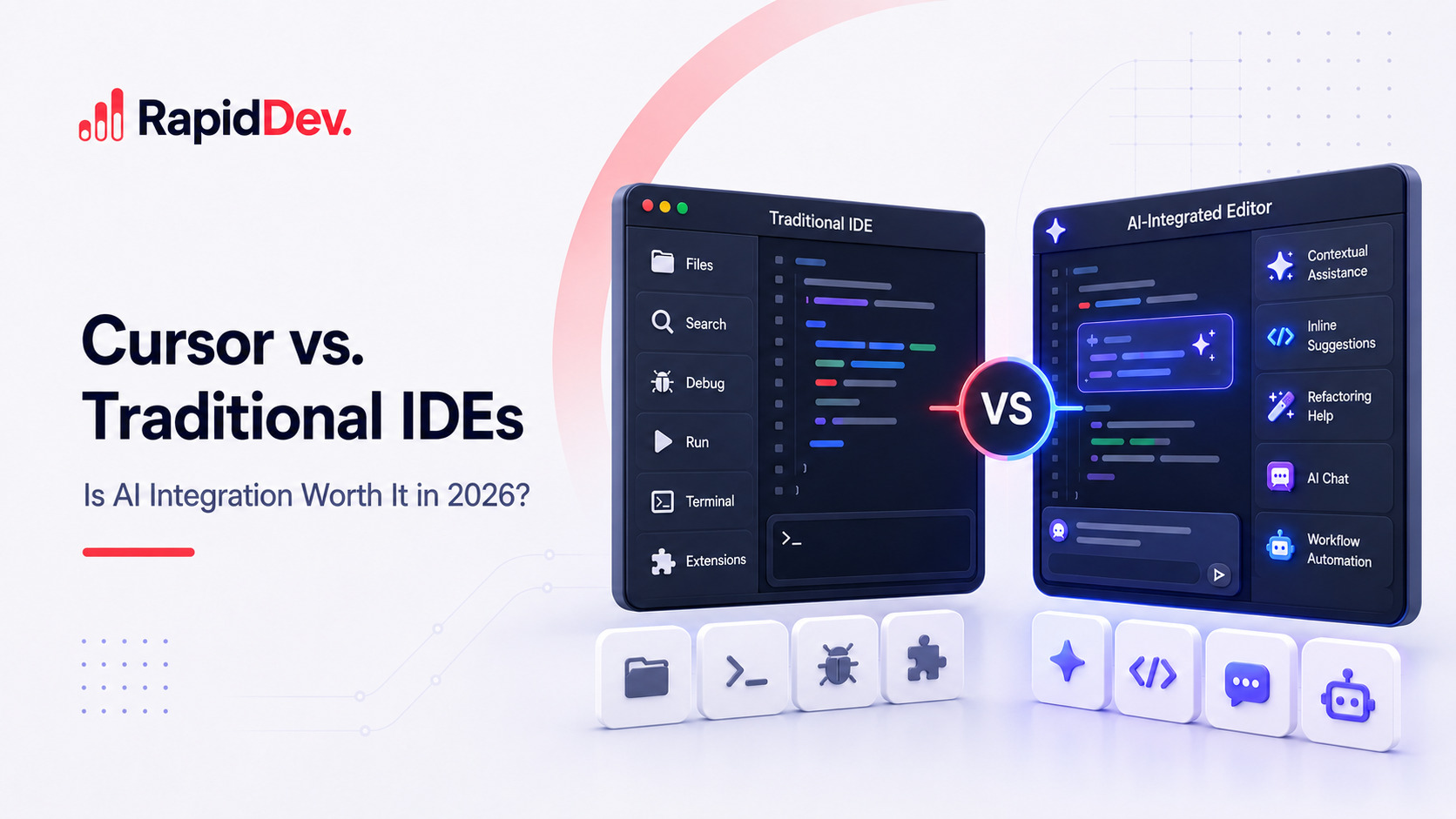
Cursor vs. Traditional IDEs: Is AI Integration Worth It in 2026?
Is Cursor better than a traditional IDE in 2026? Compare AI features, workflow impact, pricing, pros, cons, and which option fits your coding style best.
Here's a stat that might surprise you. A landmark 2025 study found developers using AI coding tools finished tasks 19% slower than those coding without AI. Yet by early 2026, over 90% of developers use these tools daily. What changed?
The answer lies in maturity. AI-powered development has evolved dramatically over the past year. Cursor now powers development at over half of Fortune 500 companies. More than 90% of Salesforce engineers code with it daily. Stripe's adoption grew from hundreds to thousands of developers organically.
But traditional IDEs haven't stood still either. VS Code's Agent Mode reached general availability in March 2026. GitHub Copilot now supports GPT-5, Claude 4.5, and Gemini 2.5. The gap between "AI-first" and "AI-added" approaches keeps shrinking month by month.
So is switching to Cursor actually worth it in 2026? This guide cuts through the hype with real data, honest pricing comparisons, and developer experiences from both camps. You'll know exactly when AI integration pays off and when traditional tools still make more sense.
Cursor vs Traditional IDE: Side-by-Side Comparison
Let's start with a clear view of how the main options compare in 2026.
This overview helps frame the discussion. Now let's dig into what these differences mean for real development work.
Understanding Cursor and Traditional IDE Approaches
The philosophical difference between these tools explains most of their practical differences.
How Traditional IDEs Work
Visual Studio Code, IntelliJ IDEA, PyCharm, and WebStorm represent decades of evolution. These tools perfected the fundamentals first. Syntax highlighting makes code readable. Integrated debuggers catch problems efficiently. Git integration handles version control smoothly. Extension marketplaces offer solutions for nearly any need.
VS Code dominates the market for good reasons. It's free, fast, and endlessly customizable. The 45,000+ extensions cover every language, framework, and workflow imaginable. IntelliJ remains unmatched for Java and Kotlin development. These tools earned their positions through years of refinement.
Adding AI to traditional IDEs happens through extensions like GitHub Copilot. The AI assists your work but doesn't change how the editor fundamentally operates. You're still using VS Code. Copilot just adds smart suggestions on top.
How Cursor Approaches Development
Cursor started as a VS Code fork but evolved into something distinct. The entire editor design assumes AI involvement. Every feature considers how artificial intelligence can help.
This shows in small details throughout the interface. Error messages include "Debug with AI" buttons. The chat panel understands your entire codebase. Composer Mode coordinates changes across dozens of files simultaneously. Background Agents work on tasks while you focus elsewhere.
The trade-off is clear. Cursor optimizes everything for AI collaboration. Traditional IDEs optimize for proven reliability and then add AI capabilities afterward.
Feature Comparison: What AI Code Editors Actually Offer
Let's examine specific capabilities that affect daily productivity in 2026.
Intelligent Code Completion
Both approaches offer AI-powered suggestions. The implementation differences matter significantly.
GitHub Copilot in VS Code watches your current file and recent context. It suggests completions as you type. These suggestions work well for finishing statements, completing function bodies, and generating boilerplate patterns. The 2026 updates added Next Edit Suggestions that predict your next move across the codebase.
Cursor's tab completion analyzes your entire project structure. It predicts not just the next line but entire logical blocks. When you accept a multi-line suggestion, imports get added automatically. The system learns your patterns across all project files.
For simple completions, both work comparably. For complex generation requiring project-wide context, Cursor produces more relevant suggestions more consistently.
Editing Across Multiple Files
This capability separates AI-first editors from AI-enhanced ones most clearly.
Cursor's Composer Mode transforms multi-file refactoring. Describe what you want changed. Composer identifies affected files, generates coordinated edits, and presents unified diffs for review. Renaming a service updates routes, controllers, tests, and documentation together.
VS Code's Copilot Edits has improved significantly in 2026. You still select files manually, but the coordination between changes works better than before. The gap has narrowed, though Cursor maintains an edge for complex refactoring.
For large refactoring projects, Composer Mode saves substantial time. For targeted single-file changes, both approaches work equally well.
Project Context and Understanding
How much does the AI actually know about your codebase?
Cursor indexes your entire repository using vector embeddings. Its 272,000-token context window can hold significant portions of large projects. Ask questions about architecture decisions. Search for code semantically without remembering exact names.
Traditional IDEs with Copilot work within expanded context windows. GitHub's 2026 implementation uses 128,000 to 200,000 tokens depending on the model. That's enough for most tasks but still limits understanding of very large codebases.
When exploring unfamiliar projects, Cursor's deeper context understanding helps significantly. For focused work on familiar code, the difference matters less.
Debugging Capabilities
Traditional IDEs maintain clear advantages here, even in 2026.
IntelliJ's debugger represents decades of refinement. Set conditional breakpoints. Inspect variable states at any execution point. Evaluate expressions while paused. Step through complex call stacks with precision.
VS Code offers similarly mature debugging with excellent performance. The integrated terminal makes testing and debugging workflows smooth.
Cursor provides AI-assisted debugging that explains errors and suggests fixes. This helps with straightforward issues. But tracking subtle bugs through complex execution paths still requires traditional debugging tools.
For quick bug identification, AI assistance helps. For deep investigation of complex problems, traditional debuggers remain essential.
Agent Mode and Autonomous Tasks
Both ecosystems now offer robust agentic capabilities with different implementations.
Cursor's agents work with significant autonomy. Background Agents run on remote infrastructure to build and test features independently. Automations trigger from external events. Bugbot reviews pull requests automatically. The multi-agent research preview lets multiple AI instances collaborate on complex tasks.
VS Code's Agent Mode reached general availability in March 2026. It reads your codebase, suggests multi-file edits, runs terminal commands, and iterates on failures automatically. MCP (Model Context Protocol) support connects agents to external tools and services.
The capability gap has narrowed substantially in 2026. Both platforms now offer powerful autonomous features.
What Real Productivity Research Shows
Marketing claims differ from measured reality. Let's examine actual research and what we've learned since.
The METR Study and Its 2026 Follow-Up
METR published landmark research in July 2025. Sixteen experienced developers completed 246 tasks on repositories they knew intimately. Each task was randomly assigned to allow or disallow AI tools.
Before starting, developers predicted AI would make them 24% faster. After finishing, they estimated a 20% speedup had occurred.
Actual measurement showed developers using AI took 19% longer on average.
This counterintuitive finding sparked intense debate. One developer with over 50 hours of Cursor experience showed 38% improvement versus the control group. Everyone else, with less practice, performed worse with AI assistance.
METR's February 2026 follow-up revealed important nuances. Many experienced developers now refuse to work without AI tools. The study faced recruitment challenges because developers didn't want to complete tasks without AI assistance. This selection effect suggests real-world productivity gains may be higher than controlled studies capture.
Stack Overflow Developer Survey 2025
The annual developer survey provides broad adoption data that shaped 2026 trends.
Usage became nearly universal. About 84% of developers used or planned to use AI coding tools. Among professionals, 51% used AI daily.
Sentiment showed realistic expectations. Positive feelings about AI tools sat at 60%, down from over 70% in 2023-2024. Initial enthusiasm gave way to practical understanding.
Trust remained limited but improving. Only 33% of developers fully trusted AI-generated code. Nearly half actively reviewed everything. This healthy skepticism continues in 2026.
JetBrains Developer Ecosystem 2025
JetBrains surveyed over 24,000 developers about their experiences.
Adoption reached mainstream status. About 85% regularly used AI tools. Nearly two-thirds relied on at least one AI assistant.
Time savings proved real but variable. Nine in ten users saved at least one hour weekly. One in five saved eight or more hours. These gains compound significantly over months.
What 2026 Data Shows
Early 2026 research from multiple sources indicates productivity patterns have stabilized. Developers report approximately 10% average productivity gains after adequate learning investment. AI-authored code now comprises roughly 27% of production code, up from 22% in late 2025.
The key insight remains unchanged: meaningful gains require 50+ hours of deliberate practice. Tools have improved, but the learning curve still exists.
When AI Integration Delivers Clear Value
Certain workflows benefit substantially from AI-first editors in 2026.
Building Prototypes and MVPs Quickly
Speed matters most when testing ideas. AI excels at generating functional code from descriptions. Describe your concept in plain language. Watch working code appear. Iterate rapidly without getting stuck on boilerplate.
Hackathons, client demonstrations, and proof-of-concept projects all fit this pattern. When you need something working fast, AI integration delivers clear advantages.
Joining Unfamiliar Codebases
Starting on a new project typically means weeks of exploration. AI understanding accelerates this significantly.
Ask questions about architecture choices. Get explanations of complex functions. Understand relationships between modules without reading everything manually. Research shows AI tools cut onboarding time by roughly 50% for developers who use them effectively.
For contractors, consultants, and developers changing teams frequently, this benefit compounds.
Automating Repetitive Patterns
CRUD operations, configuration files, test scaffolding, API endpoints, documentation updates. These tasks follow predictable patterns that AI handles efficiently.
Delegating boring work frees mental energy for interesting problems. The cumulative time savings from automating routine tasks add up significantly.
Refactoring Large Codebases
Coordinating changes across many files manually requires careful attention. Renaming services, updating API signatures, migrating patterns, and modernizing code all involve tedious find-and-replace work.
Composer Mode understands relationships between files. It generates coordinated changes across your entire project. Review the diffs, approve good changes, and finish hours of work in minutes.
Working Solo or on Small Teams
Without teammates for code review and discussion, AI provides a capable collaborator. It offers second opinions on implementation approaches. It catches obvious errors before they become problems. It fills the pair programming role when humans aren't available.
Freelancers and indie developers report substantial productivity gains once they invest in learning.
Frontend and Web Development
Cursor's VS Code foundation works excellently with web technologies. React, TypeScript, modern JavaScript, CSS frameworks, and Node.js all benefit from strong AI support.
UI iterations happen faster. Component generation handles tedious markup. Style suggestions speed visual development. The tooling has matured significantly for web work.
When Traditional IDEs Remain the Better Choice
AI integration isn't universally beneficial. Several scenarios favor established tools even in 2026.
Deep Debugging Sessions
Tracking race conditions in concurrent code? Investigating memory leaks? Debugging cryptic production errors? Traditional debuggers remain essential.
AI can suggest possible causes. But stepping through execution, inspecting state at breakpoints, and understanding exactly what happens at runtime requires mature debugging tools. No AI assistant matches decades of debugger refinement yet.
Enterprise Java and Kotlin Projects
IntelliJ IDEA dominates JVM development for good reasons. Deep framework integration with Spring, Hibernate, and enterprise tools provides capabilities AI editors lack.
Static analysis catches subtle issues. Refactoring tools understand Java semantics precisely. Navigation through massive codebases works flawlessly. For serious enterprise Java work, IntelliJ remains the obvious choice.
Offline and Secure Environments
Traditional IDEs work completely without internet access. Every feature remains available regardless of network status.
Cursor's AI features require API connections. Even Privacy Mode, which prevents code storage, needs server communication for AI capabilities. Projects in air-gapped environments can't use AI features at all.
Very Large Monorepos
Some developers report VS Code handles extremely large projects more smoothly than Cursor. Traditional IDE indexing has years of optimization for massive codebases.
AI context windows, while large, have limits. A 272,000-token window sounds impressive until your monorepo contains millions of lines. For the biggest projects, traditional approaches may perform better.
Regulated Industries with Compliance Requirements
GitHub Copilot Business includes IP indemnity. Microsoft accepts legal responsibility if generated code infringes copyrights. That protection matters for risk-averse enterprises.
Cursor's Privacy Mode keeps code off training servers. But it doesn't offer equivalent legal guarantees. Organizations with strict compliance requirements may need Copilot's contractual protections specifically.
Cost-Sensitive Organizations
VS Code costs nothing. GitHub Copilot Individual costs $10 monthly. Cursor Pro costs $20 monthly.
For teams of 50 developers, that difference becomes $6,000 yearly. Windsurf at $15 monthly offers a middle option. When budgets are tight and productivity gains aren't guaranteed, cheaper options make sense.
Workflows Requiring Specific Extensions
Some VS Code extensions don't work in Cursor. Microsoft-owned tools like Pylance, Remote SSH, and Live Share have compatibility issues. If your workflow depends on specific extensions, verify compatibility before switching.
Traditional IDEs offer deeper customization overall. Decades of plugin development created solutions for nearly every imaginable need.
Understanding the Real Costs in 2026
Price comparisons help inform practical decisions.
Cursor's Pricing Model
Cursor uses credit-based billing introduced in June 2025. Understanding the system matters for budgeting.
The free Hobby tier provides limited AI assistance using Cursor's smaller model. It works for testing the interface but not serious daily use.
Pro costs $20 monthly. Credits equal your subscription amount. Auto mode, which lets Cursor choose efficient models, is unlimited. Selecting premium models manually depletes credits faster.
Ultra at $200 monthly serves heavy users who exhaust Pro limits regularly. Teams pricing runs $40 per user monthly with administrative controls.
VS Code with GitHub Copilot
VS Code itself is completely free. AI features come from Copilot subscriptions.
Copilot Free provides 2,000 completions and 50 chat requests monthly. That's enough for casual experimentation but not daily professional use.
Copilot Individual at $10 monthly offers unlimited usage across all models including GPT-5, Claude 4.5, and Gemini 2.5. Students, teachers, and open-source maintainers qualify for free access.
Copilot Business at $19 per user monthly adds organizational management and IP indemnity protection.
JetBrains Plus AI Assistant
JetBrains uses subscription pricing for IDEs. IntelliJ IDEA Ultimate costs approximately $17 monthly on annual plans. The Community Edition is free but lacks some advanced features.
AI Assistant adds $10 monthly to any JetBrains IDE. Combined cost approaches $27 monthly for the complete experience.
Alternative: Windsurf
Windsurf positions itself as budget-friendly AI-first editing. Cognition AI acquired it in mid-2025. Pricing starts at $15 per seat monthly, between Copilot and Cursor.
The pricing model includes credit concepts that can be confusing. Review documentation carefully to understand what your usage would actually cost.
Evaluating Value in 2026
Is Cursor at $20 worth double Copilot at $10? The answer has become more nuanced. Copilot closed many feature gaps throughout 2025. The extension approach works well for most developers.
Power users who heavily leverage Composer Mode, Background Agents, and multi-agent features may still prefer Cursor. If AI involvement is constant throughout your day, deeper integration provides genuine value.
What Developers Actually Experience
Real user experiences tell a more nuanced story than marketing.
Enterprise Success Stories
Large companies report impressive results with AI editors.
Salesforce notes over 90% developer adoption with double-digit improvements in cycle time and code quality. Stripe describes rapid organic growth from hundreds to thousands of Cursor users. These represent significant organizational transformations that continue strengthening in 2026.
Sam Altman called Cursor "the most useful AI tool that I currently pay for." That endorsement carries weight in the developer community.
Developers Who Switched Back
Not everyone stays with AI-first editors. Marc Matterson, a Lead Data Scientist, documented his return to VS Code after trying Cursor extensively in late 2024.
His reasons: Jupyter Notebook integration worked better in VS Code. GitHub Copilot added multi-model support, eliminating Cursor's previous advantage. The price difference didn't justify remaining gaps. Professional workflow alignment with his existing VS Code usage simplified things.
His conclusion: He hasn't regretted returning to VS Code. The switch back felt right for his specific needs.
The Hybrid Approach
Many developers maintain both tools in 2026. They use Cursor for prototyping and AI-intensive exploration. They use VS Code or IntelliJ for large projects where stability matters most.
One developer summarized: Cursor feels like the future, but you still need traditional tools for certain tasks. Using each tool where it excels delivers the best overall results.
Learning Curve Reality
Initial days with new tools always feel awkward. Despite Cursor's familiar VS Code interface, small differences disrupt muscle memory. Settings organization varies. Some shortcuts behave unexpectedly.
After a month of consistent use, most developers report the adjustment was worthwhile. But that month involves real friction. Anyone expecting instant productivity gains will be disappointed.
Maximizing Value from AI-Powered Editors
The research consistently shows productivity gains require investment. Here's how to reach them faster.
Begin with Low-Stakes Projects
Don't switch your main work immediately. Start with side projects or personal experiments. Learn the interface without deadline pressure. Make mistakes where they don't matter.
Once comfortable with basics, gradually introduce AI assistance into professional work. The transition feels smoother with foundational familiarity established.
Learn Essential Keyboard Shortcuts
Cursor's power comes from quick AI access. Learn Cmd+K for inline edits. Use Cmd+L to open chat. Tab accepts suggestions efficiently.
Investing an hour learning shortcuts saves dozens of hours later. The investment compounds rapidly for daily users.
Customize Your Configuration
Every project can have rules guiding AI behavior. Create .cursorrules files specifying commit message formats. Define naming conventions. Set preferred code styles.
These customizations make AI suggestions more relevant. Generic outputs become tailored recommendations matching your standards.
Always Review Generated Code
Trust but verify applies strongly. AI-generated code often works but may not follow best practices. Security vulnerabilities can slip through. Performance issues may hide in working code.
Building review habits from the start prevents problems later. Treat AI output as starting points, not final answers.
Apply AI Strategically
Some tasks complete faster manually. Quick edits, simple fixes, and small changes may not benefit from AI involvement. The overhead of prompting and reviewing can exceed time saved.
Recognize when AI helps and when it adds friction. Strategic selective use beats constant reflexive use.
Enterprise Security and Compliance Factors
Organizations must evaluate more than features when choosing development tools.
Data Handling and Privacy
Cursor's Privacy Mode keeps code off external training servers. However, AI features still require transmitting code to APIs for processing. Nothing gets stored, but transmission occurs.
GitHub Copilot Business provides clearer contractual guarantees. Code suggestions don't train models. IP indemnity means Microsoft accepts legal responsibility for copyright issues. For companies with strict data requirements, these differences matter significantly.
Security Certifications
GitHub Copilot holds SOC 2 Type I certification with publicly accessible reports. ISO/IEC 27001:2013 certification adds verification. Documentation remains transparent and available.
Cursor maintains SOC 2 Type II certification. However, public documentation is more limited. Enterprises may need to request additional information during evaluation.
Administrative Controls
Copilot Business and Enterprise offer organizational management. Admins control user access. Audit logs track usage. Policy settings enforce compliance requirements.
Cursor Teams at $40 per user includes admin controls. Smaller teams on Pro manage subscriptions individually without centralized oversight.
Self-Hosted Deployment
Some organizations require on-premise AI processing. Cursor offers self-hosted options for enterprise customers in 2026.
Tabnine built its reputation on deployment flexibility. It supports cloud, hybrid, and fully on-premise installations with comprehensive certifications. For strict compliance needs, it remains a leading option.
Common Mistakes to Avoid When Switching
Learn from others' missteps to smooth your own transition.
Expecting Instant Productivity
Research consistently shows average developers slow initially. Productivity improvements require learning investment. Plan for a transition period before evaluating results fairly.
Over-Relying on AI for Complex Problems
AI excels at boilerplate and patterns. Nuanced business logic, complex algorithms, and system design need human thought. Don't let AI make architectural decisions without careful review.
Skipping Code Review
AI-generated code can contain subtle bugs, security issues, and suboptimal patterns. Review everything you accept. This habit prevents accumulating technical debt.
Using AI for Every Task
Some work completes faster manually. Quick edits may not benefit from prompting and reviewing AI suggestions. Learn when traditional approaches work better.
Judging Based on First Impressions
Initial awkwardness doesn't indicate long-term fit. Give new tools adequate time. A few days of casual use isn't enough for fair evaluation.
Ignoring Customization Options
Default settings serve generic use cases. Your workflow likely differs. Invest time configuring rules and preferences. Customization improves relevance dramatically.
Abandoning Proven Tools Prematurely
Hybrid approaches work excellently for many developers. Keep traditional IDEs available for tasks where they excel. Gradual transitions reduce friction.
Where IDE Development Is Heading
Understanding 2026 trends helps inform current decisions.
Convergence Between Approaches
Traditional IDEs keep adding AI capabilities. VS Code Agent Mode now rivals Cursor's autonomous features. GitHub Copilot gains capabilities monthly.
AI-first editors keep adding traditional features. Cursor improves debugging and extension compatibility steadily.
The gap between approaches shrinks continuously. All serious development tools now include sophisticated AI. The question becomes implementation quality rather than AI presence.
Terminal-Based AI Tools
Claude Code works from terminals alongside any editor. OpenAI's Codex agents handle autonomous coding tasks. These tools complement rather than replace IDEs.
Some developers now assign entire issues to AI agents. They review pull requests rather than write initial code. This workflow is growing but hasn't replaced traditional development.
Evolution of Agentic Development
Background agents working while you focus elsewhere represent the biggest shift in 2026. Assign issues to AI agents. Review pull requests when ready. Provide feedback for iteration.
This workflow shifts developer roles from implementation toward direction. The best developers are becoming those who guide AI teammates effectively.
Multi-Agent Collaboration
Cursor's multi-agent preview lets multiple AI instances work together. One agent researches, another implements, a third reviews. This parallel processing accelerates complex tasks.
The approach remains experimental but points toward future development practices. Developers may soon manage teams of AI agents rather than writing code directly.
Making Your Decision in 2026
The evidence supports a nuanced conclusion. AI integration delivers real value for developers who invest in learning. The tools aren't magic solutions providing instant productivity. They're powerful capabilities requiring skill development.
Choose Cursor or similar AI-first editors if you prototype frequently, need strong multi-file editing, or want the deepest AI integration available. Budget 50+ hours for proper learning.
Stick with traditional IDEs plus Copilot if you need maximum extension compatibility, prefer lower costs, require IP indemnity, or prioritize stability. The AI experience has improved dramatically and works excellently for most developers.
Consider hybrid approaches if uncertain. Keep multiple tools available. Use each where it excels. Let experience guide eventual preferences.
Whatever you choose, AI collaboration skills matter now more than ever. The tools improve continuously. Developers who learn effective AI partnership have clear advantages. The future involves human-AI collaboration. Your preparation determines your readiness.
Ready to Accelerate Your Team's AI Adoption?
RapidDev helps development teams integrate AI-powered tools successfully. Whether you're evaluating Cursor, optimizing Copilot workflows, or building hybrid approaches, our experts guide effective implementation.
Our hands-on training accelerates learning curves. Our customization services tailor AI tools to your coding standards and processes. Our ongoing support ensures maximum value from your AI investment.
Don't struggle through the 50-hour learning curve alone. RapidDev's enterprise AI adoption experience helps your team reach productivity gains faster while avoiding common pitfalls.
Contact RapidDev today to discuss accelerating your development with AI tools.
Frequently Asked Questions
Is Cursor actually better than VS Code with GitHub Copilot in 2026?
It depends entirely on your workflow. Cursor provides deeper AI integration, better multi-file editing, and superior codebase understanding. VS Code offers more extensions, lower costs, IP indemnity, and has closed many previous gaps. Try both before deciding.
Do I need programming experience to use Cursor effectively?
Yes. AI tools augment developer skills rather than replacing them. You must understand code to review suggestions, catch errors, and make architectural decisions. Learn fundamentals before relying heavily on AI assistance.
Is the $20 monthly Cursor subscription worth paying?
For power users leveraging advanced features daily, many say yes. Casual users often find Copilot at $10 monthly sufficient. Evaluate based on how much you'll actually use AI features.
Will my VS Code extensions work in Cursor?
Most work since Cursor forked from VS Code. Some Microsoft-owned extensions have issues. Pylance, Remote SSH, Live Share, and C# Dev Kit may not function properly. Test critical extensions before committing.
Does AI actually improve developer productivity?
Research shows gains require investment. The METR study found average developers 19% slower initially with AI tools. One experienced user was 38% faster. By 2026, developers report roughly 10% average gains after adequate learning.
Is my code secure when using AI-powered editors?
Cursor's Privacy Mode prevents storage and training use. GitHub Copilot Business adds IP indemnity protection. For sensitive projects, evaluate each tool's security documentation carefully.
Should programming beginners use AI-powered editors?
Proceed cautiously. AI assistance can prevent learning fundamentals. New developers should understand code before letting AI write it. Use AI as a learning aid, not an understanding replacement.
How long until I see productivity improvements?
Based on research, meaningful gains require 50+ hours of practice. Plan for several weeks of regular use before expecting improvements. Initial productivity may decrease during learning.
Which AI IDE works best for enterprise development?
Consider compliance requirements carefully. Copilot Business offers IP indemnity and transparent certifications. Tabnine provides deployment flexibility. Cursor now offers enterprise self-hosted options. Evaluate based on your organization's specific needs.
Will AI IDEs eventually replace traditional development?
Not soon. AI tools augment rather than replace human developers. Code review, architectural decisions, and complex problem-solving require human judgment. The developer role is evolving but not disappearing.
Making Your Decision in 2026
The evidence supports a nuanced conclusion. AI integration delivers real value for developers who invest in learning. The tools aren't magic solutions providing instant productivity. They're powerful capabilities requiring skill development.
Choose Cursor or similar AI-first editors if you prototype frequently, need strong multi-file editing, or want the deepest AI integration available. Budget 50+ hours for proper learning.
Stick with traditional IDEs plus Copilot if you need maximum extension compatibility, prefer lower costs, require IP indemnity, or prioritize stability. The AI experience has improved dramatically and works excellently for most developers.
Consider hybrid approaches if uncertain. Keep multiple tools available. Use each where it excels. Let experience guide eventual preferences.
Whatever you choose, AI collaboration skills matter now more than ever. The tools improve continuously. Developers who learn effective AI partnership have clear advantages. The future involves human-AI collaboration. Your preparation determines your readiness.