

September 30, 2025
•
min read

What is Low Code? The Complete Guide to Low-Code Development in 2025
Low-code lets you build real apps with drag-and-drop tools instead of thousands of lines of code. This guide explains how it works, when to use it, and where it beats traditional dev.
Software development is changing fast. Traditional coding once required teams of engineers and months of work. Today, businesses need faster solutions. This is where low code comes in.
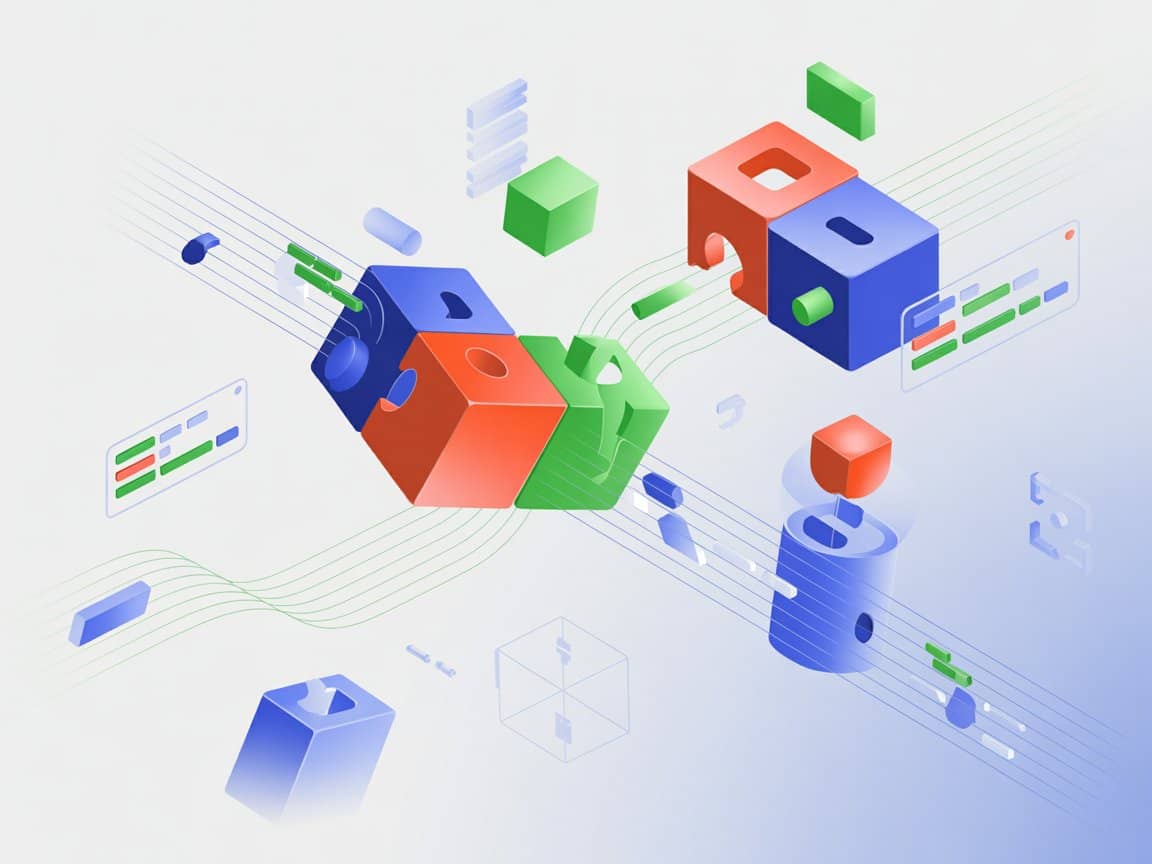
So, what is low code? In simple terms, it's a visual approach to building software applications. Instead of writing thousands of lines of complex code, developers use drag-and-drop tools. They work with pre-built components and intuitive interfaces. As a result, apps get built in days rather than months.
The numbers speak for themselves. According to Gartner, 70% of new applications will use low-code or no-code technologies by 2025. Furthermore, the market is projected to reach $264 billion by 2032. Clearly, this isn't just a trend. It's a fundamental shift in how we build software.
In this guide, you'll learn everything about low code development. We'll cover how it works, its benefits, and when to use it. Additionally, we'll compare low code vs no code platforms. By the end, you'll understand why businesses worldwide are embracing this approach.
What is Low Code Development?
.jpg)
Low code development is a modern approach to creating software applications. It minimizes the need for traditional hand-coding. Instead, developers use visual interfaces and pre-built components to build apps.
Think of it like building with LEGO blocks. Rather than crafting each piece from scratch, you connect ready-made components. The low code platform handles the complex programming behind the scenes. Meanwhile, you focus on what the application should do.
This approach empowers a new type of creator: the citizen developer. These are business professionals without formal coding backgrounds. They might be project managers, business analysts, or operations specialists. With low code tools, they can build functional applications independently.
However, professional developers benefit too. They can skip repetitive coding tasks. Instead, they focus on complex logic and customizations. Consequently, teams accomplish more in less time.
The core idea is simple. Low code development democratizes software creation. It bridges the gap between business needs and technical execution. As a result, organizations respond faster to changing market demands.
How Does Low Code Work?
Understanding how low code works helps you appreciate its power. The process follows a straightforward workflow. Let's break it down step by step.
Step 1: Design the User Interface
First, you design how your application looks. Low code platforms provide visual editors for this purpose. You drag and drop elements like buttons, forms, and tables. There's no need to write HTML or CSS code manually.
Step 2: Define the Business Logic
Next, you specify what the application should do. Most platforms use visual workflow builders for this step. You connect actions, set conditions, and define processes. For instance, you might create an approval workflow with multiple stages.
Step 3: Connect to Data Sources
Applications need data to function. Low code platforms offer built-in connectors for databases and APIs. You simply select your data source and map the fields. The platform handles the technical integration automatically.
Step 4: Test Your Application
Before deployment, you test everything thoroughly. Most platforms include preview modes and testing environments. You can simulate user interactions and verify functionality. Additionally, you can gather feedback from stakeholders early.
Step 5: Deploy with One Click
Finally, you publish your application. Deployment typically requires just a button click. Your app becomes accessible via web browsers or mobile devices. Moreover, updates are equally simple to push out.
This streamlined process explains why low code development is so fast. Traditional development requires separate specialists for each step. In contrast, one person can handle the entire workflow on a low code platform.
Key Features of Low-Code Platforms
What makes a low code platform effective? Several core features define these tools. Understanding them helps you evaluate different options.
Visual Development Environment
Every low code application platform includes a visual editor. This is where you design and build your apps. The interface typically features drag-and-drop functionality. You arrange components visually rather than writing code.
Pre-Built Components and Templates
Platforms provide libraries of ready-made elements. These include buttons, forms, charts, and tables. Additionally, many offer complete application templates. You can start with a template and customize it to your needs.
Data Connectors and API Integration
Modern businesses use many different systems. Low code platforms include connectors for popular services. These might include databases, CRMs, ERPs, and cloud services. Furthermore, most support custom API integrations for specialized needs.
Workflow Automation Tools
Business process management is a key strength of these platforms. You can automate repetitive tasks and approval processes. Visual workflow builders make this accessible to non-technical users. Consequently, organizations streamline operations significantly.
Security and Access Controls
Enterprise applications require robust security. Quality platforms include role-based access controls. They also provide encryption, authentication, and audit trails. Therefore, sensitive business data remains protected.
Collaboration Features
Teams often work together on application development. Modern platforms support multi-user collaboration. Version control, commenting, and shared workspaces enable teamwork. As a result, projects progress faster with better coordination.
One-Click Deployment
Getting applications to users should be simple. Low code platforms typically offer instant deployment options. You can publish to web, mobile, or both simultaneously. Additionally, updates deploy just as easily.
Mobile Responsiveness
Today's workforce expects mobile access. Quality platforms automatically generate mobile-friendly applications. Some even support native mobile app creation. This ensures your solutions work across all devices.
Low Code vs No Code: What's the Difference?
.jpg)
People often confuse low code and no code platforms. While similar, they serve different purposes. Understanding the distinction helps you choose the right approach.
Target Users
No code platforms target pure business users. They require zero technical knowledge to operate. Low code platforms serve a broader audience. They work for both citizen developers and professional programmers.
Customization Capabilities
Here's the biggest difference between these approaches. No code platforms don't allow custom coding at all. You're limited to the platform's built-in features. In contrast, low code platforms let you add custom code. You can use JavaScript, HTML, or other languages when needed.
Application Complexity
No code tools excel at simple applications. They're perfect for basic forms, surveys, and simple workflows. However, they struggle with complex business logic. Low code platforms handle more sophisticated requirements. They support complex integrations and advanced functionality.
Scalability
Enterprise applications need to scale reliably. No code platforms often have scalability limitations. They're designed for departmental use, not enterprise-wide deployment. Low code solutions typically offer better scalability. They can handle large user bases and high transaction volumes.
Integration Options
Connecting with external systems varies significantly. No code platforms offer limited integration options. They work with popular services but struggle with custom systems. Low code platforms provide extensive integration capabilities. They support APIs, webhooks, and custom connectors.
When to Choose Each Option
Choose no code for simple, departmental applications. It's ideal for quick solutions without IT involvement. Choose low code for more complex business needs. It's better when you need customization and scalability.
Low Code vs Traditional Development
How does low code compare to conventional software engineering? The differences are substantial. Let's examine the key contrasts.
Development Time
Traditional development takes weeks or months. Teams write code line by line. Testing and debugging consume significant time. Low code development compresses this dramatically. Applications can launch in days or weeks. The visual approach eliminates much manual coding work.
Cost Implications
Custom software development is expensive. You need specialized developers with advanced skills. Salaries for experienced programmers are substantial. Low code reduces these costs significantly. Fewer developers can build more applications. Additionally, less technical staff can contribute.
Team Requirements
Traditional projects require large development teams. You need frontend developers, backend developers, and database specialists. Project managers coordinate the complex workflow. Low code projects need smaller teams. Sometimes, a single person can build an entire application.
Skill Requirements
Conventional development demands extensive technical training. Developers need years to master programming languages. Low code platforms have gentler learning curves. Business users can become productive within weeks. However, some technical understanding still helps.
When Traditional Development Makes Sense
Not every project suits low code approaches. Highly specialized applications may need custom development. Performance-critical systems sometimes require hand-optimized code. Additionally, unique requirements might exceed platform capabilities.
The Hybrid Approach
Many organizations use both approaches strategically. They use low code for rapid application development of internal tools. Meanwhile, they reserve traditional development for core products. This balanced strategy maximizes efficiency and capability.
Benefits of Low Code Development
Why are organizations adopting low code so rapidly? The benefits are compelling and measurable. Let's explore the key advantages.
Accelerated Development Speed
Speed is the most obvious benefit. Low code platforms can reduce development time by up to 90%. What once took months now takes days. This acceleration helps businesses respond to opportunities faster. Moreover, it enables quick iteration based on feedback.
Significant Cost Savings
Building software traditionally is expensive. Development teams, infrastructure, and maintenance all cost money. Low code development reduces these expenses substantially. You need fewer specialized developers. Additionally, maintenance becomes simpler and cheaper.
Empowering Citizen Developers
IT departments face overwhelming backlogs. Business units wait months for needed applications. Low code changes this dynamic entirely. Business users can build solutions independently. They understand their needs best anyway. Consequently, IT teams focus on more strategic initiatives.
Bridging Business and IT
Communication gaps between business and IT cause problems. Requirements get lost in translation. Low code provides a common visual language. Business stakeholders see and understand what's being built. Therefore, the final product matches actual needs better.
Increased Agility and Flexibility
Markets change rapidly today. Businesses must adapt quickly to survive. Low code applications are easy to modify. Updates deploy in minutes, not months. As a result, organizations stay competitive and responsive.
Reduced Shadow IT
When IT can't deliver fast enough, users find workarounds. They adopt unauthorized tools and create spreadsheet solutions. This "shadow IT" creates security and governance risks. Low code provides approved alternatives. Business users get what they need within governance frameworks.
Better Risk Management
Traditional projects carry significant risk. Large investments might not deliver expected results. Low code enables smaller, iterative investments. You can test ideas with minimal commitment. If something doesn't work, you've lost little. Consequently, innovation becomes safer.
Improved Collaboration
Low code platforms facilitate teamwork naturally. Visual development is easier to understand and discuss. Stakeholders can participate in design sessions meaningfully. Version control keeps everyone synchronized. Therefore, projects benefit from diverse perspectives.
Common Low Code Use Cases
Where does low code development make the most impact? The use cases span virtually every industry. Here are the most common applications.
Internal Business Applications
Organizations need countless internal tools. Employee onboarding systems streamline HR processes. Inventory management applications track assets efficiently. Project tracking tools keep teams aligned. Low code platforms excel at building these solutions quickly.
Customer-Facing Portals
Customers expect self-service options today. Low code enables rapid portal development. You can build account management interfaces easily. Support ticket systems help customers help themselves. Additionally, registration and booking systems become simple to create.
Workflow Automation
Manual processes waste time and introduce errors. Low code platforms automate workflows effectively. Approval chains move documents automatically. Data collection happens without paper forms. Notifications keep stakeholders informed throughout processes.
Legacy System Modernization
Many organizations rely on outdated systems. Replacing them entirely is expensive and risky. Low code offers a middle path. You can build modern interfaces over legacy databases. Users get improved experiences while core systems remain stable.
Reporting and Analytics Dashboards
Business intelligence shouldn't require IT intervention. Low code platforms enable custom dashboard creation. Users build the reports they actually need. Real-time data visualization improves decision-making. Furthermore, dashboards can combine data from multiple sources.
Mobile Field Applications
Workers in the field need mobile tools. Inspection apps ensure consistent quality checks. Delivery tracking keeps logistics visible. Service technicians access information on-site. Low code platforms generate mobile-ready applications automatically.
MVP and Prototype Development
Startups need to validate ideas quickly. Building full applications wastes resources if concepts fail. Low code enables rapid prototyping instead. You can test market response with minimal investment. Successful prototypes then guide full development efforts.
Integration Applications
Businesses use many disconnected software systems. Data silos create inefficiency and errors. Low code platforms connect systems effectively. You can synchronize data across applications automatically. As a result, information flows smoothly throughout organizations.
Who Uses Low-Code Platforms?
.jpg)
Low code adoption spans diverse roles and industries. Understanding who benefits helps you identify opportunities. Let's examine the key user groups.
Citizen Developers
This term describes technically-minded business users. They're not professional programmers. However, they understand their business processes deeply. Common citizen developers include:
- Business analysts
- Project managers
- Operations specialists
- Marketing professionals
- HR administrators
These users build departmental applications independently.
Professional Developers
Experienced programmers benefit from low code too. They use these platforms for routine application development. This frees time for more complex challenges. Additionally, they create reusable components for citizen developers. The combination multiplies organizational productivity.
IT Departments
IT teams use low code strategically. They clear application backlogs more efficiently. They also establish governance frameworks for citizen developers. Furthermore, they maintain oversight while enabling self-service. This balanced approach maximizes value.
Industries Embracing Low Code
- Financial services firms build compliance and reporting tools
- Healthcare organizations create patient management applications
- Manufacturing companies develop quality control systems
- Retail businesses build inventory and customer service apps
- Government agencies modernize citizen services
- Education institutions streamline administrative processes
Organizations of All Sizes
Startups use low code to build MVPs affordably. Small businesses create custom solutions without developers. Mid-size companies scale operations efficiently. Enterprises deploy low code across thousands of users. The technology adapts to any organizational scale.
Top Low-Code Platforms in 2025
The market offers numerous low code platforms today. Each has distinct strengths and ideal use cases. Here's an overview of leading options.
Microsoft Power Apps
Power Apps integrates seamlessly with the Microsoft ecosystem. It connects naturally with Office 365, Dynamics, and Azure. Organizations already using Microsoft products find adoption straightforward. The platform suits both simple and moderately complex applications.
Mendix
Mendix is a Gartner Magic Quadrant leader consistently. It offers enterprise-grade capabilities and governance. The platform supports both citizen developers and professional programmers. Large organizations with complex needs often choose Mendix.
OutSystems
OutSystems excels at building complex, scalable applications. It provides extensive customization options. The platform handles high-performance requirements well. Organizations building customer-facing applications often select OutSystems.
Appian
Appian focuses on process automation and case management. It combines low code development with business process management. Industries with complex workflows benefit particularly. Financial services and government agencies use Appian frequently.
Salesforce Lightning
For organizations using Salesforce CRM, Lightning makes sense. It extends Salesforce functionality naturally. Building custom CRM applications becomes straightforward. The platform leverages existing Salesforce investments effectively.
Zoho Creator
Zoho Creator offers affordability for smaller organizations. It provides solid functionality at accessible price points. Integration with other Zoho products adds value. Small and mid-size businesses often start with Zoho Creator.
Bubble.io
Bubble targets web application development specifically. Startups and entrepreneurs favor this platform. It enables building sophisticated web apps without code. The visual programming approach appeals to non-technical founders.
Retool
Retool specializes in internal tool development. It connects to databases and APIs easily. Development teams build admin panels and dashboards quickly. The platform suits technical teams building operational tools.
Choosing the Right Platform
Selection depends on several factors:
- Consider your existing technology ecosystem first
- Evaluate the complexity of applications you'll build
- Assess your team's technical capabilities honestly
- Compare pricing models against your budget
Challenges and Limitations of Low Code
No technology is perfect. Low code development has limitations worth understanding. Awareness helps you plan appropriately.
Vendor Lock-In Concerns
Applications built on a platform depend on that platform. Moving to another vendor requires significant rebuilding. This creates dependency on your chosen provider. Therefore, platform selection deserves careful consideration upfront.
Scalability Boundaries
While improving constantly, scalability limits exist. Some platforms struggle with very high transaction volumes. Extremely large user bases may require optimization. Complex enterprise deployments need careful architecture planning.
Customization Constraints
Every platform has boundaries. Unusual requirements might exceed built-in capabilities. Custom code can extend functionality, but limits remain. Some highly specialized applications still need traditional development.
Security and Compliance Requirements
Regulated industries face particular challenges. Healthcare needs HIPAA compliance. Financial services require specific security controls. Not all platforms meet every regulatory requirement. Due diligence on security capabilities is essential.
Governance Challenges
Empowering citizen developers creates governance needs. Applications proliferate quickly without oversight. Quality and security standards need enforcement. Organizations must establish clear policies and review processes.
Learning Curve Reality
Despite being easier than traditional coding, learning takes time. Citizen developers need training to be effective. Platform-specific skills don't always transfer elsewhere. Investment in education remains necessary.
Integration Complexity
While platforms offer many connectors, gaps exist. Legacy systems may lack modern integration options. Custom APIs sometimes require traditional development. Complex integration scenarios need technical expertise.
Getting Started with Low Code Development
Ready to begin your low code journey? Following a structured approach increases success. Here's how to get started effectively.
Define Your Objectives Clearly
Start by identifying what you want to accomplish. What problems need solving? What processes need improvement? Clear objectives guide platform selection and project prioritization. Additionally, defined goals enable success measurement.
Evaluate Platform Options
Research available platforms thoroughly. Consider your organization's existing technology stack. Evaluate integration requirements carefully. Assess pricing models against your budget constraints. Most platforms offer free trials for hands-on evaluation.
Start with a Pilot Project
Don't attempt enterprise-wide transformation immediately. Select a contained, manageable first project instead. Choose something valuable but not mission-critical. Success with a pilot builds confidence and skills. Furthermore, lessons learned improve subsequent projects.
Invest in Training
Allocate time and resources for learning. Most platforms provide extensive documentation and tutorials. Online courses offer structured learning paths. Some vendors provide certification programs. Well-trained users deliver better results faster.
Establish Governance Frameworks
Create policies before citizen development expands. Define what types of applications are appropriate. Establish review and approval processes. Set security and compliance standards clearly. Governance prevents problems before they occur.
Build a Center of Excellence
As adoption grows, centralized support helps. A center of excellence shares best practices. It provides guidance and troubleshooting assistance. Additionally, it maintains standards across the organization. This structure scales citizen development successfully.
Measure and Iterate
Track the results of your low code initiatives. Measure time savings, cost reductions, and user satisfaction. Use data to demonstrate value to stakeholders. Continuously improve processes based on learnings.
The Future of Low Code Development
Where is low code heading? Several trends will shape its evolution. Understanding them helps you prepare strategically.
AI-Powered Development
Artificial intelligence is transforming low code platforms. Generative AI can create application components from descriptions. Natural language interfaces let you describe what you want. The system then builds it automatically. This makes development even more accessible.
Enhanced Integration Capabilities
Platforms will offer more and better connectors. Integration with emerging technologies will expand. IoT devices, blockchain, and advanced analytics will connect easily. Consequently, low code applications will become more powerful.
Improved Collaboration Tools
Team-based development will become more sophisticated. Real-time collaboration features will advance. Integration with project management tools will deepen. Development will become more seamlessly collaborative.
Greater Enterprise Adoption
Large organizations will expand low code usage significantly. Mission-critical applications will increasingly use these platforms. Enterprise governance and security features will mature. Low code will become mainstream for corporate software development.
Convergence with Traditional Development
The lines between low code and traditional development will blur. Professional developers will use visual tools more frequently. Low code platforms will offer more coding capabilities. A spectrum of development approaches will emerge.
Market Growth Projections
The market will continue expanding rapidly. Analysts project growth to $264 billion by 2032. More vendors will enter the space. Competition will drive innovation and improve offerings.
Frequently Asked Questions
What is low-code development?
Low code development is a visual approach to building applications. It uses drag-and-drop interfaces and pre-built components. Developers create software with minimal hand-coding. Both business users and professional developers use this approach.
What's the difference between low code and no code?
Low code allows some custom coding for advanced functionality. No code platforms don't permit any coding at all. Low code offers more flexibility and customization options. No code is simpler but more limited in capabilities.
Who can use low code platforms?
Anyone with basic technical aptitude can learn low code. Business analysts, project managers, and operations staff commonly use these tools. Professional developers use them for faster development. Training typically takes weeks rather than years.
Is low code suitable for enterprise applications?
Yes, many platforms support enterprise-scale deployments. Leading solutions offer robust security and governance features. Large organizations use low code for mission-critical applications. However, platform selection matters significantly for enterprise use.
How long does it take to build a low-code application?
Simple applications can launch within days. More complex solutions might take weeks. This compares favorably to months for traditional development. The specific timeline depends on application complexity and developer experience.
Is low code development secure?
Quality platforms include robust security features. They offer encryption, access controls, and audit capabilities. However, security depends on proper implementation and governance. Organizations must follow security best practices regardless of development approach.
Can low code replace traditional developers?
Low code won't replace professional developers entirely. Complex, specialized applications still need traditional development. However, low code handles many routine application needs effectively. Developers can focus on more challenging, valuable work.
Conclusion
Low code development represents a fundamental shift in software creation. It democratizes application development across organizations. Business users build solutions they need. Professional developers work more efficiently. Everyone benefits from faster, cheaper software delivery.
The technology continues maturing rapidly. AI integration makes platforms even more powerful. Enterprise capabilities expand constantly. Market adoption accelerates across all industries.
Is low code right for your organization? Almost certainly, yes. The question is where to start and which platform to choose. Countless use cases await exploration.
The future belongs to organizations that adapt quickly. Low code enables that adaptation. It transforms ideas into applications in days, not months. It empowers your entire workforce to solve problems creatively.
Ready to Build Your Next Application with Low Code?
At RapidDev, we specialize in helping businesses harness the power of low-code and no-code development. Whether you need a custom web application, mobile app, or workflow automation, our expert team delivers results in weeks, not months.
We've built over 200 custom applications for businesses worldwide. Our team knows which platforms work best for different needs. We guide you from concept to deployment seamlessly.
Ready to accelerate your digital transformation? Book a free consultation with RapidDev today. Let's discuss your project and show you what's possible with low code development.